
How do I assign a work schedule to an employee?
Transactions → Work Schedule Assignments lists every assignment with employee, schedule, date range, type and status, and is where new assignments are made.
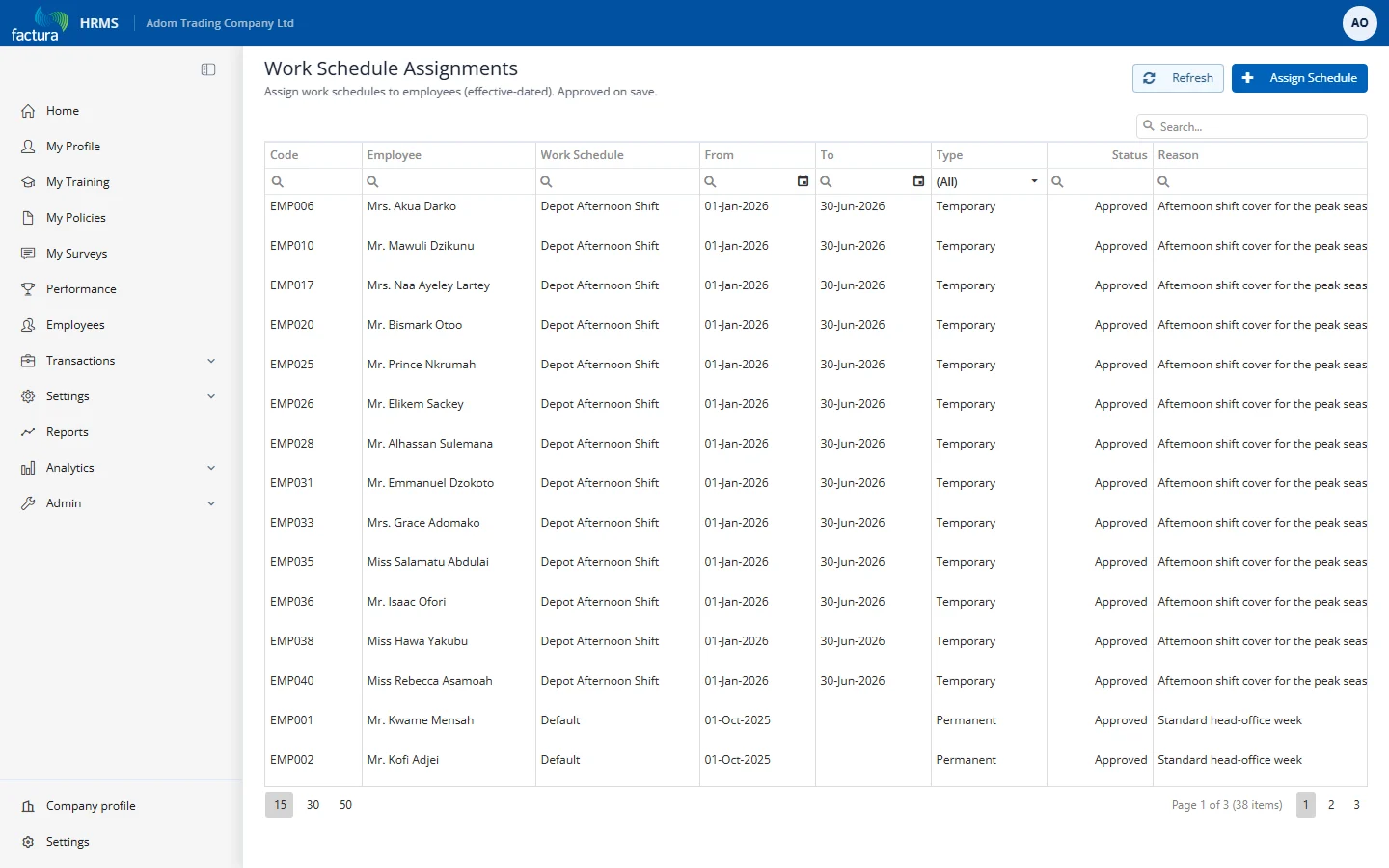
Click Assign Schedule:
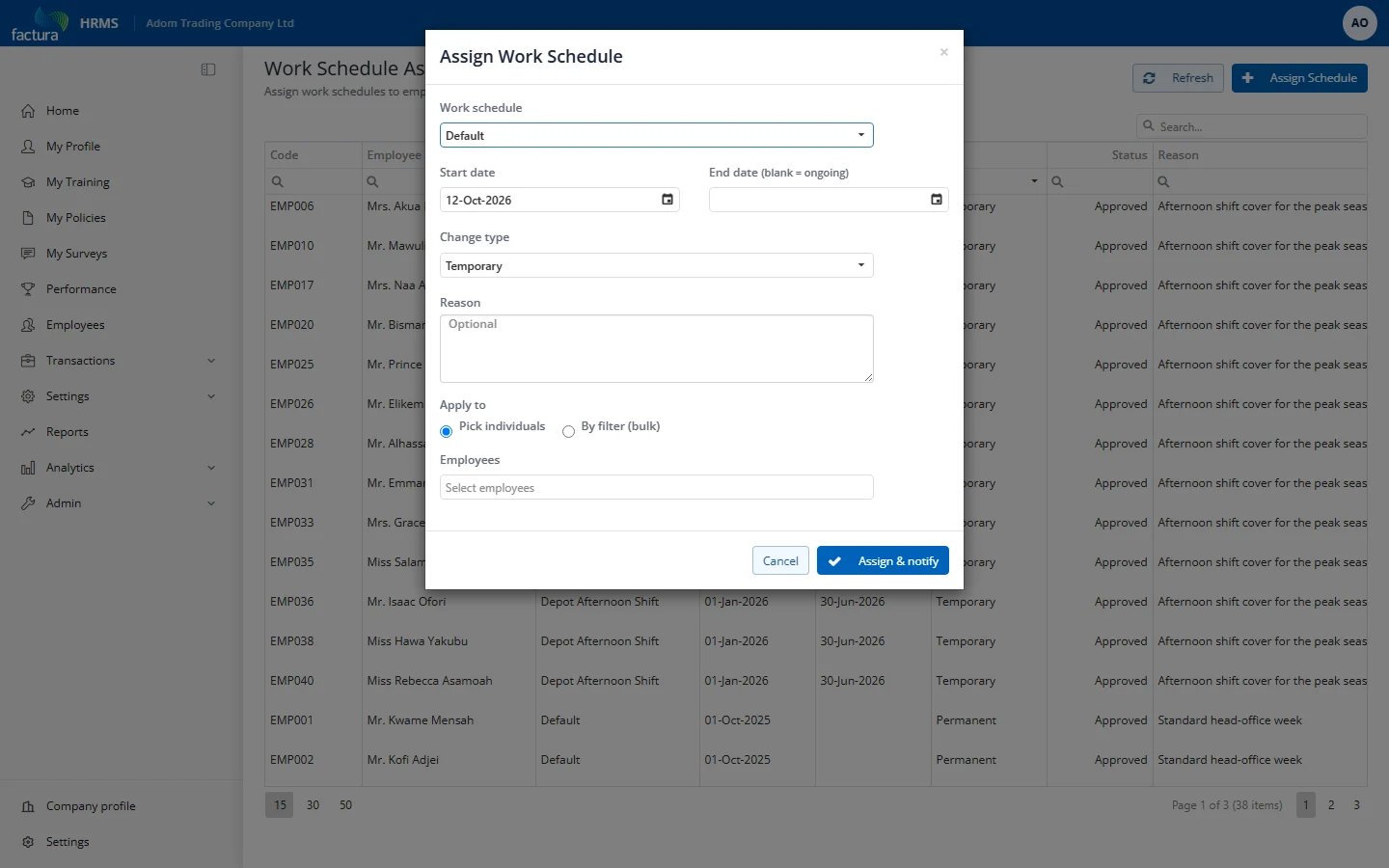
- Work schedule — the template to apply.
- Start date — first day the new schedule applies.
- End date — last day, or leave blank for an ongoing assignment.
- Change type — see section 6.
- Reason — optional, shown in the list and in the notification email.
- Apply to — either Pick individuals (search and multi-select employees) or By filter (bulk):
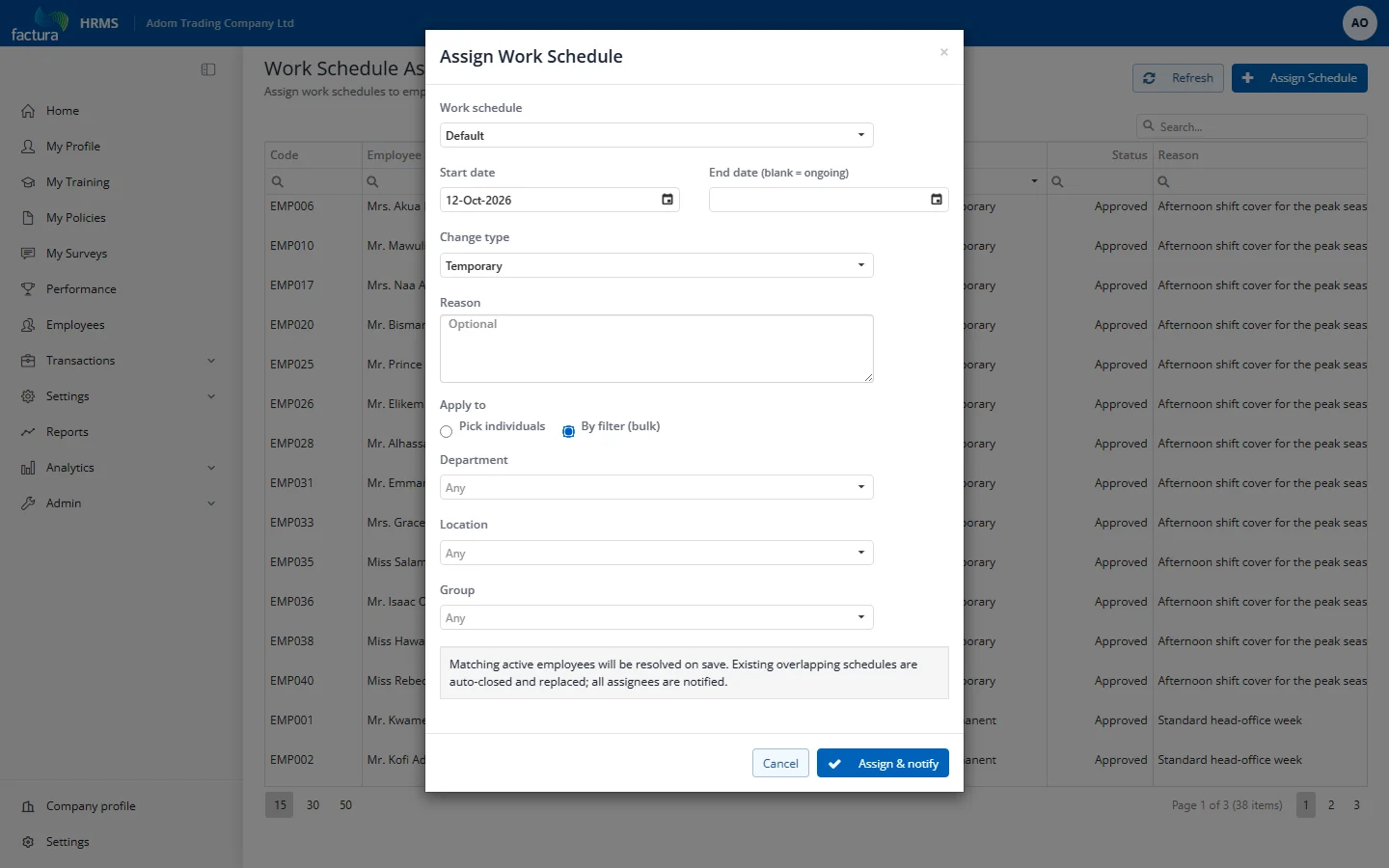
In bulk mode choose any combination of Department / Location / Group; every active employee matching all chosen filters gets the assignment when you save. The result message tells you how many were assigned and whether any failed. Click Assign & notify to save the assignment and email the affected employees.
Assignments made here are approved immediately — they take effect from the start date with no further approval step, and each affected employee is emailed.