
What are the separation statuses?
Each separation request progresses through a defined lifecycle:
Draft --> Pending Approval --> In Progress --> Pending Clearance --> Pending Final Pay --> Completed
  |            |                   |                |                      |
  +-- Delete   +-- Cancel Workflow +-- Cancel       +-- Cancel
               +-- Reject          +-- Skip Clearance
| Status | Description | Available Actions |
|---|---|---|
| Draft | Initial state after creation. Not yet submitted. | Save, Submit for Approval, Delete |
| Pending Approval | Submitted and awaiting workflow approval. Cancel Workflow returns it to Draft without cancelling the separation. | Cancel Workflow |
| In Progress | Approved. The employee is Terminated, their login is deactivated, and automated reassignments are executed. | Save, Skip Clearance, Cancel Separation |
| Pending Clearance | Clearance tasks generated and in progress. | Save, Skip Clearance, Cancel Separation |
| Pending Final Pay | Clearance complete. Use Leave & Benefit Settlement to choose Encash, Forfeit or Recover for each line, then Post to Final Pay. | Save, Run Final Pay, Mark Complete |
| Completed | Final settlement marked as done. Separation fully processed. Read-only. | None (view only) |
| Cancelled | Request withdrawn. Employee status reverted to Active. | None (view only) |
Final approval sets the employee to Terminated and deactivates their login. The same happens on submission when no approval is needed. Mark Complete records that the final settlement is done. Separation status emails go to the person who started the separation, not to HR or the departing employee.
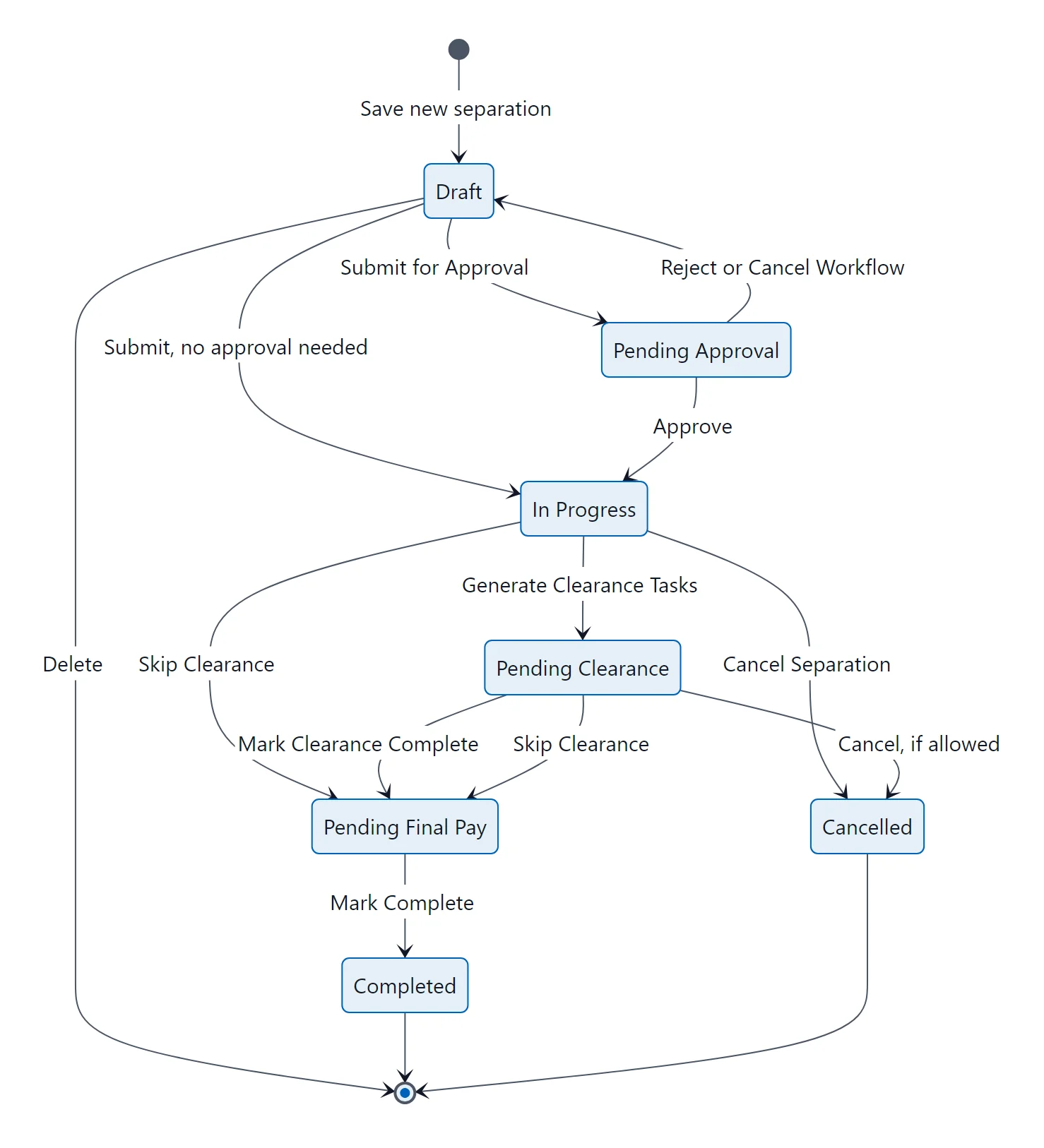
Separation lifecycle: each status, the button that moves it on, and the ways out through Cancel or Delete.