
How do I link skills to a training program?
The Skills tab defines which skills will be awarded to participants when the training is closed.
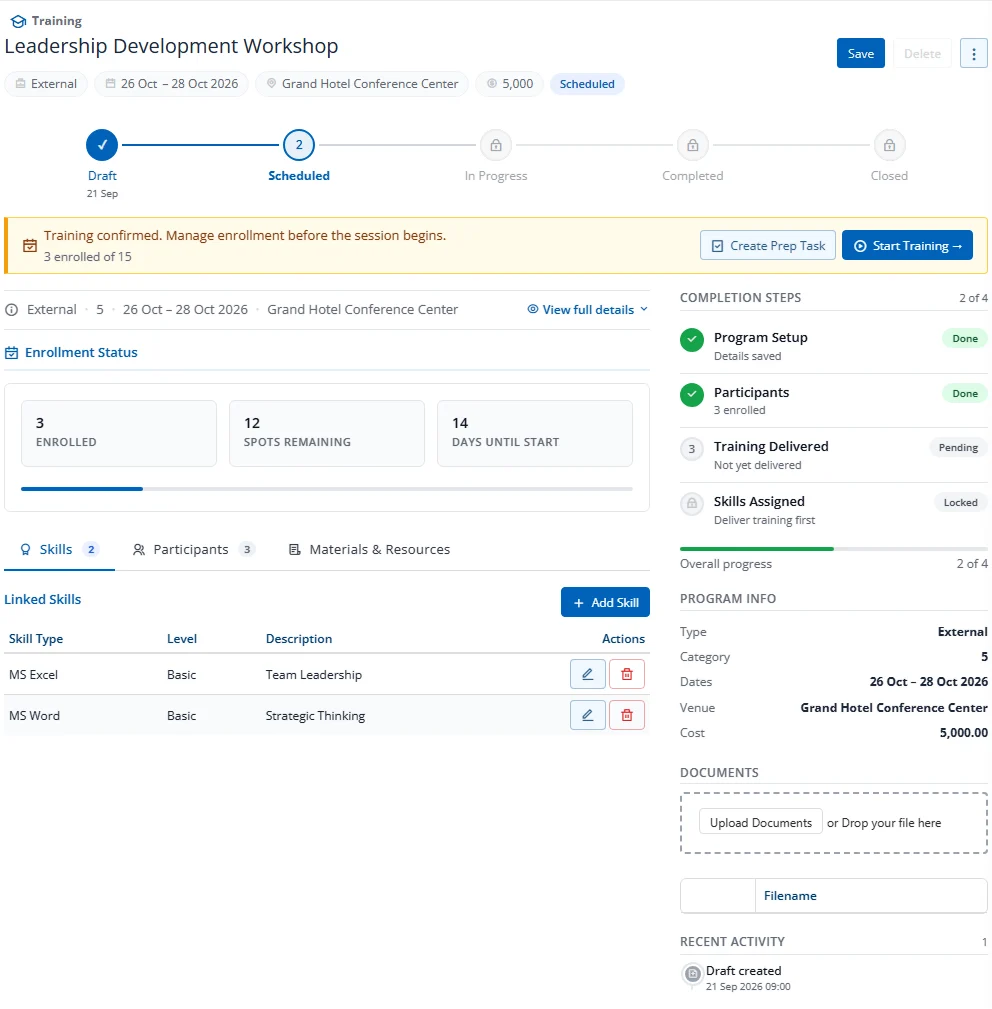
Adding a Skill
- Click the Skills tab
- Fill in the inline form: Skill Type (picklist), Skill Level (picklist), Description
- Click Add Skill
Skills use the same picklist values as the Employee Skills section, ensuring consistency across the system.
How Skill Assignment Works
When a training program is Closed (status transition from Completed to Closed):
- The system creates or updates skill records for every participant who completed the training
- Each skill record is linked back to the training program via
TrainingProgramId - Fields set:
Trained=True,Acquired=True,TrainingDate,TrainingInstitution(program title)
Note: The setting Auto assign skills on close must be
Truefor automatic skill assignment.