
How is the loan repayment schedule built?
Before submitting, you can preview the repayment schedule to understand exactly how much will be deducted each month.
Viewing the Schedule
After filling in the Principal Amount and No. of Installments, click the Show Loan Payment Schedule button:
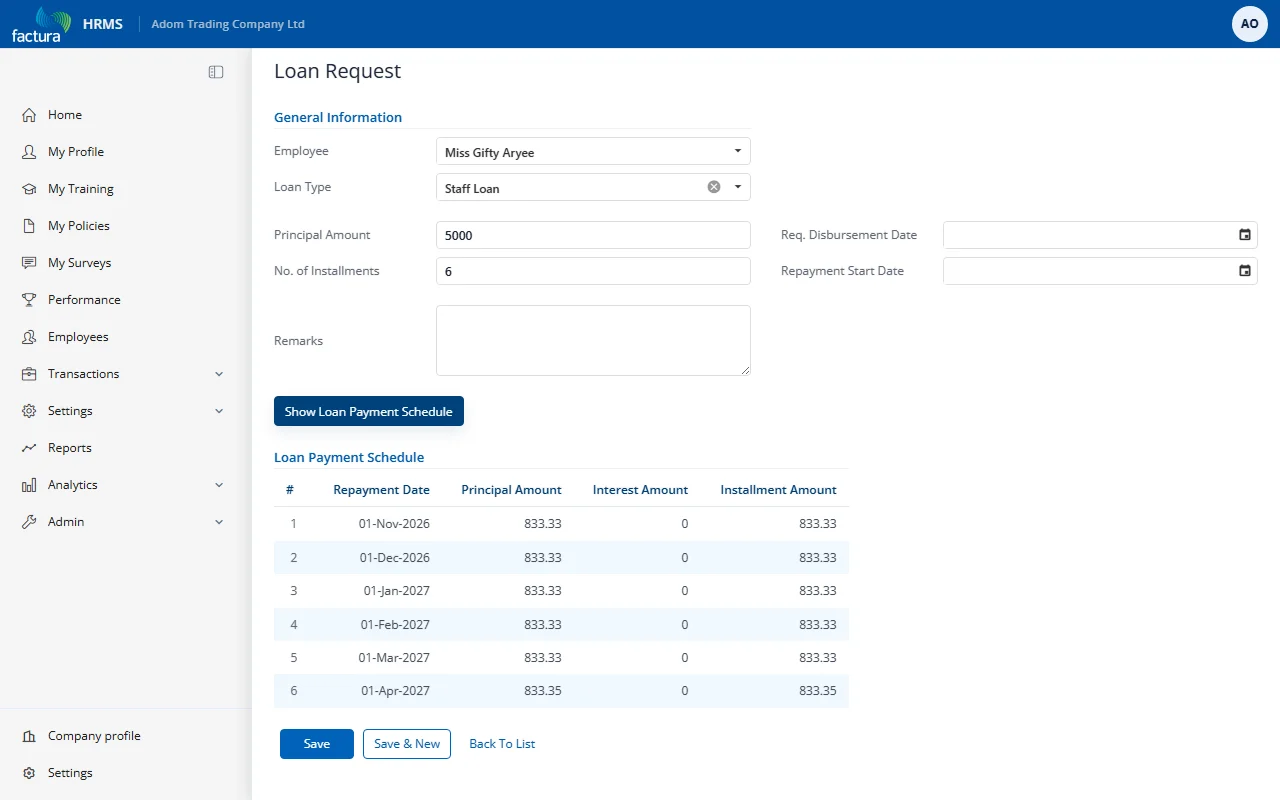
The Loan Payment Schedule table appears with the following columns:
| Column | Description |
|---|---|
| S. No. | Sequential installment number |
| Repayment Date | The date each installment is due (typically the 1st of each month) |
| Principal Amount | The portion of the payment going toward the loan principal |
| Interest Amount | The interest portion of the payment (0 for interest-free loans) |
| Installment Amount | The total amount deducted for that installment (Principal + Interest) |
Understanding the Schedule
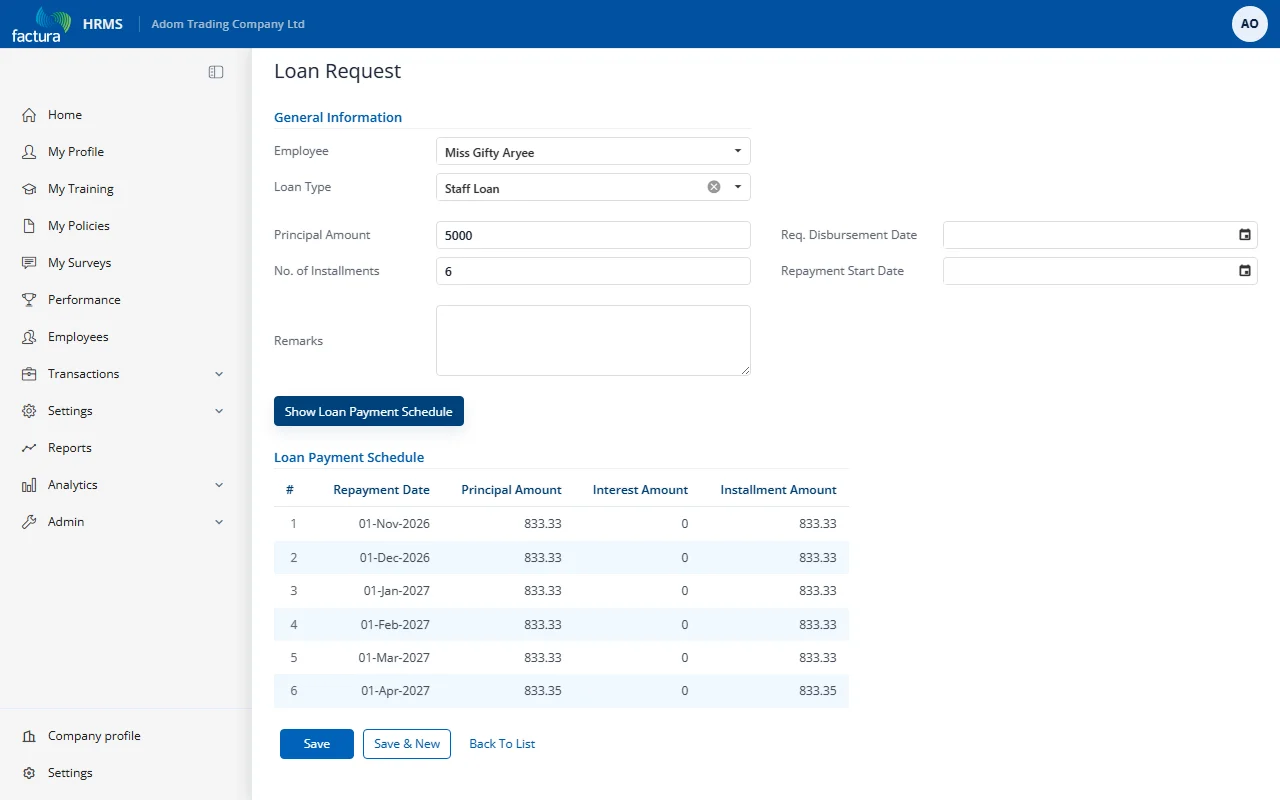
Example: A 5,000 loan with 6 installments at 0% interest:
- Each installment = 5,000 / 6 = 833.33
- The final installment may be slightly adjusted for rounding (e.g., 833.35)
- Repayment dates start from the Repayment Start Date and occur monthly
Note: If the loan type has an interest rate greater than 0, the Interest Amount column will show the interest portion and the total Installment Amount will be higher than the principal portion.