
How do I create a disciplinary case?
Who does what: HR runs the case, an approver signs off formal actions, and the employee is notified.
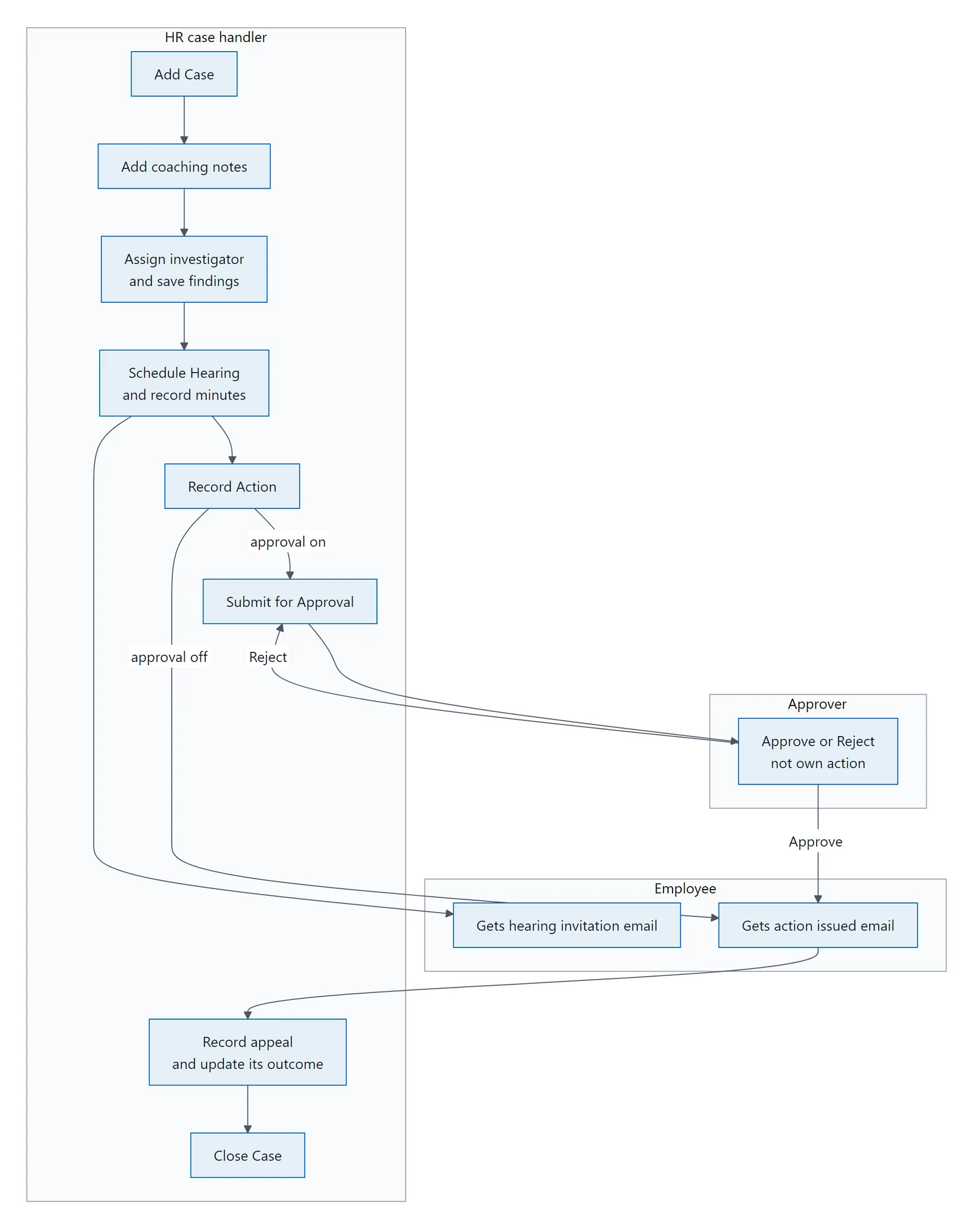
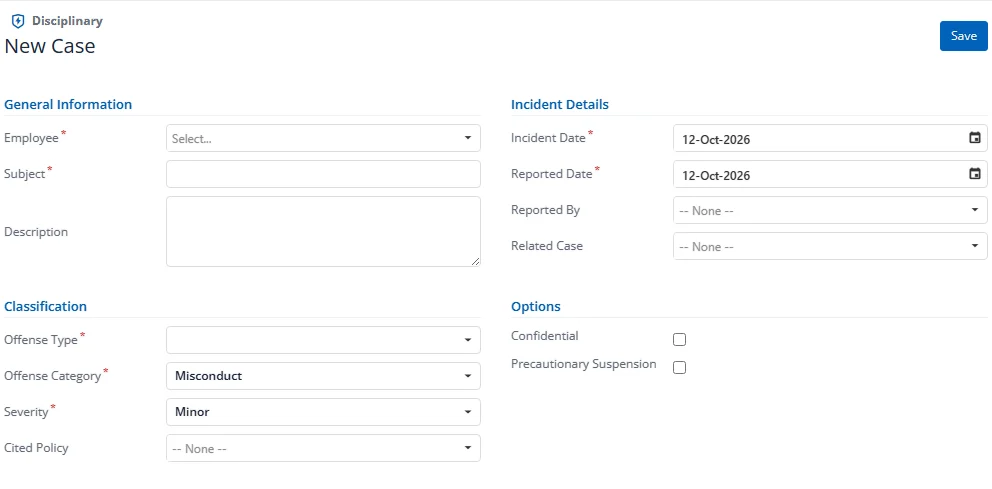
When you create a new case, the form opens in full-width mode with the Case Details section expanded.
The form is arranged in four sections: General Information, Incident Details, Classification and Options.
Required Fields
- Employee: Select the employee under investigation
- Subject: Brief description of the disciplinary matter
- Incident Date: When the incident occurred
- Reported Date: When the incident was reported
- Offense Type: Category of offense (from picklist)
- Offense Category: Specific offense classification
- Severity: Minor, Moderate, Major, or Gross
Optional Fields
- Description: Detailed narrative of the incident
- Reported By: Employee who reported the incident
- Related Case: Link this case to an earlier case
- Cited Policy: The company policy the case relies on
- Confidential: Marks the case as confidential
- Precautionary Suspension: If the employee is suspended pending investigation
After Saving
- A Case Number is auto-generated (e.g., DC-2026-0012)
- The case enters Stage 0: Informal Coaching
- The page reloads with the full stage-driven interface