How do I create and launch a cycle?
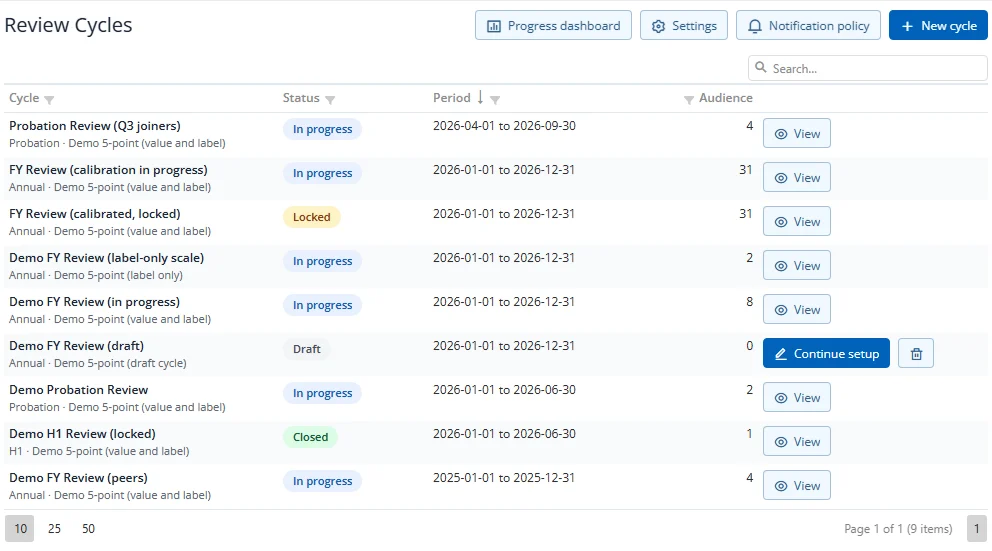
- On Review Cycles, press New cycle.
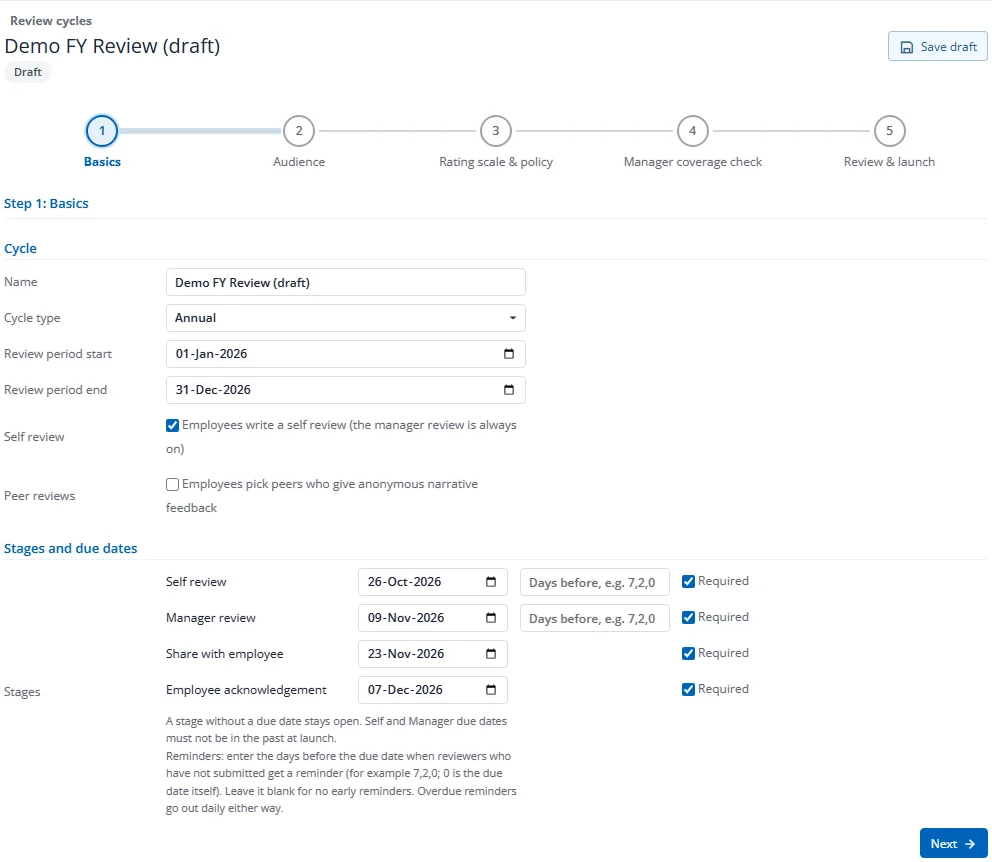
- Basics: name the cycle, choose the type (Annual, H1, H2, Quarter, Probation or Ad hoc) and the review period. Choose whether employees write a self review and whether peers give feedback. Set the due dates for each stage. For the Self, Manager and Peer stages you can also enter reminder days: the days before the due date when reviewers who have not submitted get a reminder, for example
7,2,0(0 is the due date). Leave it blank for no early reminders. Press Next. - Audience: add rules for who is reviewed: all employees, a department, a location, an employee group or named employees. A cycle with no rules reviews nobody. Press Next.
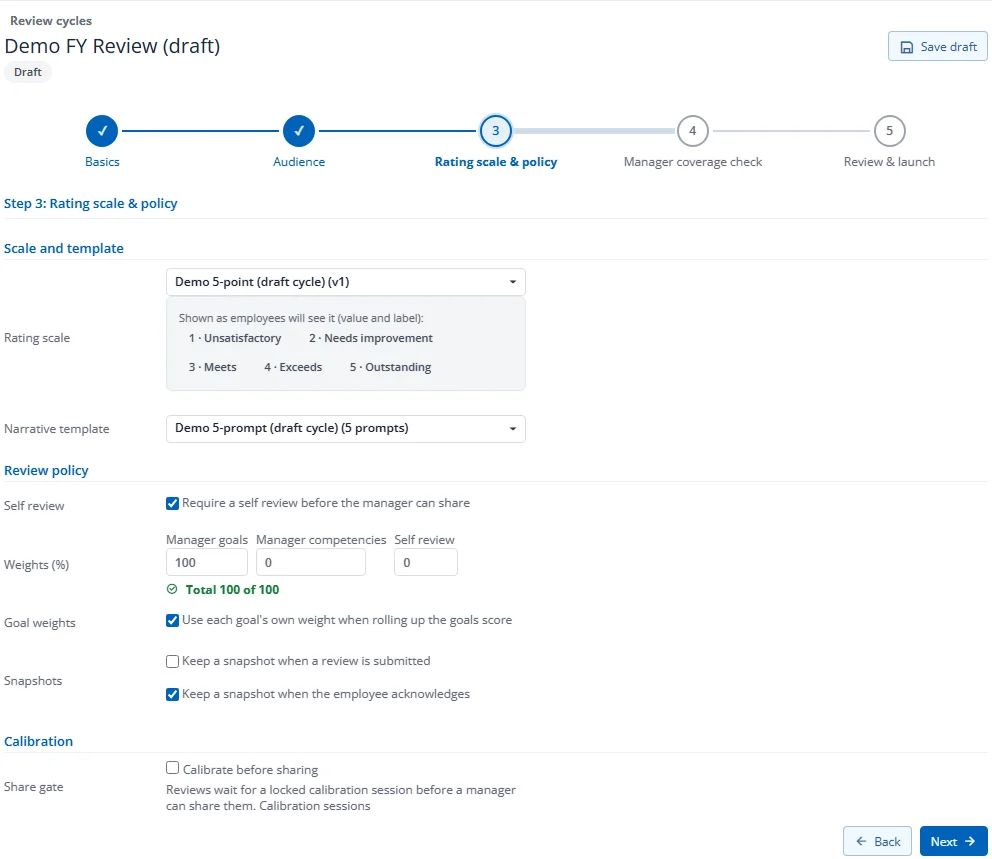
- Rating scale & policy: pick the scale and template, the weights of goals, competencies and the self review (they must add up to 100), and the snapshot options. If you use peer reviews or calibration, set them here too (see 2.6 and 2.7). Press Next.
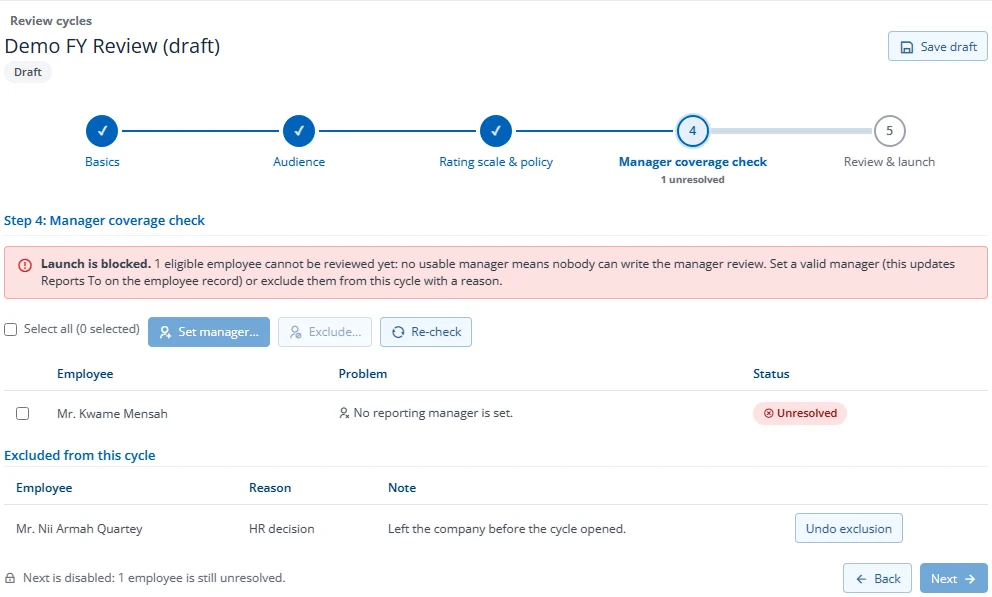
- Manager coverage check: Factura lists anyone in scope who has no usable manager. For each one, press Set manager (this updates Reports to on their employee record) or Exclude them with a reason. You cannot continue while anyone is unresolved.
- Review & launch: check the summary and press Launch. Everyone in scope and their managers are notified.
Each step is saved when you press Next, so you can stop and come back later with Continue setup. Self and manager due dates cannot be in the past when you launch. Share and acknowledge due dates are for tracking only; they do not send reminders or block an action.
Every list in Performance (cycles, review subjects, team, improvement plans, calibration sessions) has a search box, sorts when you click a column heading, and filters from the funnel on a heading. Click a row to open it.