
How do I create a separation?
- From the list view, click + Add Separation at the top right of the page
- The New Separation Request form opens with the Separation Details section (Basics and Notice & Leave)
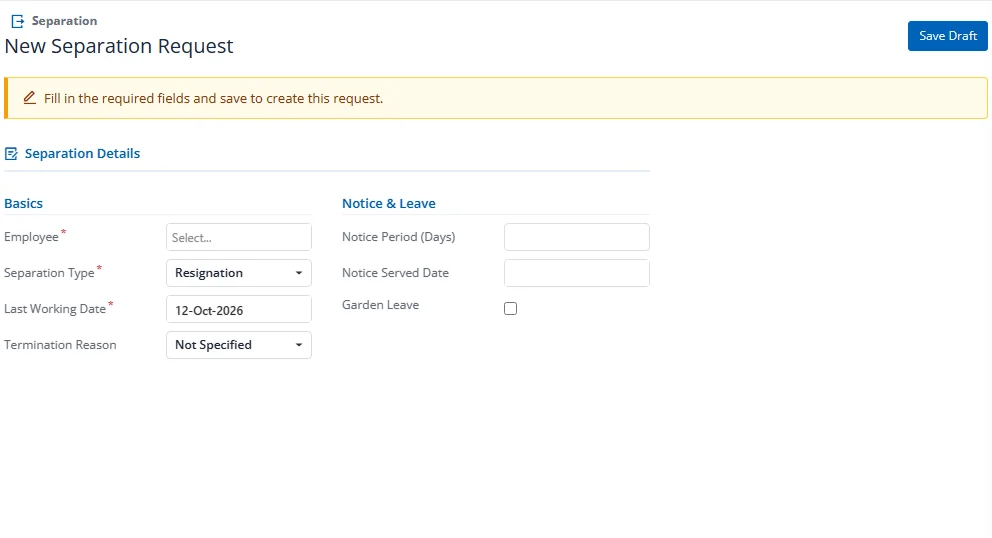
- Select an employee from the Employee dropdown (searchable)
- Choose the Separation Type (Resignation, Termination, etc.)
- Set the Last Working Date
- Select a Termination Reason
- Optionally set the Notice Period and Notice Served Date
- Click Save Draft (top right)
Note: The stepper, completion steps and the Clearance, Exit Interview and activity sections only appear after the first save, when the record has an ID.