
Which buttons appear at each status?
Action buttons appear at the bottom of the form and change based on the current status:
Draft (Status 0)
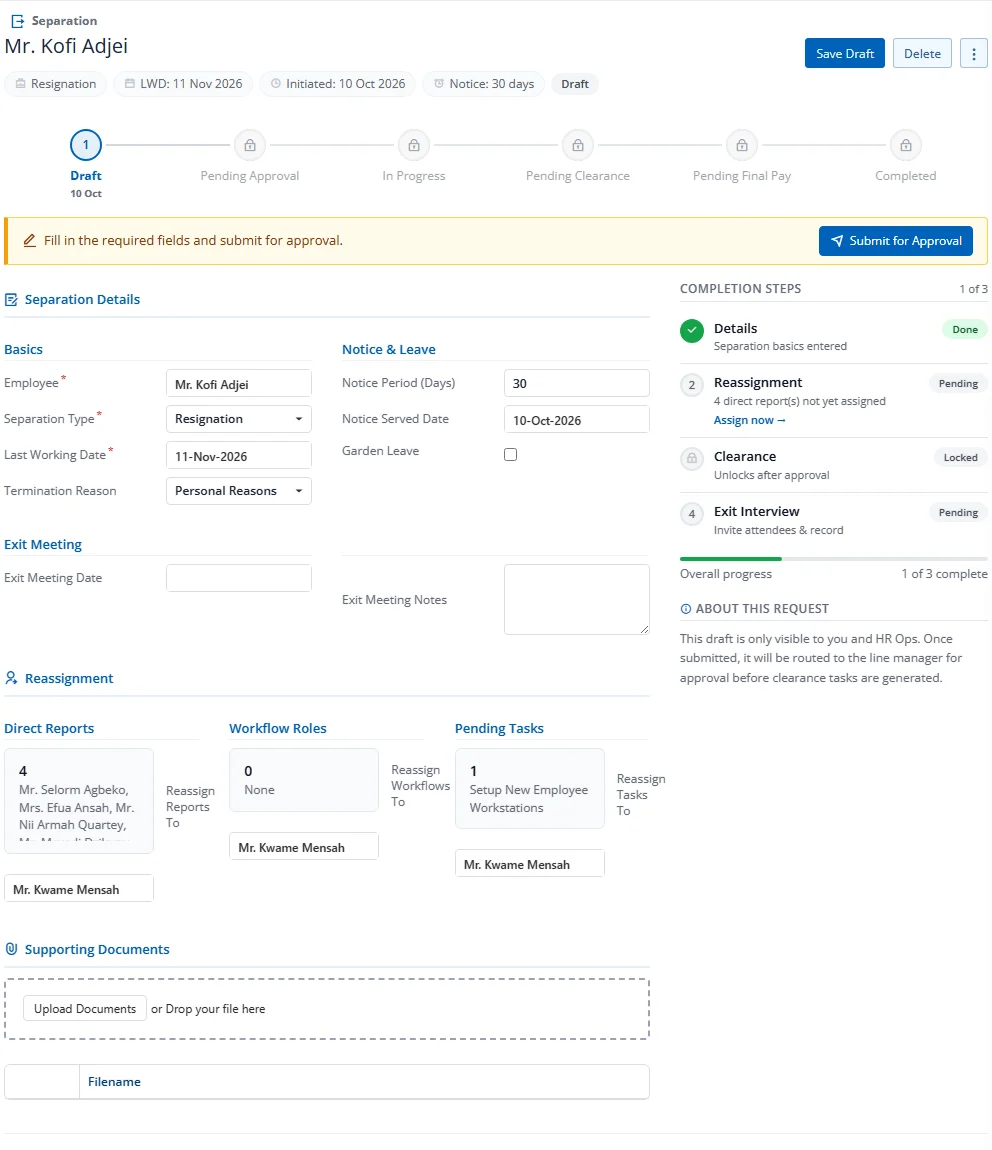
- Save — Save changes to the draft
- Submit for Approval — Send to the configured workflow approvers
- Delete — Permanently delete the draft
Pending Approval (Status 1)
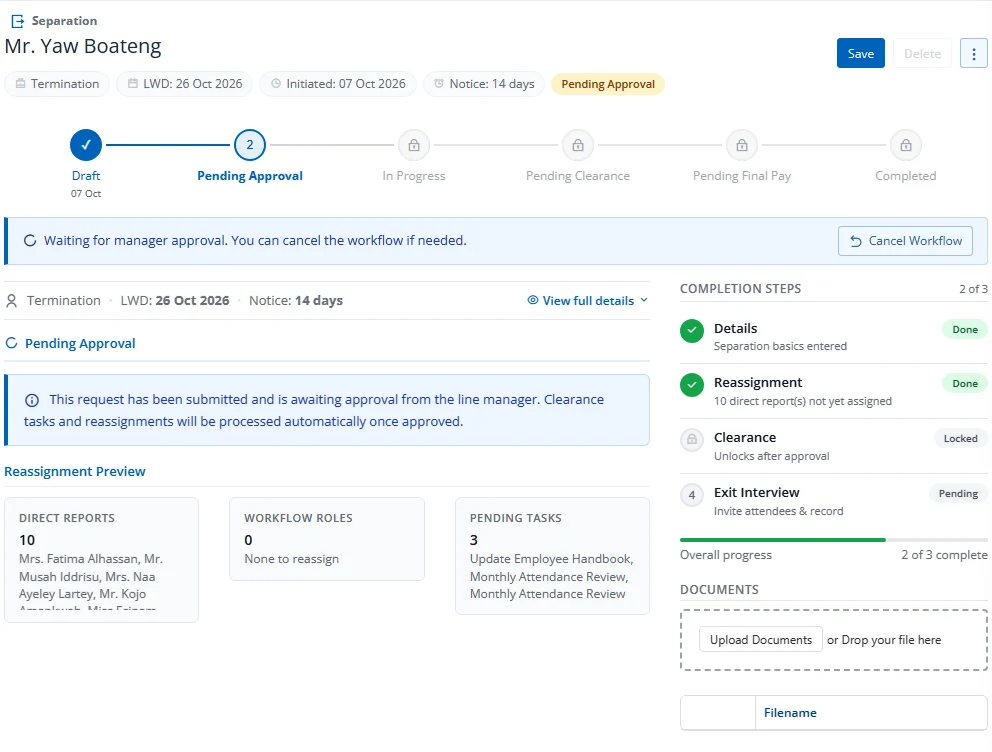
- Cancel Workflow — Withdraw the submission, revert to Draft
In Progress (Status 2)
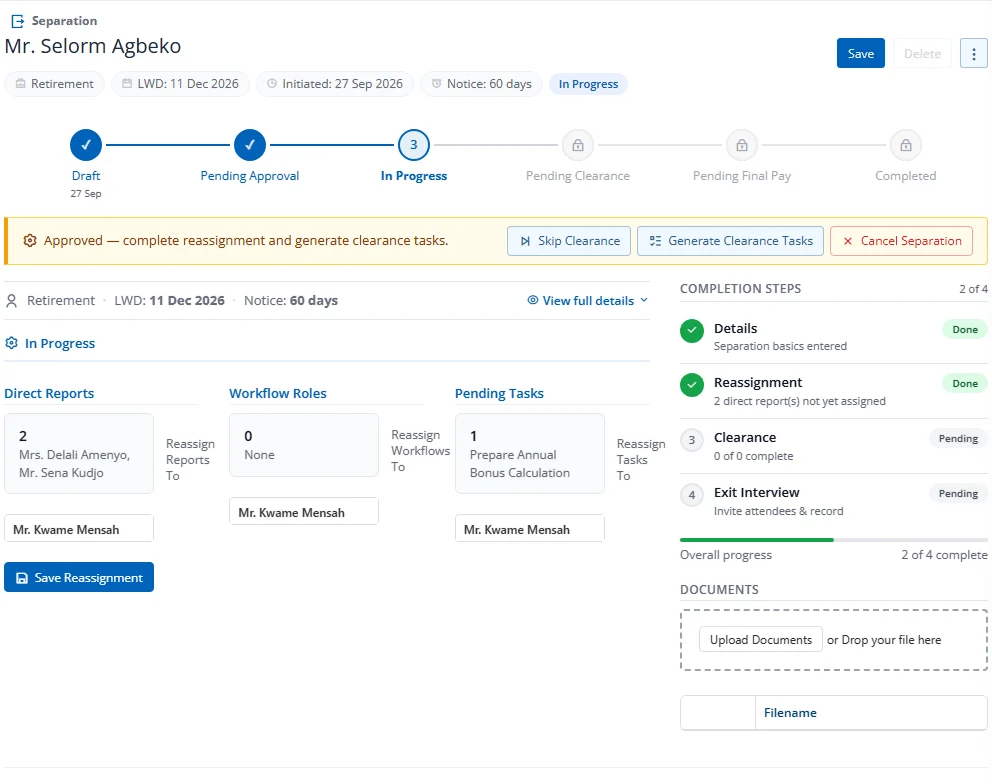
- Save — Save any changes
- Skip Clearance — Bypass clearance tasks, advance to Pending Final Pay
- Cancel Separation — Cancel the entire separation
Pending Clearance (Status 3)
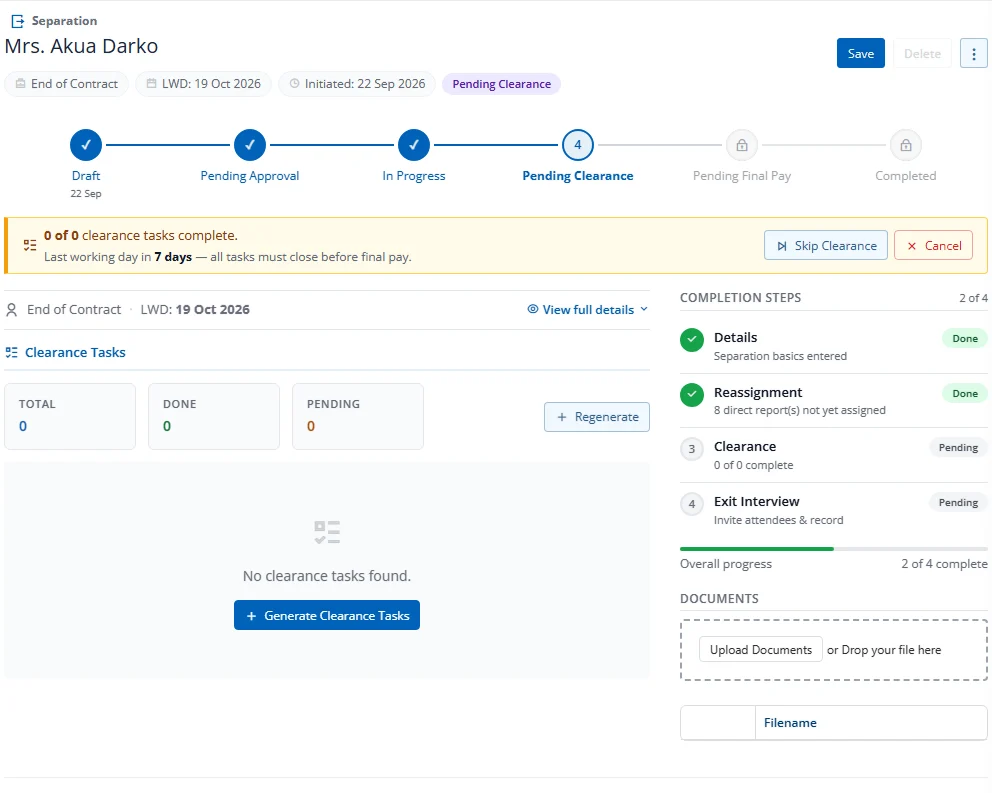
- Save — Save any changes
- Skip Clearance — Bypass remaining clearance tasks
- Cancel Separation — Cancel the separation
Pending Final Pay (Status 4)
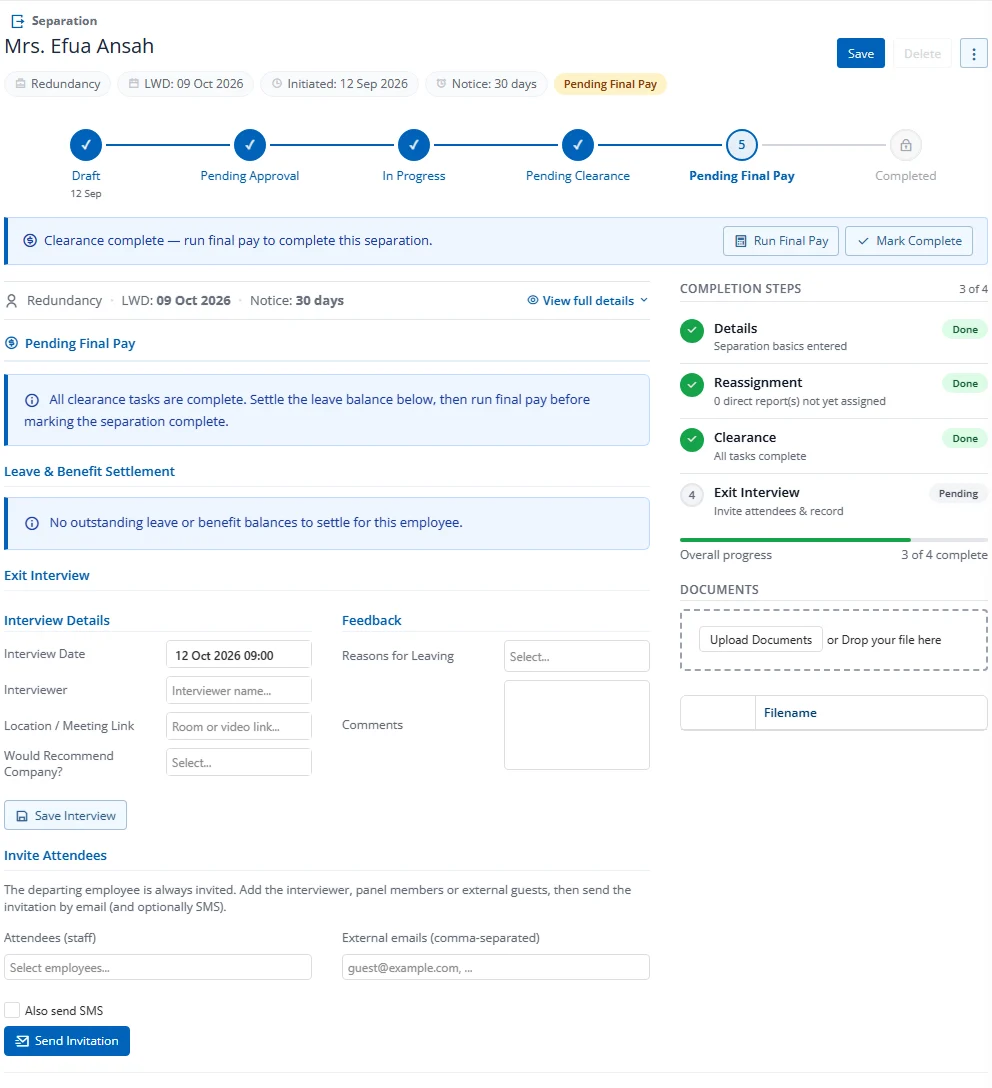
- Save — Save any changes
- Run Final Pay — Navigate to payroll module with the employee pre-selected
- Mark Complete — Finalize the separation as fully settled
Completed (Status 5)
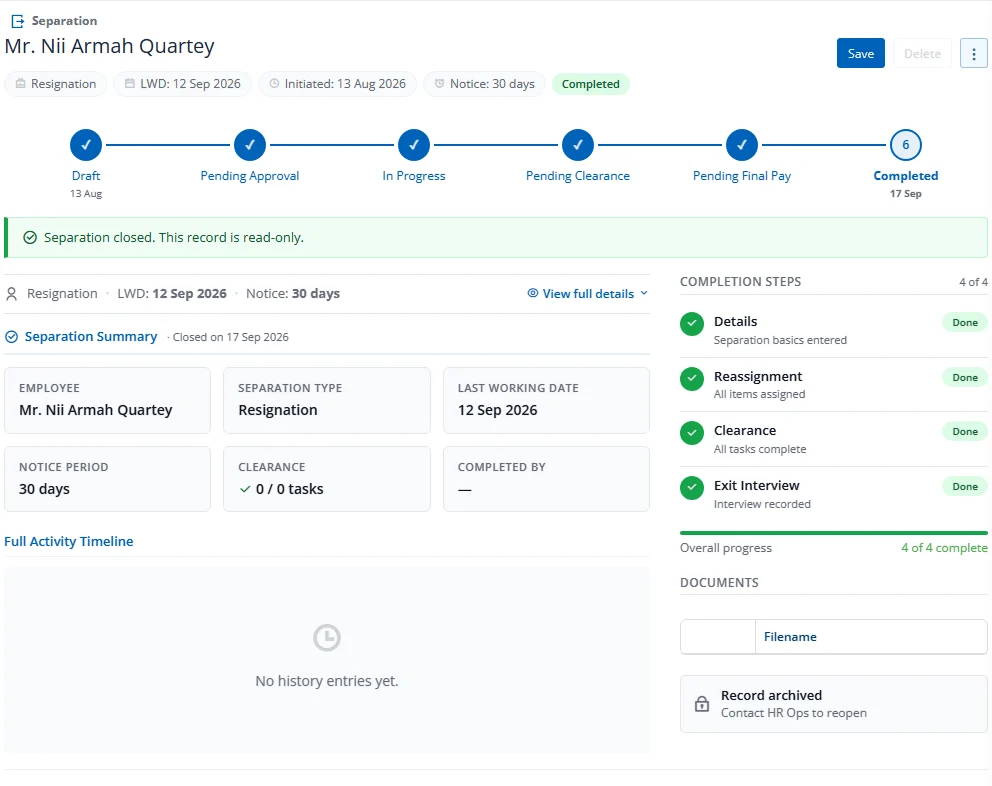
- No action buttons (read-only)
- All form fields are disabled
Cancelled (Status 6)
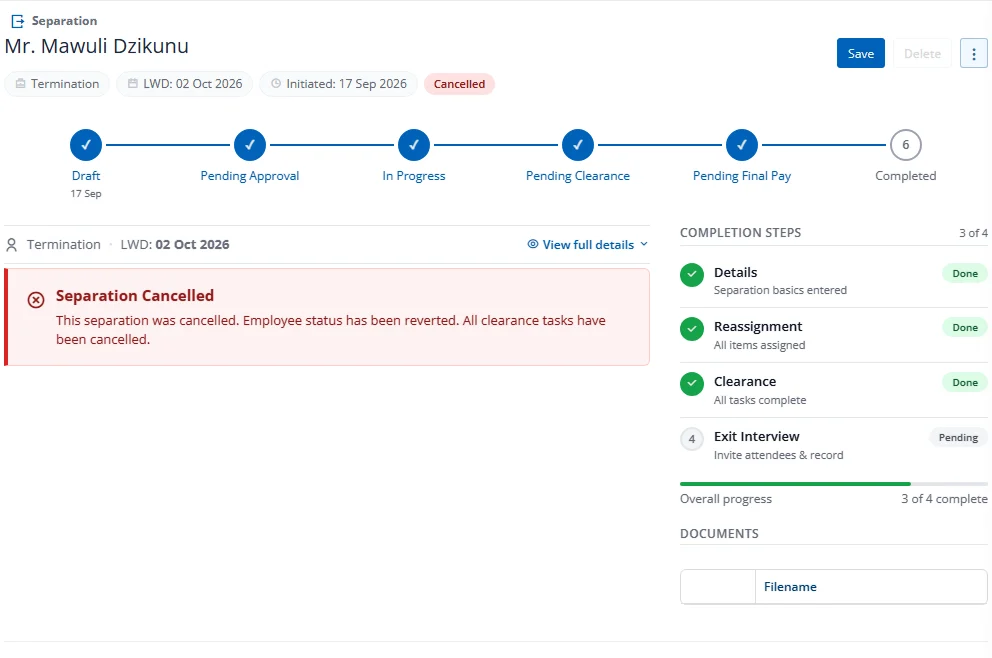
- No action buttons (read-only)
- Employee status has been reverted to Active