
How do I get started with training administration?
Accessing the Module
Open Training from the left sidebar (look under Transactions). This opens the Training Programs list. Employees use My Training in the sidebar instead (see Section 19).
Enabling the Module
The Training module is controlled by a feature flag. An administrator must enable it:
- Open Settings ▸ Automation ▸ Module Toggles
- Switch Training Administration ON
- Save and refresh the browser — the Training menu item will appear
Creating Your First Program
- From the Training Programs list, click Add Training Program
- Enter a Title (required)
- Select Training Type (In-House or External)
- Set Start Date and End Date
- Click Save Draft
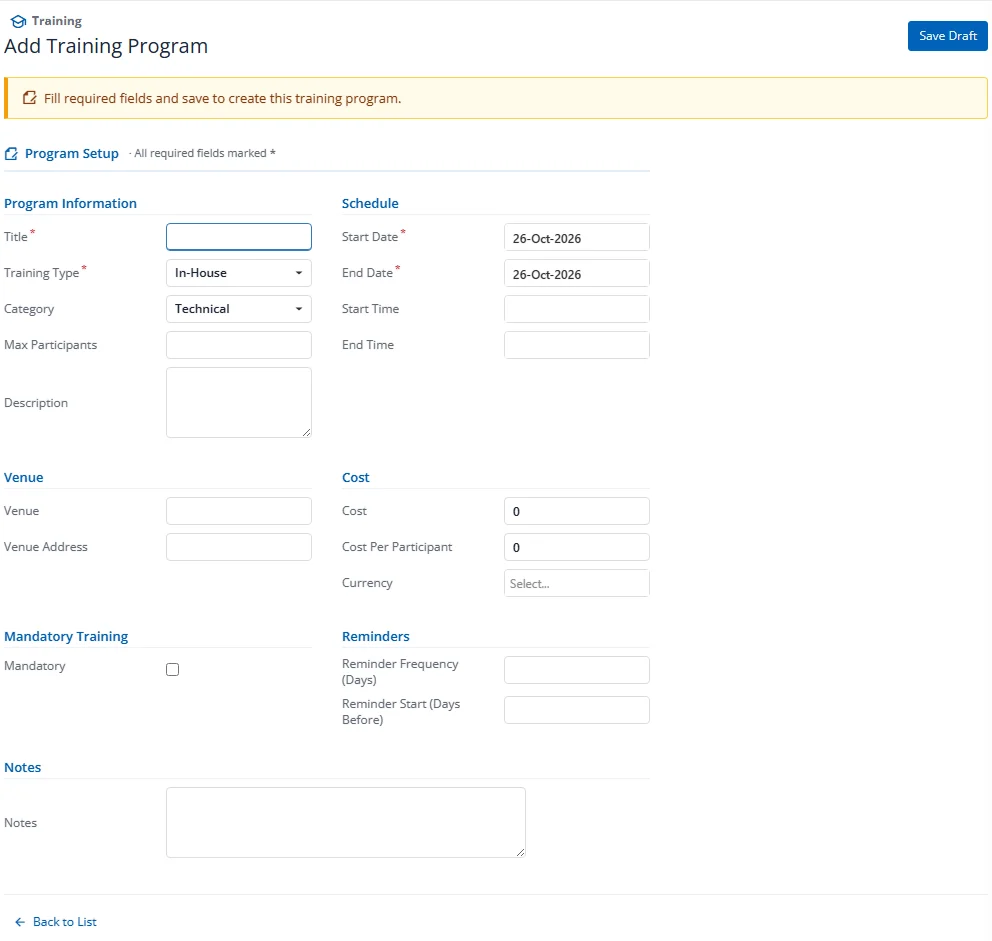
The program is created in Draft status. You can now add skills, enroll participants, and attach materials before scheduling.
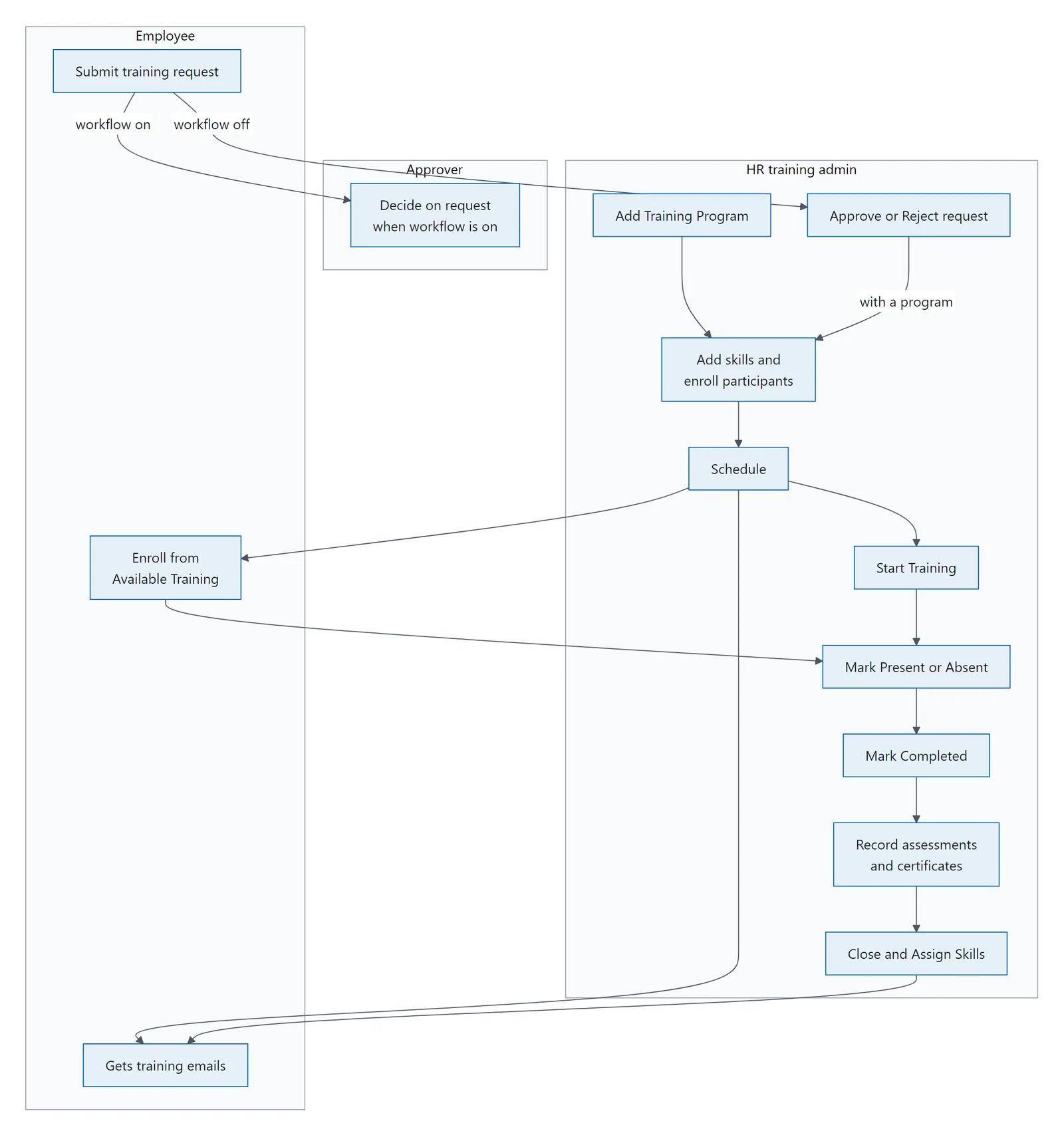
Who does what: HR runs the program, employees enroll or request training, and an approver decides requests when workflow is on.