
How do I run calibration?
Calibration lets you compare ratings across teams before anyone is told their result. It is off unless you switch it on for a cycle.
Switch the gate on
In the cycle setup, step Rating scale & policy, tick Calibrate before sharing. From then on no review in the cycle can be shared until it has been through a locked calibration session. The console shows how many reviews are awaiting calibration.

Run a session
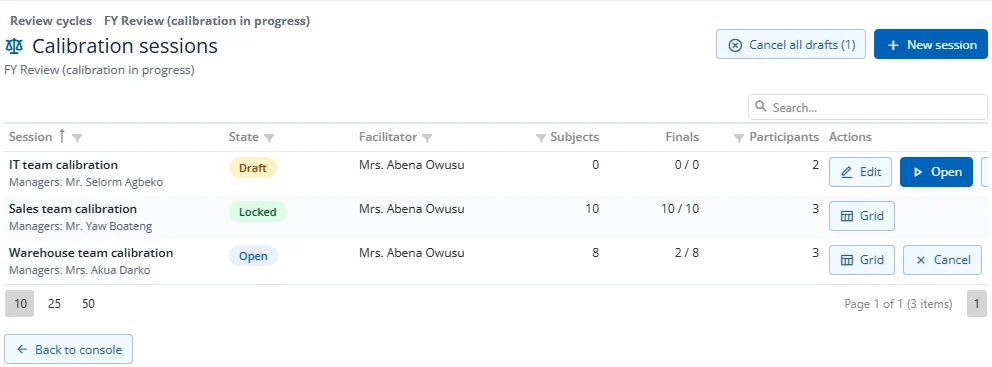
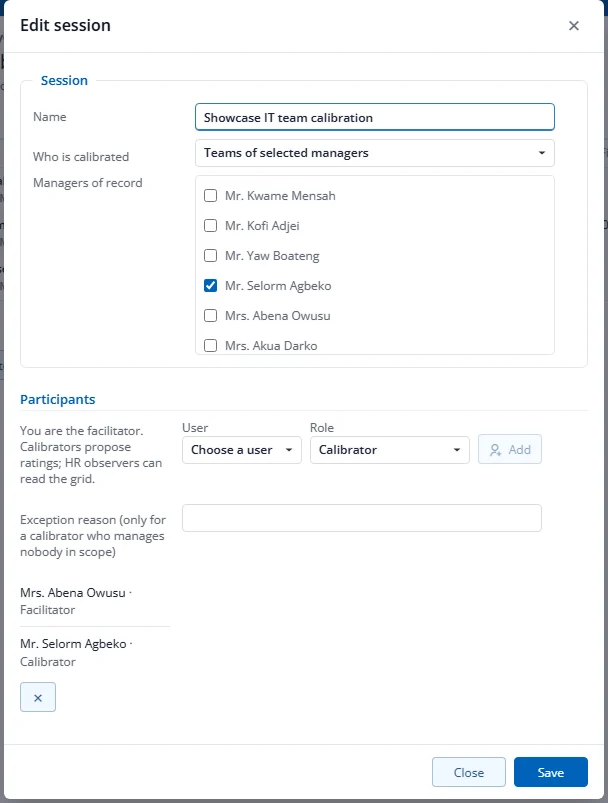
- On the console, press Calibration, then New session. Give it a name and choose who is calibrated: everyone, some departments, or the teams of some managers. You become its facilitator.
- Add participants: Facilitator (records final ratings), HR observer (may propose changes) or Calibrator (a manager who may propose changes). Adding a calibrator who manages nobody in the session needs an exception reason.
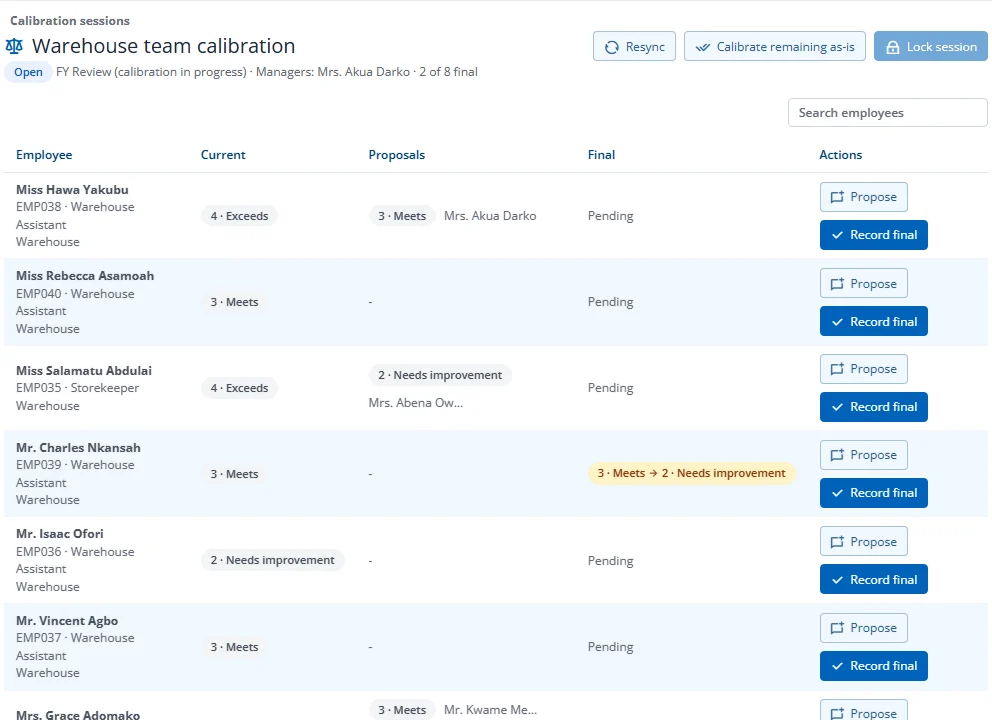
- Press Open. The session picks up every review in scope that is awaiting share. Participants are notified. Use Resync later to add reviews that became ready.
- In the grid, participants press Propose to suggest a different rating, with a reason of at least 20 characters. The facilitator presses Record final for each person, or Calibrate remaining as-is to keep the current rating for everyone without a final. A second facilitator records the final for your own review.
- Press Lock session. The changed ratings are applied in one step and the managers of changed reviews are told to check their comment and share.
Only a facilitator can change a session. If the session's last facilitator has left, an HR user with edit rights to Performance management who is not in the session can cancel it or add a new facilitator — nothing else.
A draft session can be cancelled; Cancel all drafts cancels every draft session of the cycle. Lock or cancel every open session before you lock the cycle.
Who sees what. Proposals and reasons are visible only to the session's participants and HR. Managers outside the session and employees never see them. A changed review simply reads Rating confirmed at calibration.
Change a rating after sharing. HR can still change only the final rating of a shared review, without reopening it. The review then reads Adjusted after HR review, and an employee who had already acknowledged it is asked to acknowledge again. On the console press Override on the person, choose Change the final rating only, pick the new rating and give a reason of at least 20 characters (seen by HR only). The option appears only for shared or acknowledged reviews of other people while the cycle is running.