How do I turn on mid-month payroll?
There are two separate things people confuse here. Read both.
The permission - this is the real switch
Mid-month is controlled by permissions, not by a settings toggle.
- Go to Admin → Security Roles.
- Open the role that should be able to run mid-month.
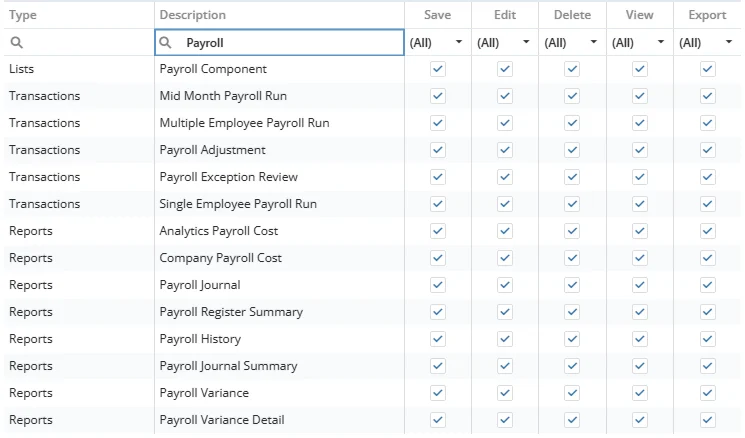
- Grant Mid-Month Payroll Run:
- View - can open the screen and see batches
- Edit - can process, send payslips, and mark transfers issued
- Grant Payroll Adjustment (Create / Edit) to whoever posts the entries.
Once the View permission is granted, Transactions → Mid-Month Payroll Run appears in the menu. Without it, the menu item is hidden and the API refuses the calls.
The "Mid-Month Adjustment" setting - what it actually does
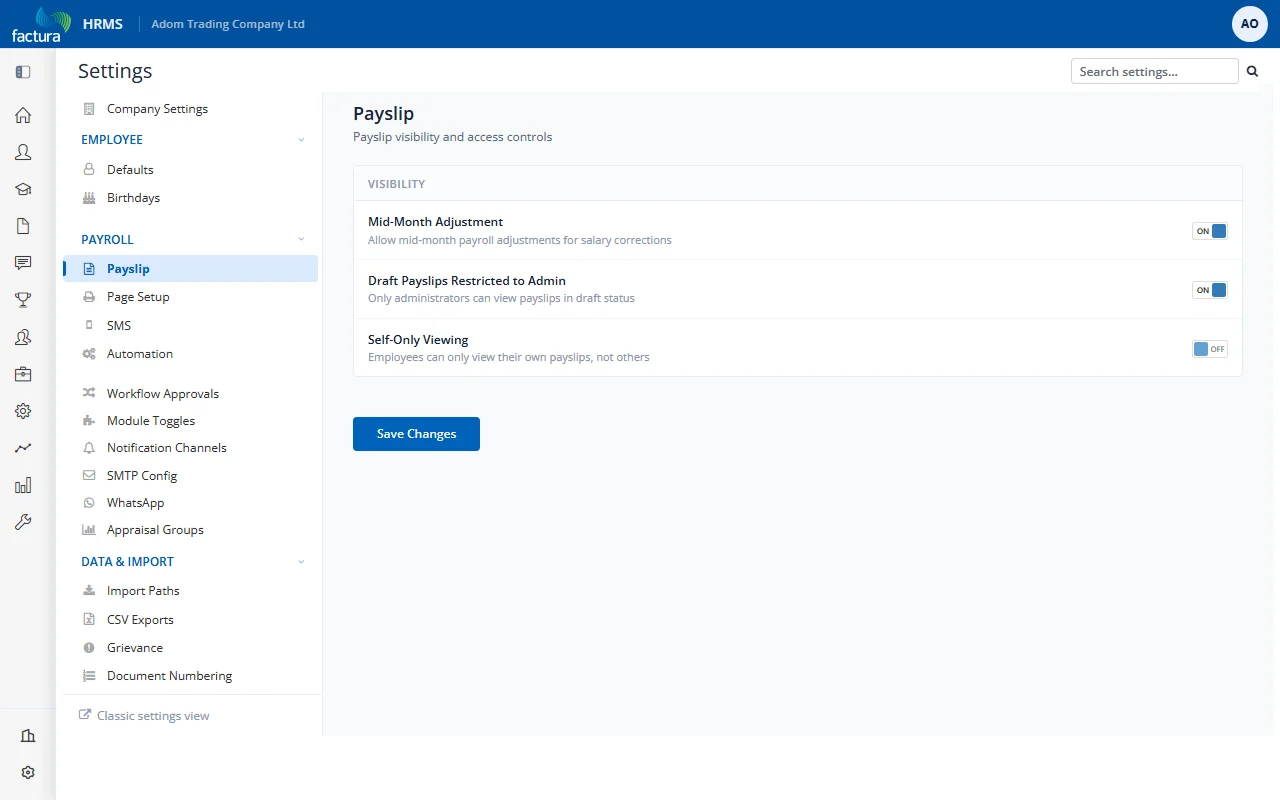
Settings → Payroll → Payslip, Visibility card, Mid-Month Adjustment ("Allow mid-month payroll adjustments for salary corrections")
Despite the wording, this toggle is not a master switch for mid-month.
⚠️ Turning it OFF does not disable mid-month. It only hides the Mid-Month and Full-Month auto-fill buttons on the Payroll Adjustment screen - a convenience feature used by one company to fill attendance and efficiency bonuses automatically from clock-in data.
Companies run mid-month perfectly normally with this setting off. If you switch it on expecting to "enable" mid-month, nothing changes; if you switch it off expecting to "disable" mid-month, nothing stops.
Leave it off unless you use the auto-fill buttons.