How do I run a review cycle from the console?
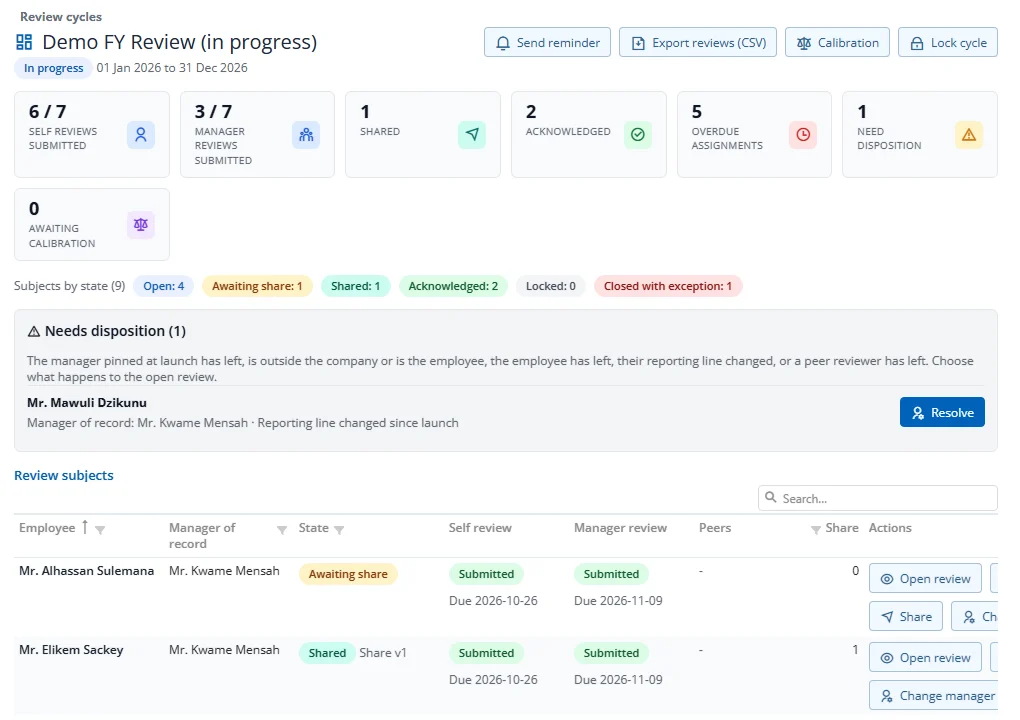
Open a cycle with View (or Open console on your home page). The console shows:
- Counters: self and manager reviews submitted, shared, acknowledged, overdue, reviews that need a decision, and reviews awaiting calibration.
- Subjects by state: how many people are in each status.
- Needs disposition: reviews that cannot carry on as they are, because the manager or employee has left, or the reporting line changed. Press Resolve to keep the review as it is, give it to a new manager, cancel and reissue it, or close it with an exception.
- Review subjects: one row per person, with their status, self and manager review progress, due dates and actions.
What you can do from a row:
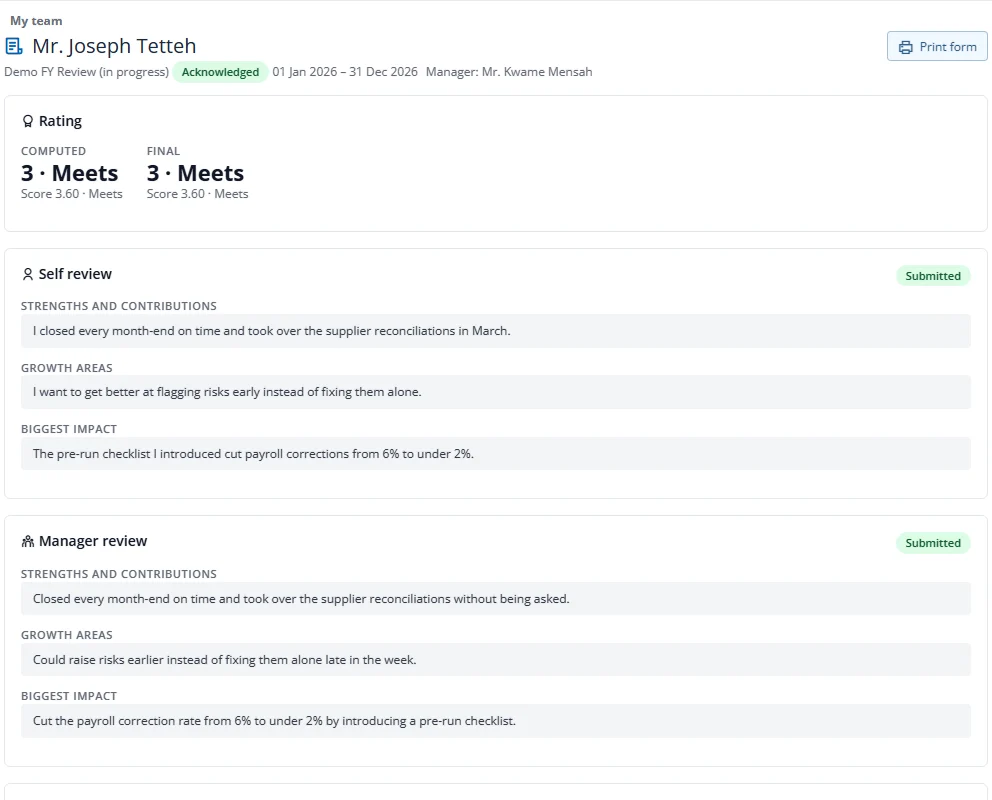
- Open review: read the full review packet: ratings, both reviews, goals, evidence and training. You see the manager's text only after it is submitted.
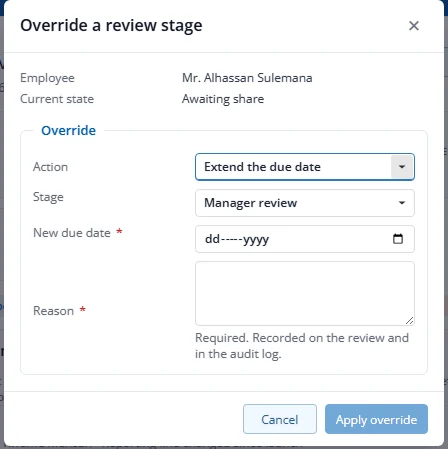
- Override: reopen a submitted review so it can be changed, extend a due date, or, on a shared review, change the final rating only (see 2.7). A reason is required and is kept.
- Share: share a review that is awaiting share when the manager cannot.
- Change manager: give the review to a different manager. The old manager's unsubmitted draft is not shown to the new one.
- Remind: send the reviewers of an open review who have not submitted yet their usual due-date reminder now.
Reviewers who have not submitted get a reminder on each reminder day set for their stage in the wizard, and an automatic reminder each day once they are overdue. To nudge people yourself, press Send reminder at the top of the console and choose Overdue reviews only or Every open review still waiting on a reviewer. Each reviewer who has not submitted gets a reminder, subject to their notification settings; with Overdue reviews only, only reviewers past their due date are reminded. A reviewer is reminded at most once a day from the console, and the confirmation tells you how many were reminded and how many could not be reached (no e-mail address or their notification settings). HR with the Export right also sees Export reviews (CSV) (one row per person: state, scores and ratings, shared, acknowledged and locked dates). Lock cycle freezes every review and keeps a final copy; it is refused while a review is still Open or Awaiting share, while a calibration session is still open, or on a probation cycle while someone has no outcome. Close is permanent.