
How do I enrol participants in a training program?
The Participants tab manages employee enrollment in the training program.
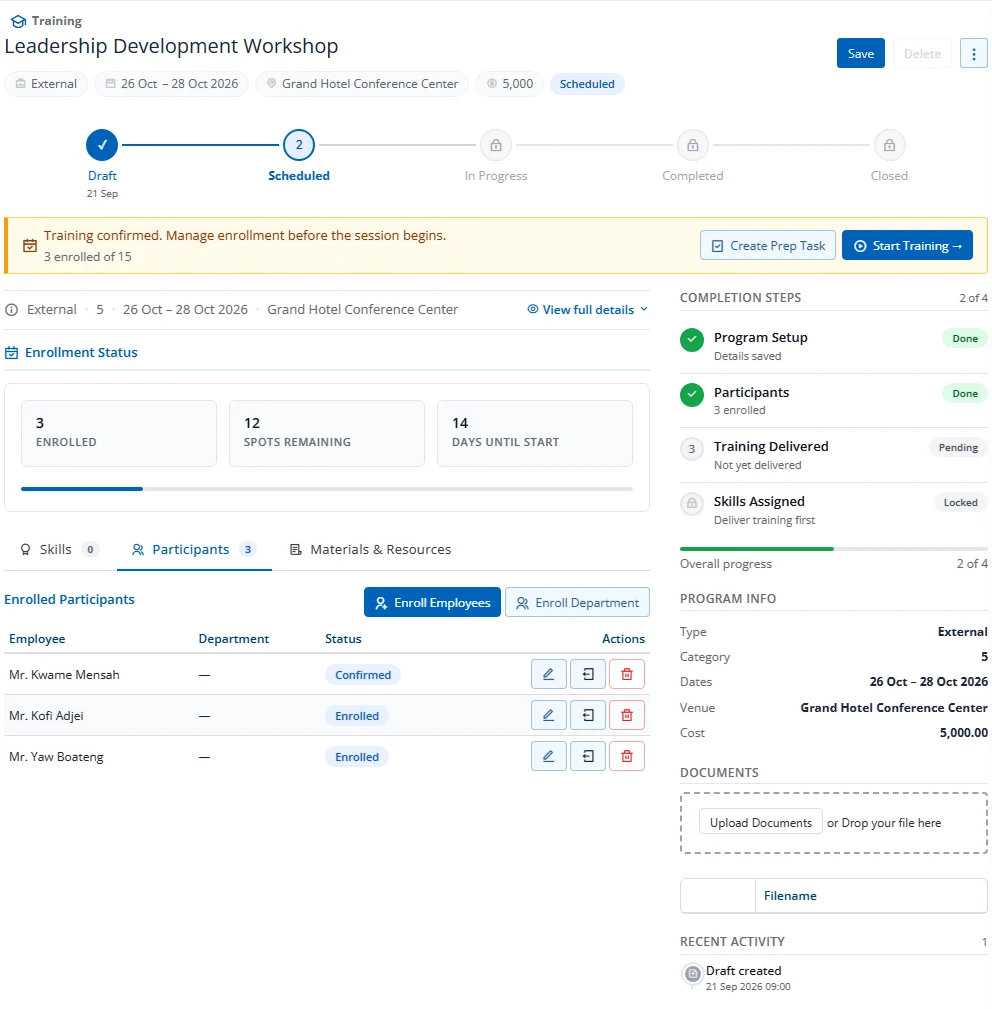
Enrollment Methods
| Method | How | Best For |
|---|---|---|
| Enroll Employees | Select individual employees via multi-select dropdown | Small groups, specific individuals |
| Enroll Department | Select a department to enroll all its employees | Department-wide training |
Enrollment Status
Each participant has a status that tracks their journey:
| Status | Meaning |
|---|---|
| Enrolled | Registered for training |
| Confirmed | Attendance confirmed |
| Attended | Showed up to training |
| Completed | Successfully finished training |
| No Show | Did not attend |
| Withdrawn | Removed before or during training |
Capacity Check
If Max Participants is set on the program, the system prevents enrollment beyond capacity. A capacity indicator shows current enrollment vs. maximum.