
What happens after a leave decision?
Approved Requests
After all approval levels are completed, the request is marked as Approved.
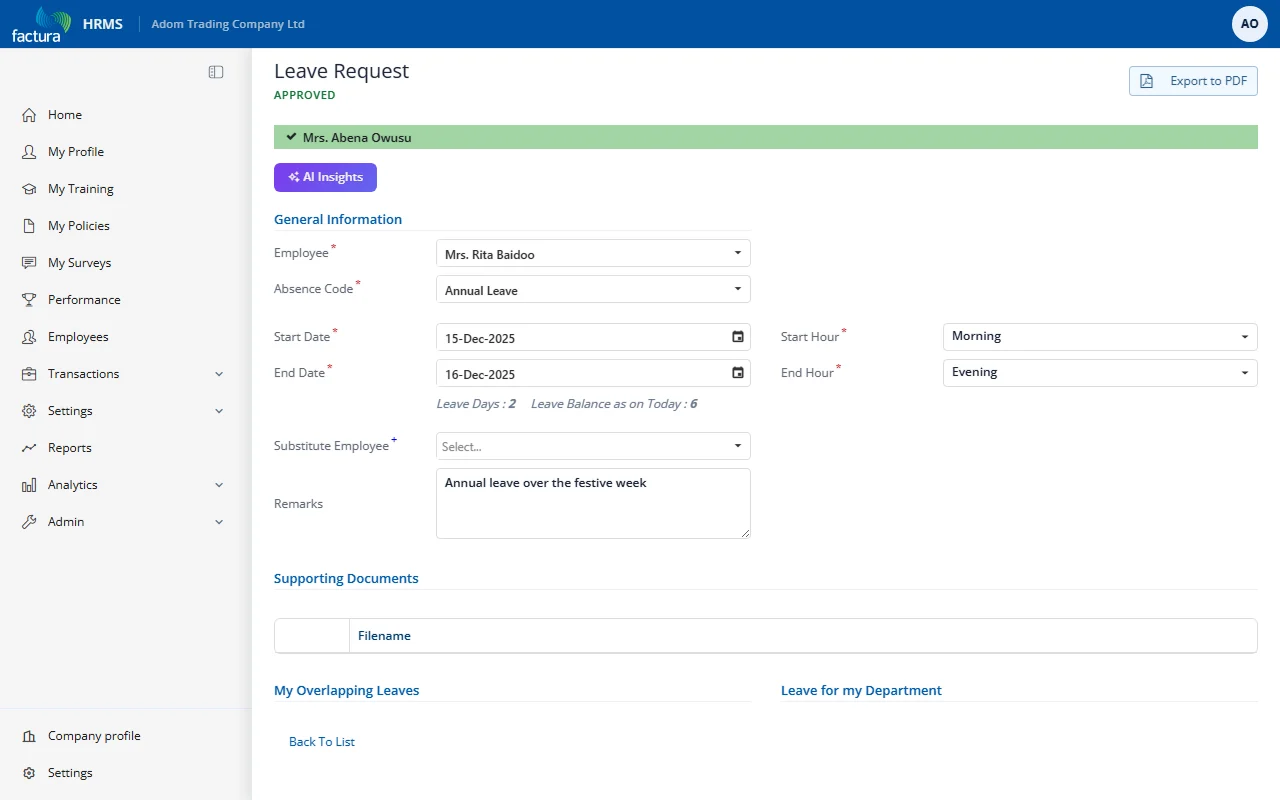
Key elements:
- Status Header: Displays APPROVED in green text
- Workflow Progress Bar: All approvers shown as completed
- The approved leave days are deducted from the employee's leave balance
Note: If Leave Workflow - Auto Process After Approval is enabled in the workflow settings (Settings > Workflow Approvals), the leave is automatically deducted from the employee's balance without manual intervention. If disabled, an administrator must manually process the approved leave.
Rejected Requests
If any approver rejects the request:
- The workflow terminates immediately -- no further approvers see the request
- The status changes to Rejected
- The employee receives a notification with the approver's rejection remarks
- The request appears in the Rejected tab
- The employee's leave balance is not affected
Re-submitting After Rejection
A rejected request cannot be edited or resubmitted. To request the same leave again:
- Create a new leave request with the updated details
- Address any concerns raised in the rejection remarks
- Submit the new request to workflow