
How do I add expense line items?
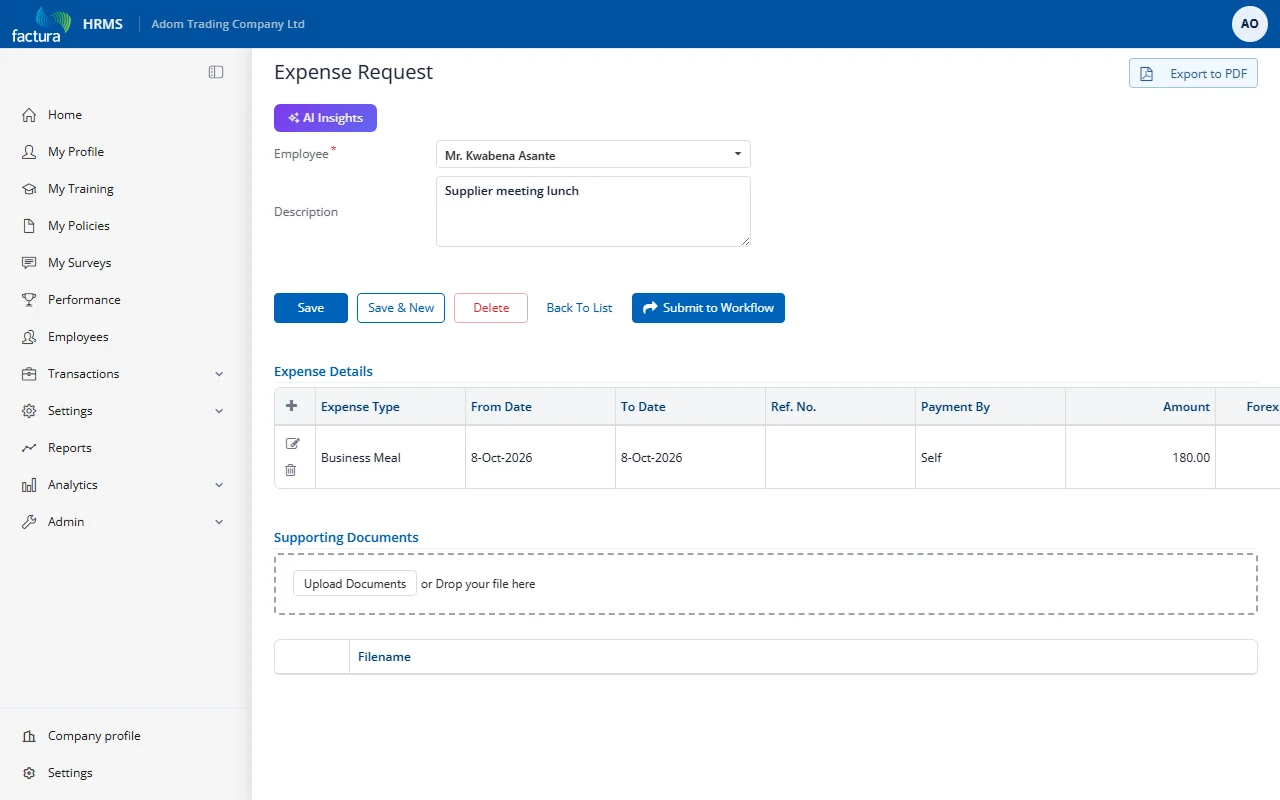
Open the saved draft from the 1. Draft tab to see the full edit view with the Expense Details section. The page also shows an AI Insights button, which gives an AI-generated review of the claim:
Adding a Line Item
- In the Expense Details section, click the + (plus) icon in the table header.
- An inline form row appears:
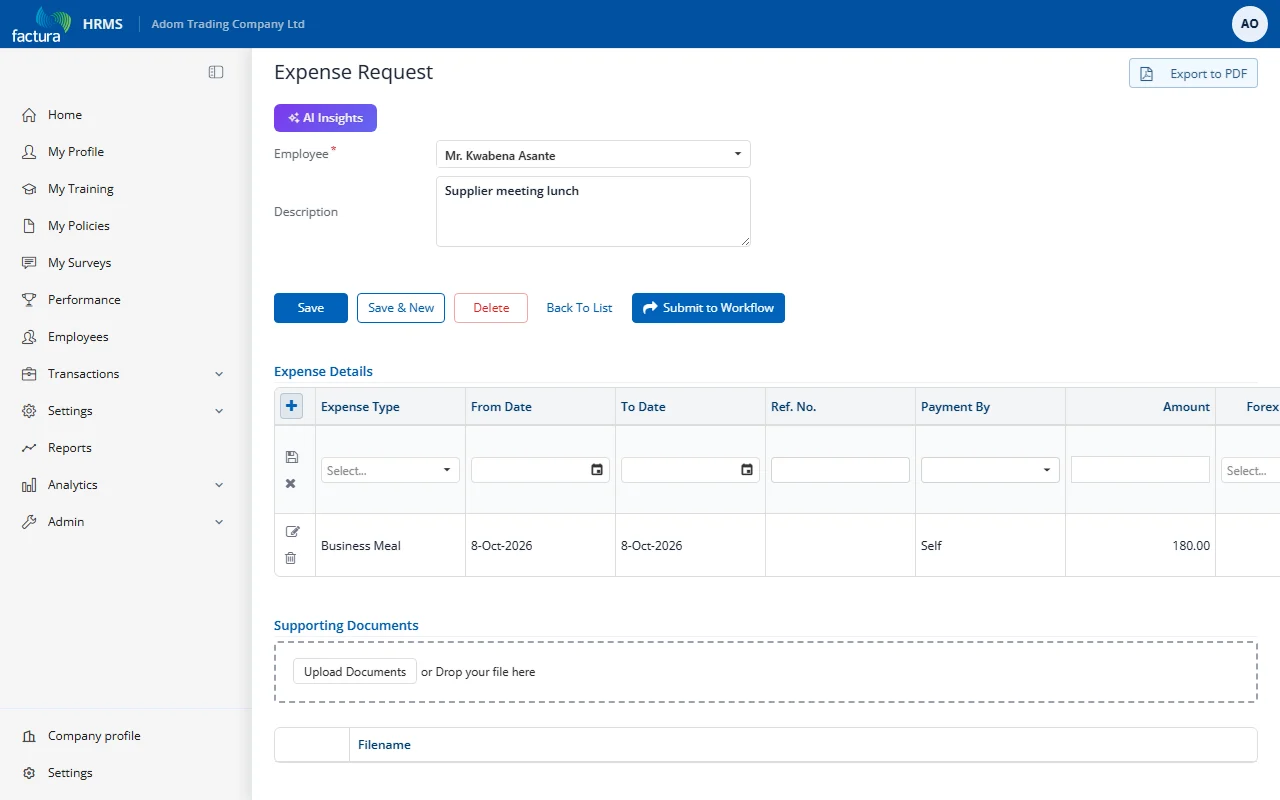
- Fill in the line item details:
| Field | Description |
|---|---|
| Expense Type | Select the expense category from the dropdown (e.g., Business Meal, Airfare, Transport) |
| From Date | Start date of the expense |
| To Date | End date of the expense (same as From Date for single-day expenses) |
| Ref. No. | Reference number such as a receipt number or invoice number |
| Payment By | Who paid for the expense: Self (employee paid, requesting reimbursement) or Company Credit Card (paid by company card) |
| Amount | The expense amount in local currency |
| Forex Currency | Foreign currency, if the expense was incurred in a different currency |
| Forex Amount | The amount in the foreign currency |
| Remarks | Additional notes about this specific line item |
- Click the save (floppy disk) icon to save the line item, or X to cancel.
Managing Line Items
- Add more items: Click the + icon again to add additional line items. Each request can have multiple line items.
- Edit: Click the pencil icon on a line item to modify it.
- Delete: Click the trash icon on a line item to remove it.
Multiple Line Items Example
A typical business trip expense request might include:
| Expense Type | From Date | To Date | Payment By | Amount | Remarks |
|---|---|---|---|---|---|
| Airfare | 1-Mar-2026 | 1-Mar-2026 | Self | 500.00 | Round trip to Kumasi |
| Business Meal | 1-Mar-2026 | 2-Mar-2026 | Self | 150.00 | Client dinner + lunch |
| Transport | 1-Mar-2026 | 2-Mar-2026 | Self | 80.00 | Taxi to/from airport |
The total amount shown on the expense request list is the sum of all line item amounts.