How do I set up rating scales?
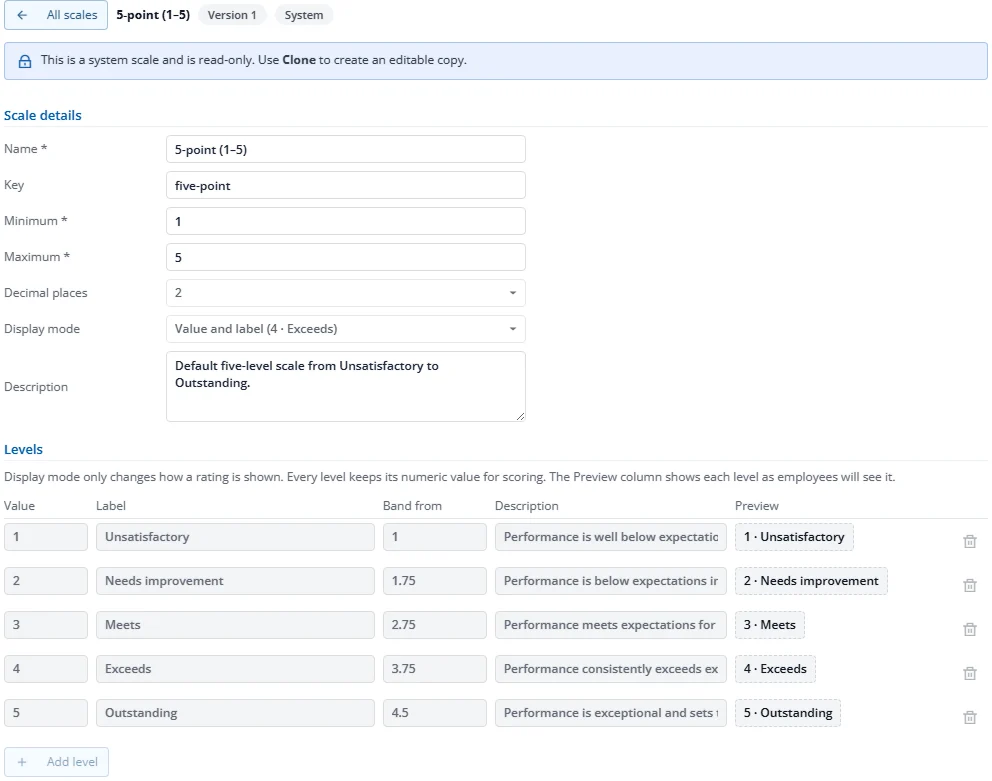
A rating scale is the list of levels a reviewer chooses from, for example 1 Unsatisfactory to 5 Outstanding.
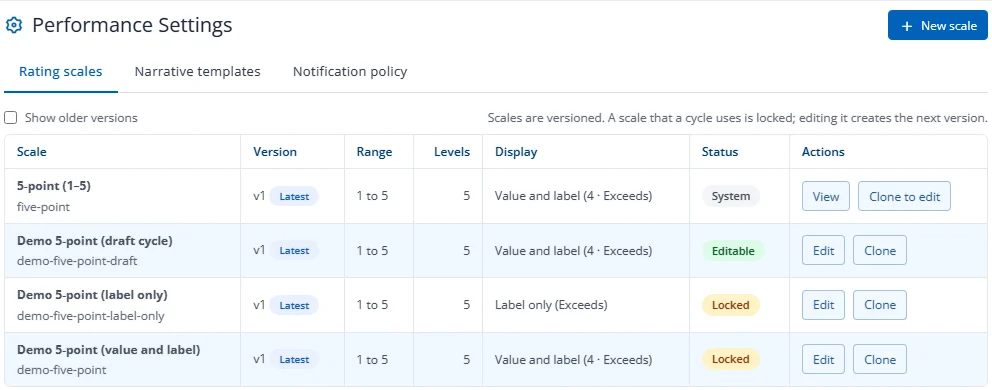
- Open All cycles, then Settings. This opens Performance Settings on the Rating scales tab.
- Press New scale, or Clone an existing one to start from a copy.
- Enter the name, the lowest and highest value, and each level's label and description.
- Choose the Display mode: Value and label (for example "4 · Exceeds") or Label only (no numbers are shown anywhere, including printouts).
- Press Save.
The built-in scale is read-only; clone it to change it. Once a cycle uses a scale, saving it creates a new version so cycles already running are not affected.