How do I take part in calibration as a calibrator?
When HR invites you to a session you get a notification.
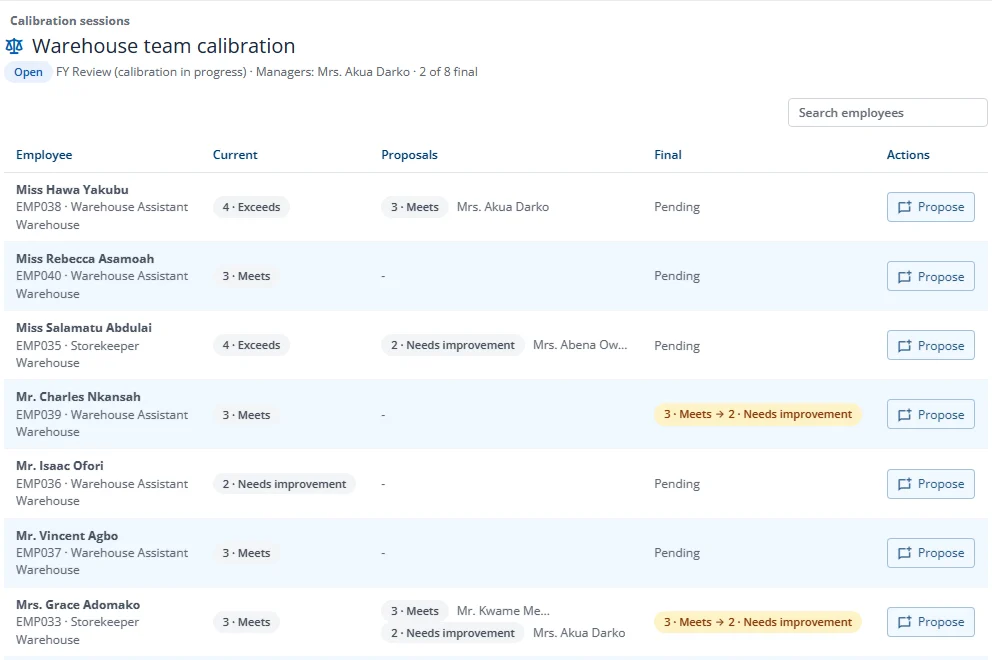
- Open the session from Calibration sessions on your Performance home (it lists every open session you take part in), or from the link in the invitation e-mail.
- Press Propose on a person, choose the rating you suggest and give a reason of at least 20 characters.
- The facilitator records the final ratings and locks the session.
You see the people in the session's scope, their current ratings and the proposals made, but never your own row. What you write stays inside the session; employees never see it.