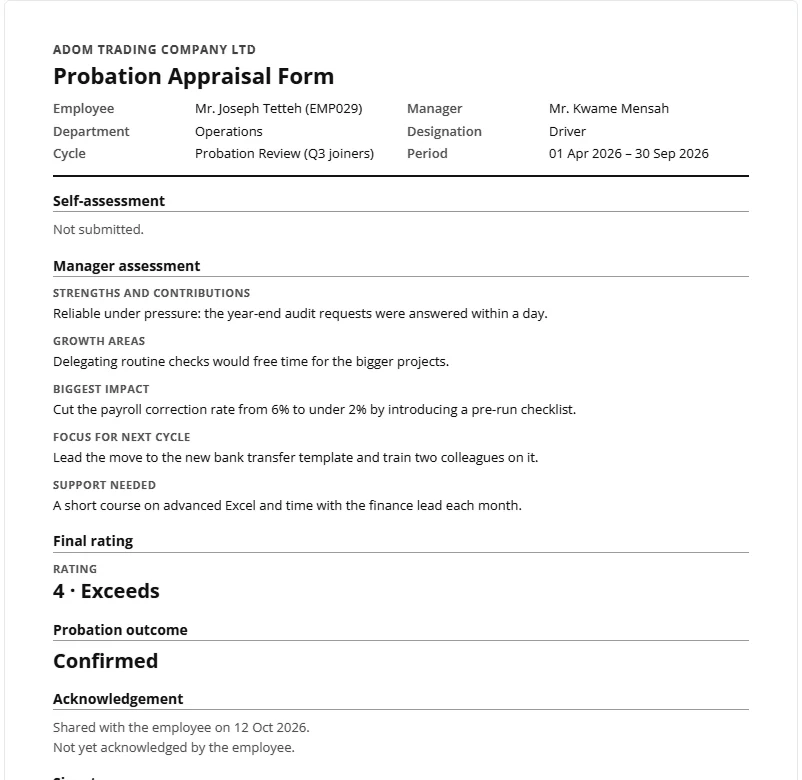
How do I run a probation review cycle?
A cycle of type Probation works like any other cycle, plus an outcome that HR records for each person.
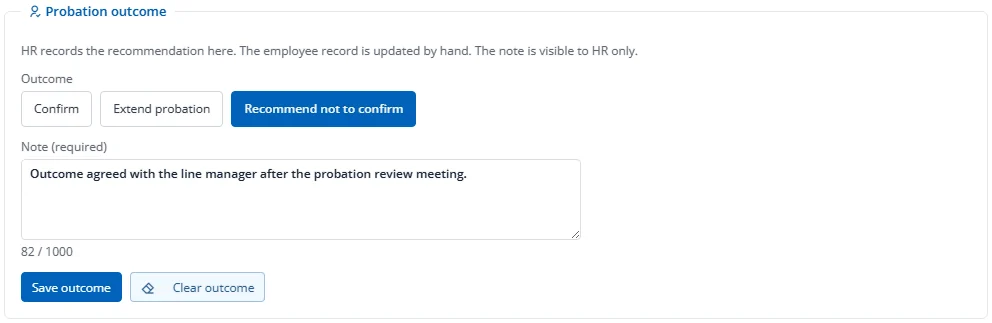
Record the outcome
- In the console, press Open review on the person.
- In Probation outcome, choose Confirm, Extend probation (then pick the new end date) or Recommend not to confirm (a note is required).
- Add a note if needed (up to 1000 characters; only HR can read it) and press Save outcome.
You can change the outcome until the cycle is locked. A probation cycle cannot be locked until every shared review has an outcome.
Extending probation does not change the employee record. Factura records the recommendation and the new date; update the probation date on the employee record yourself.
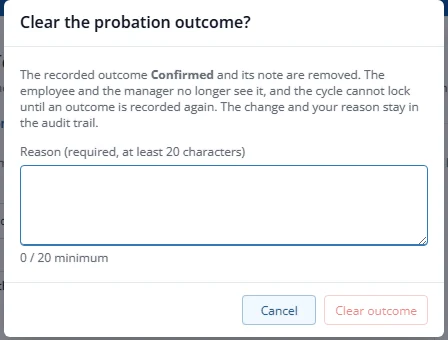
Clear an outcome recorded by mistake
- Press Clear outcome.
- Give a reason of at least 20 characters and confirm.
The outcome and its note are removed, the employee and manager no longer see it, and the cycle cannot lock until you record an outcome again. Your reason stays in the history.
Export outcomes for letters
On the console of a probation cycle, press Export probation outcomes. The file has one row per recorded outcome (no notes, no ratings) for a mail merge into your confirmation letter. You need the Export right.
Print the signed appraisal form
- On a shared review, press Print form.
- Press Print, choose A4, and turn off the browser's headers and footers. Choose Save as PDF to keep a file.
The form has the employee and manager details, both reviews, ratings, goals, the final rating, the probation outcome (probation cycles only) and blank signature lines for the employee, manager and HR. It never shows peer feedback, calibration details or HR notes. The form is available from the moment the review is shared. HR, the manager and the employee (their own form only) can print it.