
How do I check my leave balance?
When you log in, the Dashboard provides a quick overview of your leave status.
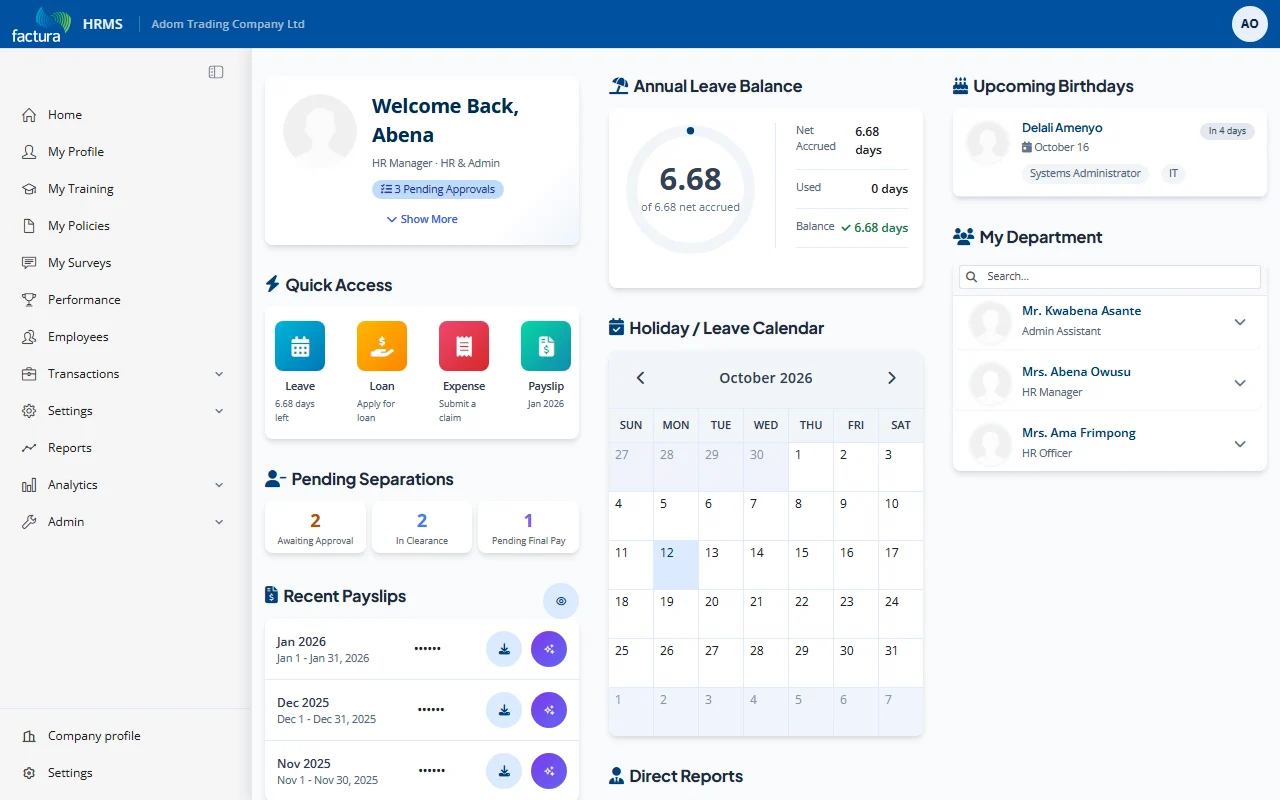
What You See
| Element | Description |
|---|---|
| Annual Leave Balance | A donut chart showing your current balance against your net accrued days, with Net Accrued, Accrued / Adjustment, Used and Balance figures beside it |
| Holiday / Leave Calendar | A monthly calendar highlighting public holidays, your approved leave days, and team leave |
| Quick Access Shortcuts | Shortcut tiles (Leave, Loan, Expense, Payslip) to quickly start a request or open your latest payslip |
Reading the Leave Balance Chart
The donut chart displays:
- Centre number: Your current available balance in days
- Side figures: Net Accrued, Accrued and Adjustment, Used, and Balance
- The balance is calculated as: Accrued - Adjustment - Used = Balance