
Surveys and employee listening
How to build and run confidential employee surveys in Factura HRMS, launch campaigns, read results and understand why small groups are suppressed.
Overview
The Survey & Employee Listening module runs confidential employee surveys — engagement cycles, monthly pulses, onboarding check-ins, exit-adjacent sentiment — and reports the results in a form that cannot be reverse-engineered back to the individuals who answered.
Who uses it
- HR administrators build surveys, run campaigns, choose who each campaign goes to, and read the results.
- Every employee answers the surveys they've been invited to from Employee Self-Service — via My Surveys.
Why it matters
- People answer honestly only if they believe the promise. The module's confidentiality is built into the database schema and the query layer, not written into a policy document. Answers carry no employee link, generate no audit trail, and are never shown in a group small enough to identify someone.
- You get segment insight without exposing individuals. Favourability by department, location, tenure band and manager — with any group too small to be safe automatically hidden, and its neighbours hidden too when they could be subtracted to recover it.
- Trends survive data deletion. Response rates and scores are frozen onto the campaign when it closes, so when retention later strips comment text and demographic attributes, your historical trend line stays intact.

The confidentiality promise — read this first
The module makes one specific promise to respondents:
"Your individual answers cannot be traced back to you by anyone using this application."
What that means in practice
- A response row carries no employee reference at all. There is no column, no foreign key, and no query path from an answer back to a person.
- Completion is tracked separately, on the invitation record — so the system knows that you responded (to stop reminding you, and to compute the response rate) but not what you said.
- Responses, answers and invitations are excluded from the change-history log. Everywhere else in Factura, saving a record writes an audit row containing the username, IP address and every changed value. For these three tables that is switched off deliberately — otherwise the audit log itself would be a plain-text record of who answered what.
- The disclosure shown to employees before the first question is generated by the system from the campaign's real configuration. It is not editable, cannot be blanked, and always reflects the actual thresholds in force.
What it does not promise — be honest about this when you introduce a survey
| Limit | What it means |
|---|---|
| Not anonymous — confidential | The system records that you completed the survey. Someone with direct database access (not through this application) could in principle correlate the timing of an invitation being marked complete with the arrival of a response. The mode is called Confidential Tracked precisely to avoid overclaiming, and the employee-facing statement says so in plain language. |
| Free text can identify you | "I'm the only person in the Accra payroll team and my manager…" identifies the writer no matter what the database stores. The system removes the structural link; it cannot sanitise prose. The employee disclosure asks respondents not to include identifying details. |
| Question wording is audited | The questions themselves are audit-logged (they're authored content, and every recipient sees them anyway). Answer content never is. |
Articles in this guide
- How do I get started with surveys?Survey is switched on per company.
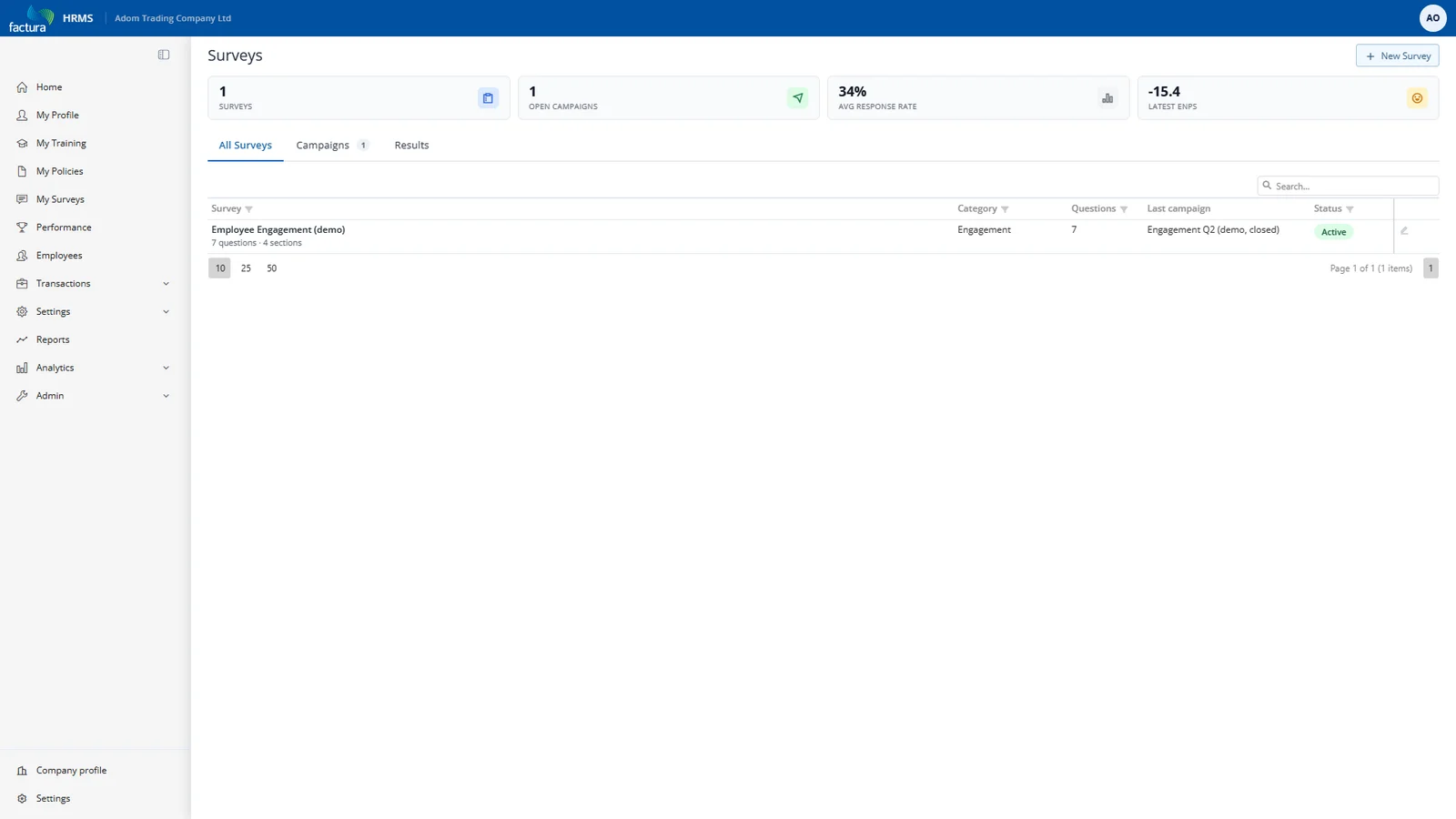
- How do I build a survey?The Surveys page opens on the All Surveys tab, with summary cards above it (Surveys, Open Campaigns, Avg…
- How do I add questions to a survey?The Questions tab is a section-grouped editor.
- How do I create a survey campaign?From the survey's Campaigns tab, create a campaign — one run of this survey.
- How do I choose who receives a survey?The Audience tab decides who gets invited.
- How do I launch a survey campaign?Launch runs a checklist, then does everything in one atomic transaction: Seals the question set — copies…
- What can I do while a campaign is open?The Live status tab shows the funnel — invited, sent, opened, completed — and lets you send reminders to the…
- How do I read survey results?Results live at Surveys → (campaign) → Results , across five tabs.
- Why are some survey numbers missing?This is the part most worth understanding, because the module will deliberately refuse to show you things.
- How do survey comments and AI themes work?The Comments tab shows verbatim written answers — but only once the comment threshold is met , counted in…
- How do I export survey results?Export produces a CSV file of the results.
- How do employees answer a survey?From the employee's side the module is deliberately small.
- How long are survey responses kept?The retention period sets how long after a campaign closes its identifying material is kept.
Permissions & Access Control
Two rights, granted per role like any other module:
| Right | Grants |
|---|---|
| Survey Management | Build surveys and questions, create and launch campaigns, manage the audience, view the recipient list and live status. |
| Survey Results | View aggregate reports. Its export permission is also required for Comments, Themes and Export. |
Separating them is the point: the person who runs a survey does not automatically get to read it, which matters when the survey asks about management.
Employees need neither right to answer a survey — ESS access is automatic for any logged-in employee, and every ESS response is scoped to campaigns that person was actually invited to. Asking for a campaign you weren't invited to returns "not found" and reveals nothing about whether it exists.
Common Use Cases
Quarterly engagement cycle. Build one survey with stable question keys. Each quarter, create a campaign, target All Employees, launch, remind at the halfway point, close, read Segments. Because the keys are stable, the eNPS trend builds itself.
Monthly pulse. A short survey — three to five questions. Same pattern, tighter window.
Department deep-dive after a bad score. Create a campaign targeting just that department. Watch the base count: a 12-person department against a threshold of 5 gives you very few usable segment breakdowns. Consider raising the threshold rather than lowering it — a small population is exactly when the promise matters most.
Onboarding check-in. Target by tenure band, run continuously, read the trend rather than any single cycle.
Frequently Asked Questions
Can HR see who said what? No — not through this application. There is no link between a response and an employee. What HR can see is who has responded, so reminders can go to the rest. Someone with direct database access could in principle correlate timing; that is why the mode is "Confidential Tracked" and why the disclosure to employees says so.
Can I see an individual's answers if there's a serious allegation in a comment? No. There is no mechanism, for anyone, at any permission level. If you need an attributable channel — whistleblowing, grievance — use one; a confidential survey is the wrong instrument.
Why is a department with 40 people hidden? Almost certainly complementary suppression: it is being hidden so a smaller group elsewhere cannot be recovered by subtraction. The cell says which reason applies.
Can I lower the threshold to see a hidden group? Not for a campaign already launched — thresholds are frozen at launch. You can set different thresholds on the next campaign, but consider what you are trading away.
Why can't employees review their own answers? The same reason HR can't: retrieving them would require a link from answers back to a person, and that link is what the module deliberately does not have.
An employee changed department mid-cycle — which one do they count in? Whichever they were in when they submitted. The attributes are captured at that moment, because once someone transfers the historical picture would otherwise be unreconstructable.
Does turning the module off delete our data? No. It hides the module and denies access. Responses stay under the same confidentiality rules until retention expires — and retention keeps running.
Did everyone actually receive the invitation email? Unknown. "Sent" means the mail service accepted it; Factura has no bounce handling. Treat the response rate, not the send count, as the real signal.
Appendix
Defaults
| Thing | Default |
|---|---|
| Score threshold | 5 respondents |
| Comment threshold | 10 respondents |
| Privacy mode | Confidential Tracked (the only available mode) |
| Retention | 36 months after close (0 = indefinite) |
| AI themes | Off |
| Favourable range (5-point Likert) | 4–5 |
| eNPS | Promoters 9–10 minus detractors 0–6 |
What is not in this release
- Identified (non-confidential) surveys — present in the data model, deliberately unreachable in the UI.
- Sharing results with all staff from ESS — employees see their own invitations only; publishing results to the workforce is a future addition.
- A Settings screen of its own — the three settings are configured with the rest of your company settings.
- Representative quotes in AI themes — labels and counts only, by design.
- Bounce / delivery tracking — not available anywhere in Factura.