
How do I get started with offboarding?
Accessing the Module
Click Offboarding under Transactions in the left sidebar.
Quick Workflow Summary
| Step | Action | Result |
|---|---|---|
| 1 | Click + Add Separation | Creates a blank separation form |
| 2 | Select employee, fill details, click Save Draft | Draft is created |
| 3 | Click Submit for Approval | Moves to Pending Approval |
| 4 | Approver clicks Approve | Automated actions execute, moves to In Progress |
| 5 | Clearance tasks generated and completed | Moves to Pending Final Pay |
| 6 | Final payroll run processed | Click Mark Complete |
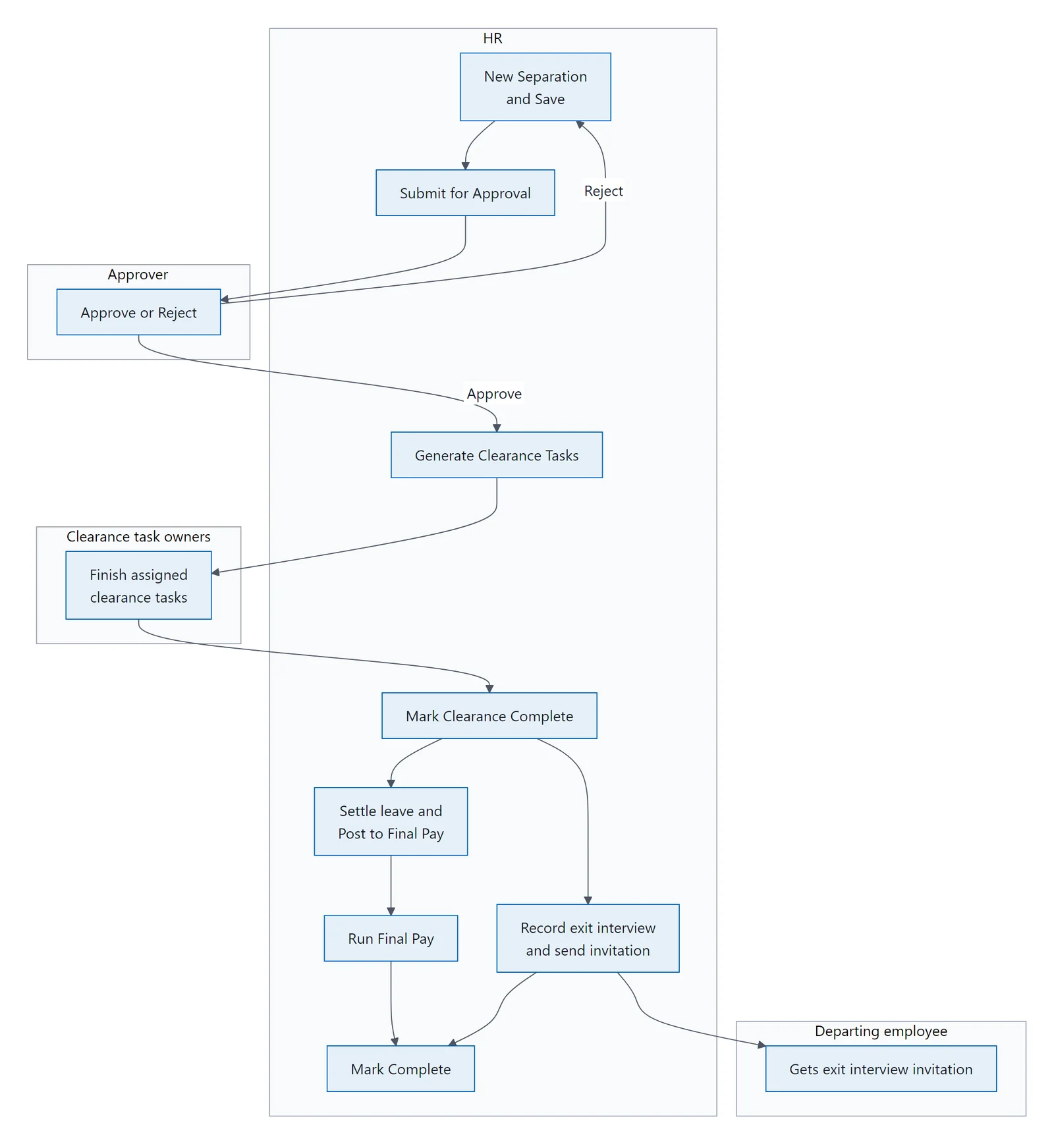
Who does what: HR runs the separation, an approver signs it off, task owners finish clearance, and the employee is invited to the exit interview.