
How do employees answer a survey?
From the employee's side the module is deliberately small.
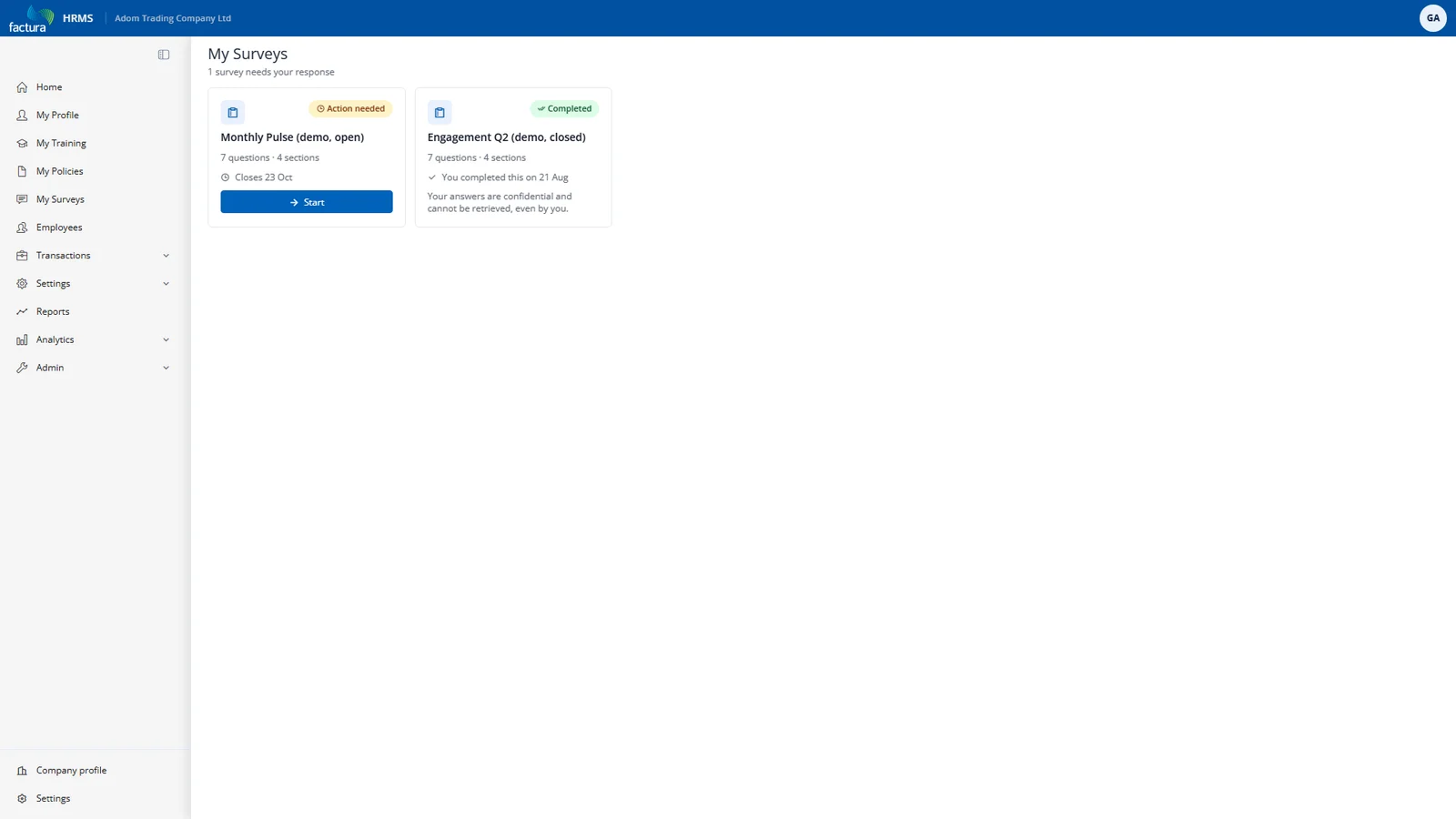
The card grid shows each invitation with a clear state — Action needed, Completed, Scheduled, Closed — the question and section count, and the closing date.
A cancelled campaign appears as Closed on the employee's card.
Opening a survey shows the system confidentiality panel, then one section per page:
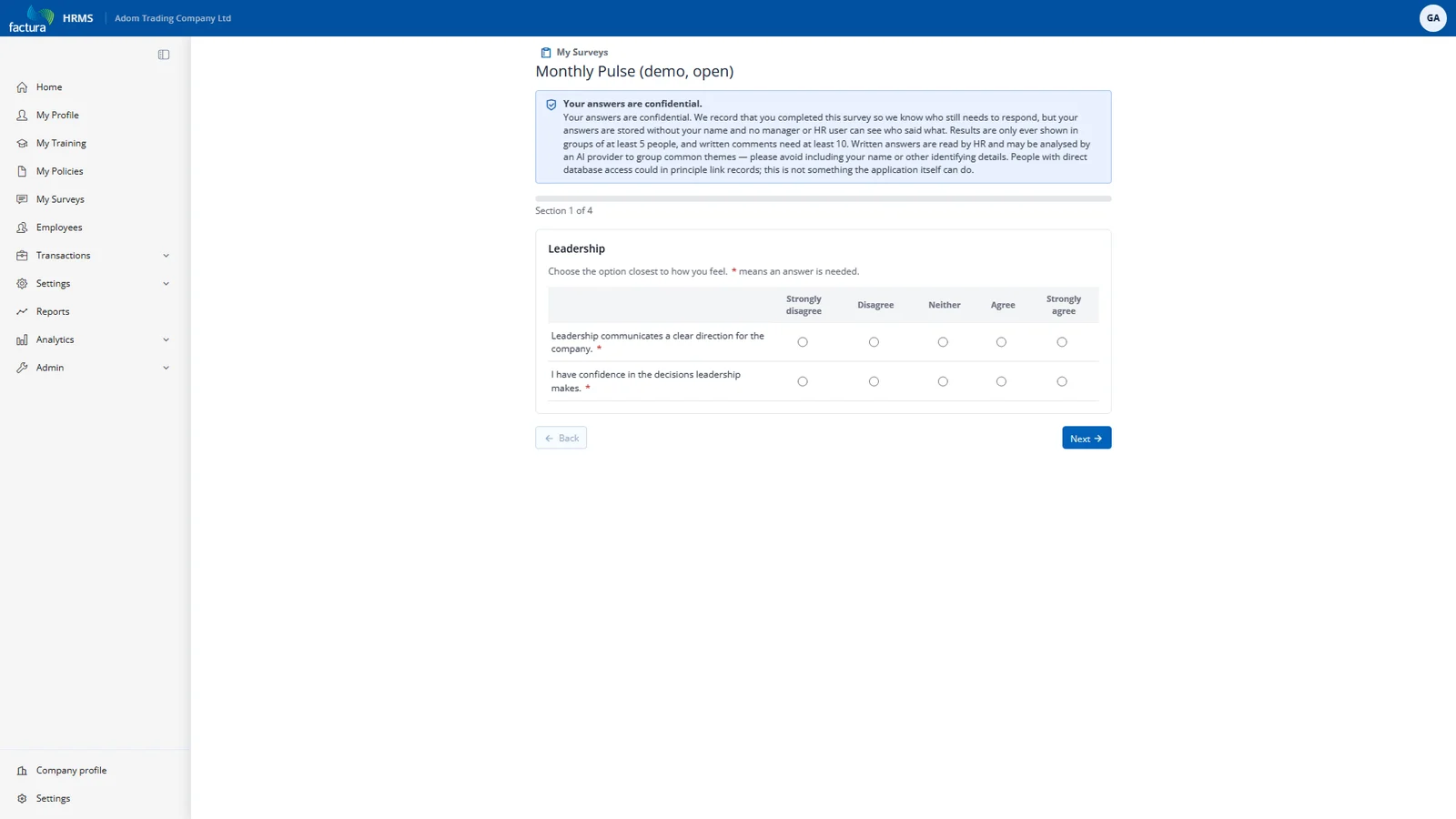
The panel at the top is generated by the system from the campaign's actual settings — the real thresholds, whether AI themes are on, and the honest caveat about direct database access. HR cannot edit it, shorten it, or replace it with something friendlier.
Submitting is final. Once submitted, an employee cannot view or change their answers — the completed card says so explicitly: "Your answers are confidential and cannot be retrieved, even by you." That is a consequence of the promise, not a missing feature: any "review my answers" screen would require a link from the answers back to the person.
Submitting twice — a double-click, two tabs, a flaky connection — records exactly one response. The system claims the invitation before writing anything.