
How do I handle an appeal?
The appeal stage shares the same layout as Outcome (stages 3 and 4 display the same action stack). The key difference is the CTA banner, which now guides toward case closure.
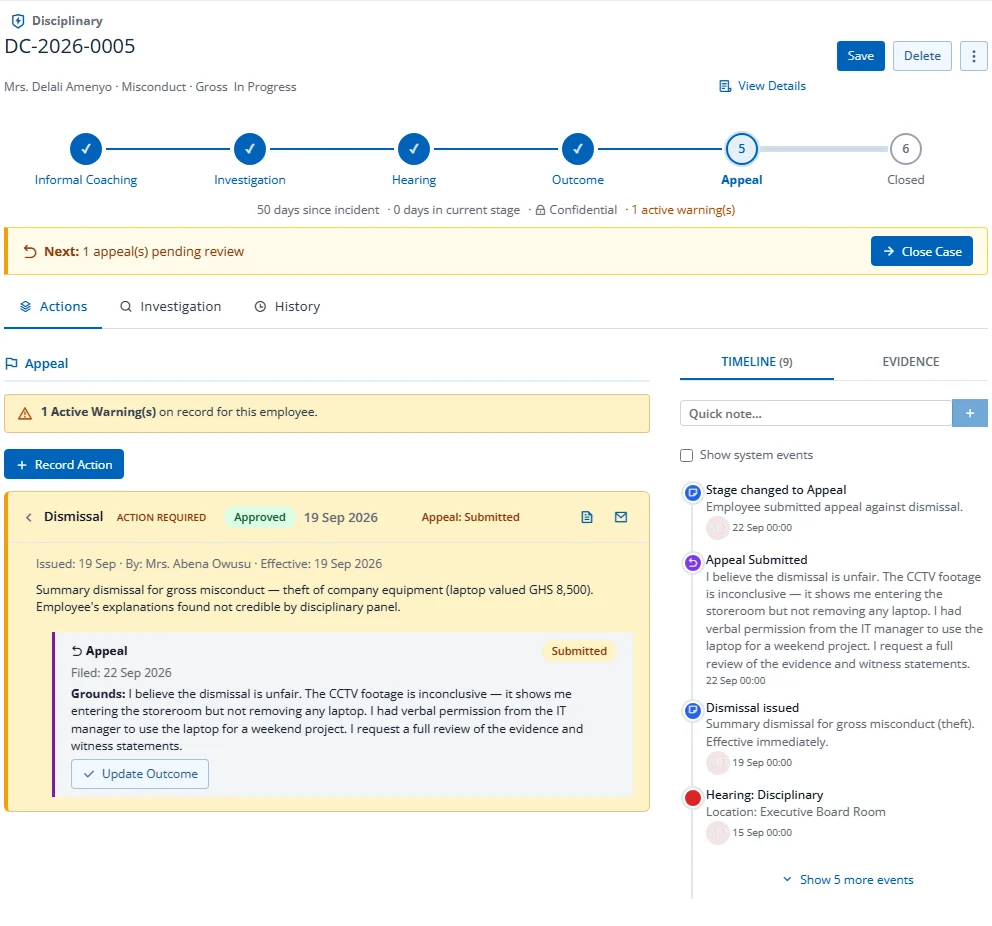
Filing an Appeal
- On any action card without an appeal, click Submit Appeal
- Select the Action Being Appealed
- Set the Appeal Date
- Enter Grounds for Appeal
- Click Submit Appeal
The appeal is recorded as made by the employee the case is about, even when HR files it on their behalf.
Appeal States
Appeals progress through: Submitted > Under Review > Hearing Scheduled > Upheld / Partially Upheld / Overturned / Withdrawn
Managing Appeals
- Appeals appear nested inside their parent action card in the expanded detail
- The appeal status badge is also visible in the collapsed summary row
- Click Update Outcome on an open appeal to record the result
Actions
- Close Case (via CTA strip): Advances to Stage 5