
How do I see an employee's training history?
A TRAINING tab on the admin Employee Edit form shows the complete training history for that employee.
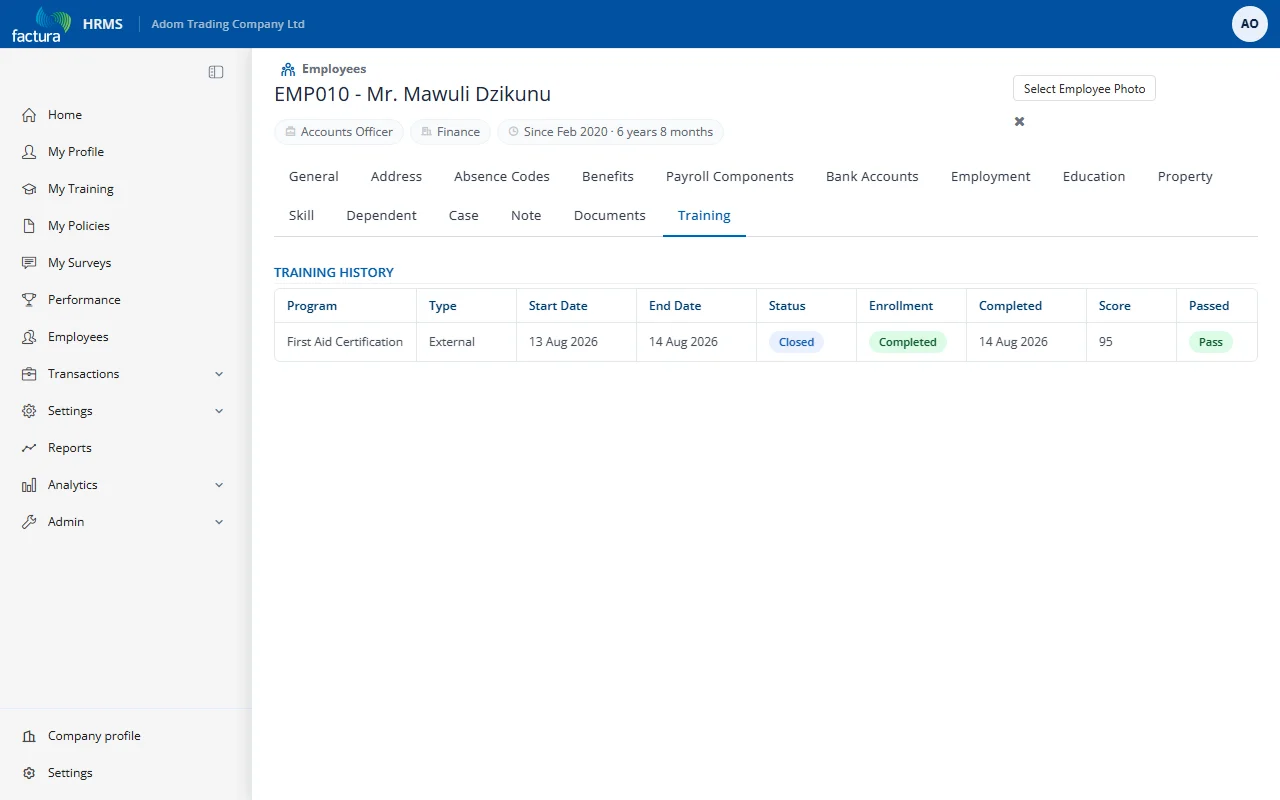
What It Shows
- Program title (clickable — navigates to the training program)
- Training type (In-House, External, External-Unscheduled)
- Start and end dates
- Enrollment status badge
- Completion date
- Assessment score and pass/fail (if assessed)
This is a read-only view that pulls from the employee's participation records across all training programs.
Access: Open any employee's edit form > click the TRAINING tab (last tab)