
How do I read Payroll Cost Analytics?
What did we spend on payroll this period, is that normal versus last time, where is the money going, and what needs a second look before finalising?
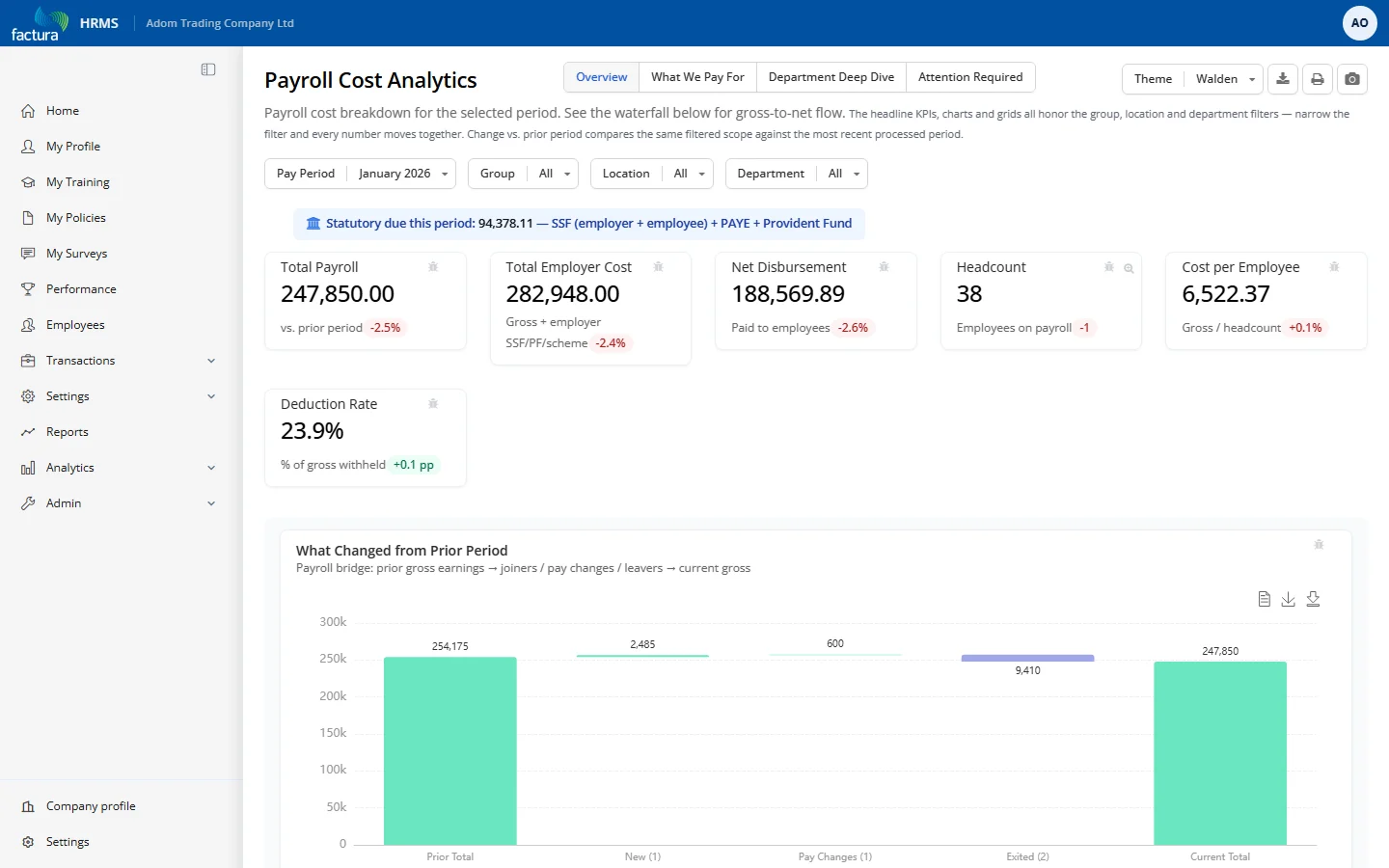
Who it's for: HR manager / payroll administrator (post-run review before finalising); finance controller / CFO (monthly / quarterly trend).
KPI tiles
- Total Payroll — gross earnings, with % change vs. the prior processed period.
- Total Employer Cost — gross plus employer SSF/PF/scheme contributions (true cost to the company).
- Net Disbursement — total net pay actually paid out.
- Headcount — employees on payroll, with change vs. prior period; click to drill into the roster.
- Cost per Employee — gross ÷ headcount (a rising value is flagged bad).
- Deduction Rate — % of gross withheld, with pp change vs. prior period.
Charts & tables (by tab)
- Overview — What Changed from Prior Period waterfall (new hires, pay changes, exits); Payroll Cost Trend line (12 periods, Gross/Net/Deductions); Cost by Department bar (toggles Net Pay ↔ Cost per Employee; click to drill).
- Compensation — top earning & deduction components; Payroll Flow waterfall (Gross → deductions → Net); statutory contributions grid by department and who-pays.
- Departments — cost summary grid (headcount, gross, deductions, net, avg/min/max); cost-per-employee bar (departments with 2+ staff).
- Anomalies — readiness badges, then grids: Significant Pay Changes (>10% net move), High Pay Concentration (>10% of net, needs 10+ staff), Zero/Negative Net Pay, Hired This Period, Overtime This Period.
Filters & controls
- Period picker + Group / Location / Department multi-selects; four tabs; metric switcher on the department chart; drill-downs on Headcount and department bars.
How to read it
- Watch the draft badge before trusting totals — if many employees are still in draft, numbers can still move.
- Before finalising, walk the Anomalies tab: verify pay changes (revision / OT / bonus), investigate concentration or zero/negative rows (often a mis-keyed or duplicate record), confirm first-run pay for new hires.
- "Change vs. prior period" compares the same filtered view against the last processed period.