
How do I set up loan types?
Before employees can request loans, an administrator must configure the Loan Types available in the system.
Navigating to Loan Types
- Open Settings in the left sidebar.
- Select Loan Type from the settings hub.
Understanding the Loan Type List
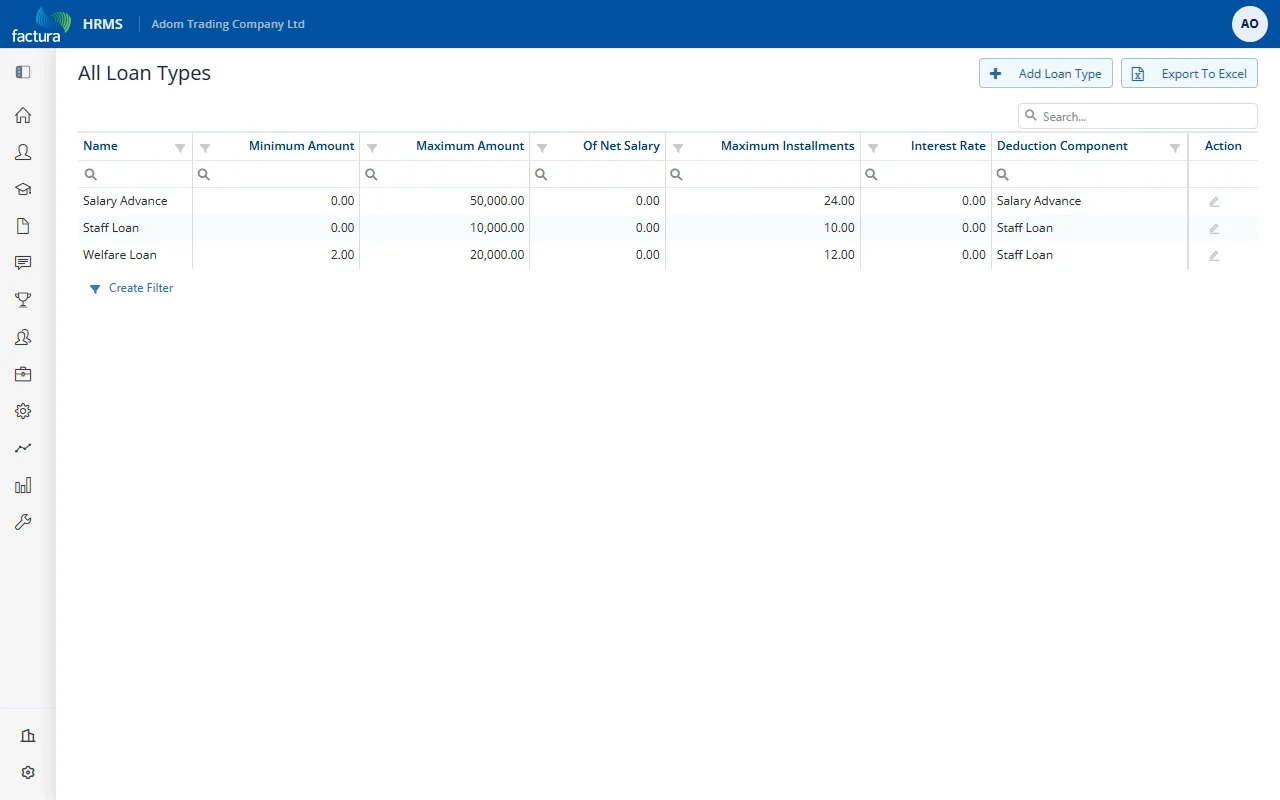
The list (titled All Loan Types) shows all configured loan types with their key properties. Use + Add Loan Type to create one, or Export To Excel to download the list:
| Column | Description |
|---|---|
| Name | The loan type name (e.g., Salary Advance, Staff Loan, Welfare Loan) |
| Minimum Amount | The minimum loan amount allowed |
| Maximum Amount | The maximum loan amount allowed |
| Of Net Salary | Maximum loan amount as a percentage of the employee's net salary (0 = no limit) |
| Maximum Installments | The maximum number of monthly repayment installments allowed |
| Interest Rate | Annual interest rate applied to the loan (0 = interest-free) |
| Deduction Component | The payroll deduction component used to recover repayments from the employee's salary |
Editing a Loan Type
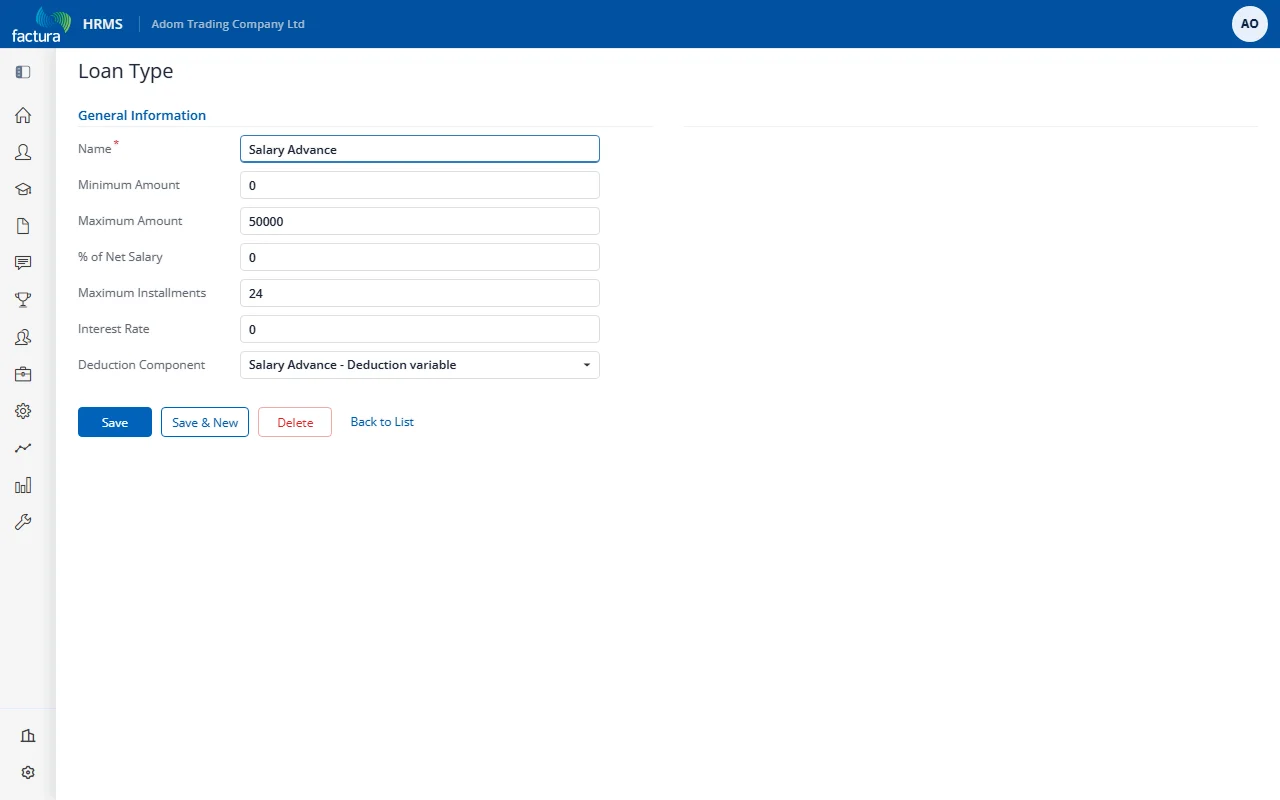
Click the pencil icon in the Action column of a loan type to modify its configuration:
| Field | Description |
|---|---|
| Name | Display name for the loan type (required) |
| Minimum Amount | Minimum loan amount an employee can request |
| Maximum Amount | Maximum loan amount an employee can request |
| % of Net Salary | Maximum amount as a percentage of net salary. Set to 0 to use the fixed Maximum Amount instead. |
| Maximum Installments | Maximum number of monthly repayment installments |
| Interest Rate | Annual interest rate (set to 0 for interest-free loans) |
| Deduction Component | Select the payroll deduction component that will be used to automatically deduct repayments from the employee's salary each pay period |
Common Loan Types
| Type | Typical Use | Interest |
|---|---|---|
| Salary Advance | Short-term advance against upcoming salary | Usually interest-free |
| Staff Loan | Medium-term loan for personal needs | May carry interest |
| Welfare Loan | Loan for welfare purposes (medical, education, etc.) | May carry interest |