
How do I find my way around the task list?
The Task List page has up to 7 tabs, each showing a different view:
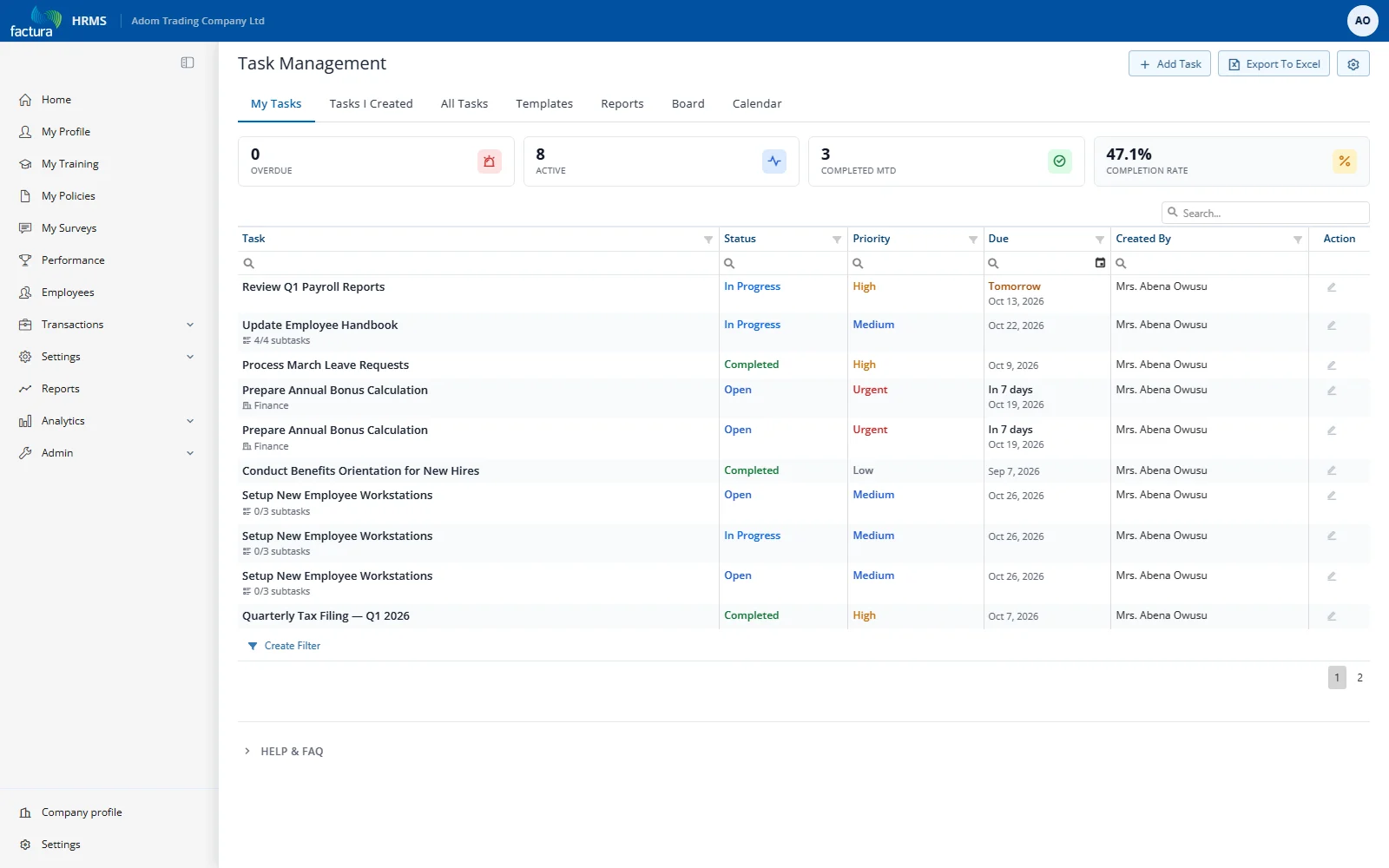
| Tab | What It Shows | Best For |
|---|---|---|
| My Tasks | Tasks assigned to you | Checking your own workload |
| Tasks I Created | Tasks you created for others | Monitoring delegated work |
| All Tasks | All tasks visible to your role | Managers overseeing all activity |
| Templates | Reusable task templates | Creating standard procedures |
| Reports | Task analytics and adherence | Tracking performance |
| Board | Kanban board by status | Visual status overview |
| Calendar | Monthly/weekly/daily calendar | Schedule planning |
Note: The Templates tab is only visible when the Templates feature is enabled in module settings.
Action Bar
The action bar at the top right of the page shows:
- + Add Task — Create a new task (visible on grid tabs)
- Export To Excel — Export the current grid data
- Settings (gear icon) — Module settings (admin only)