
How do I handle training requests?
Employees and managers can submit training requests or nominations through the Training Requests tab.
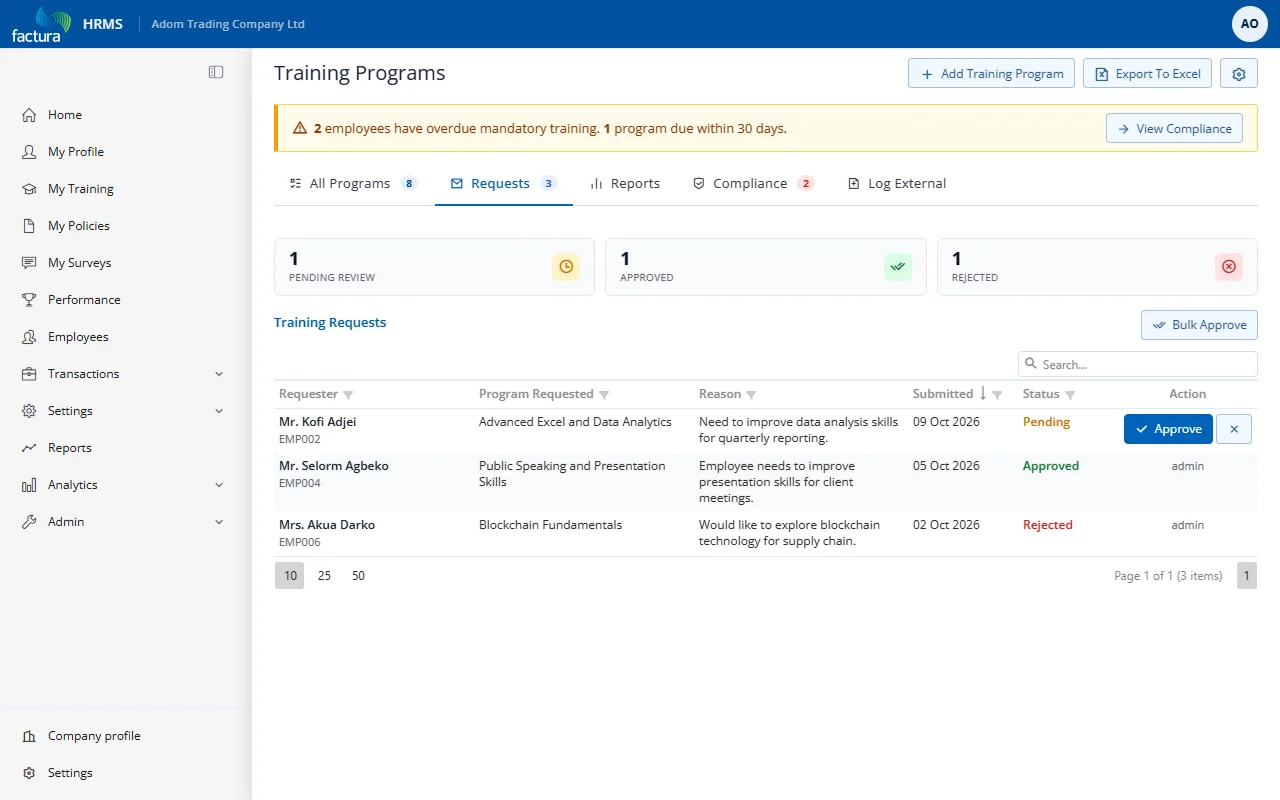
Request Fields
| Field | Description |
|---|---|
| Requested By | Employee submitting the request |
| Nominee | Employee to be trained (can be self or another employee) |
| Topic | Requested training topic |
| Justification | Business case for the training |
| Priority | Urgency level |
| Preferred Date | When the employee would like to attend |
| Estimated Cost | Expected budget |
Request Workflow
- Employee/manager submits a request
- HR reviews in the Training Requests tab
- HR can Approve or Reject. A manual HR approval can link an existing program and auto-enroll the nominee.
- If Require workflow approval for requests is enabled, requests route through the multi-level workflow approval chain. Workflow approval only changes the request to Approved; it does not enroll the employee.