
Entitlement, balances, liability — and the days that reach the pay run.
Leave is a balance you owe and a cost you carry. Attendance is what turns a schedule into a payslip line. This page sets out how both are held, what is checked, and, just as usefully, what is not. It is the detail behind the leave and attendance lines on the Factura HRMS page.
Leave types, and the route a request takes
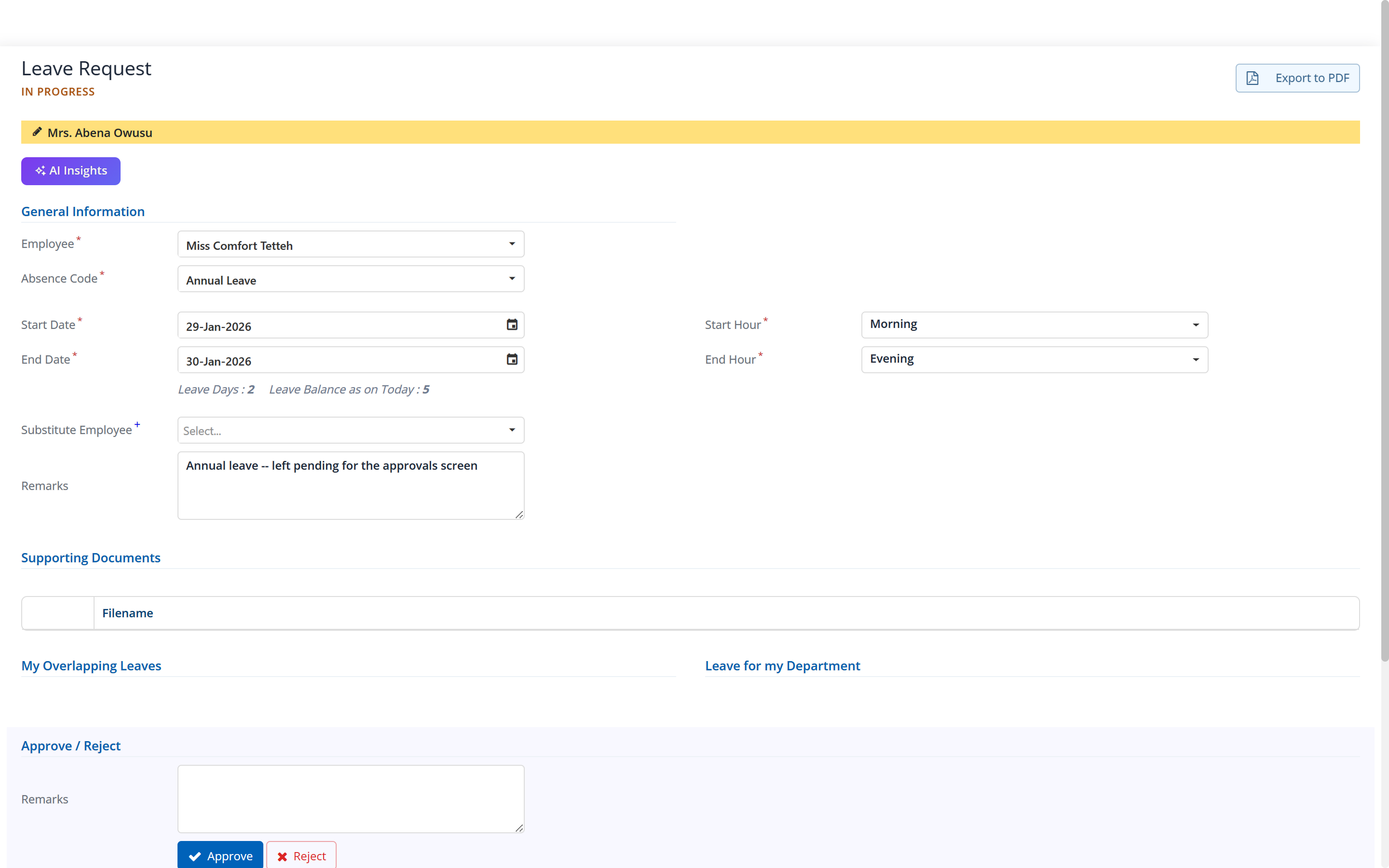
Leave types are yours to define, and they do not all behave the same way. Annual leave accrues; sick leave in most policies does not; a compassionate day may be granted rather than earned. Each type carries its own rules and its own balance.
- The employee appliesFrom the desktop portal or the phone app, against a leave type they hold, with the balance calendar in front of them. They can withdraw it while it is still open.
- The application is validatedDates, overlap with an existing request, and that the request belongs to the person making it.
- It goes to the approval chainThe chain configured for leave in your company, one level or several. How chains resolve →
- Approved leave becomes a balance movementAnd, where your absence codes are set up to do so, a day the pay run can see.
A holiday falling inside a leave range does not have to come off the balance. That is a setting on the absence code, and named holiday calendars can differ per site where your sites do not close on the same days. Ghana public holidays 2026 →
Balances, accrual and the over-drawn employee
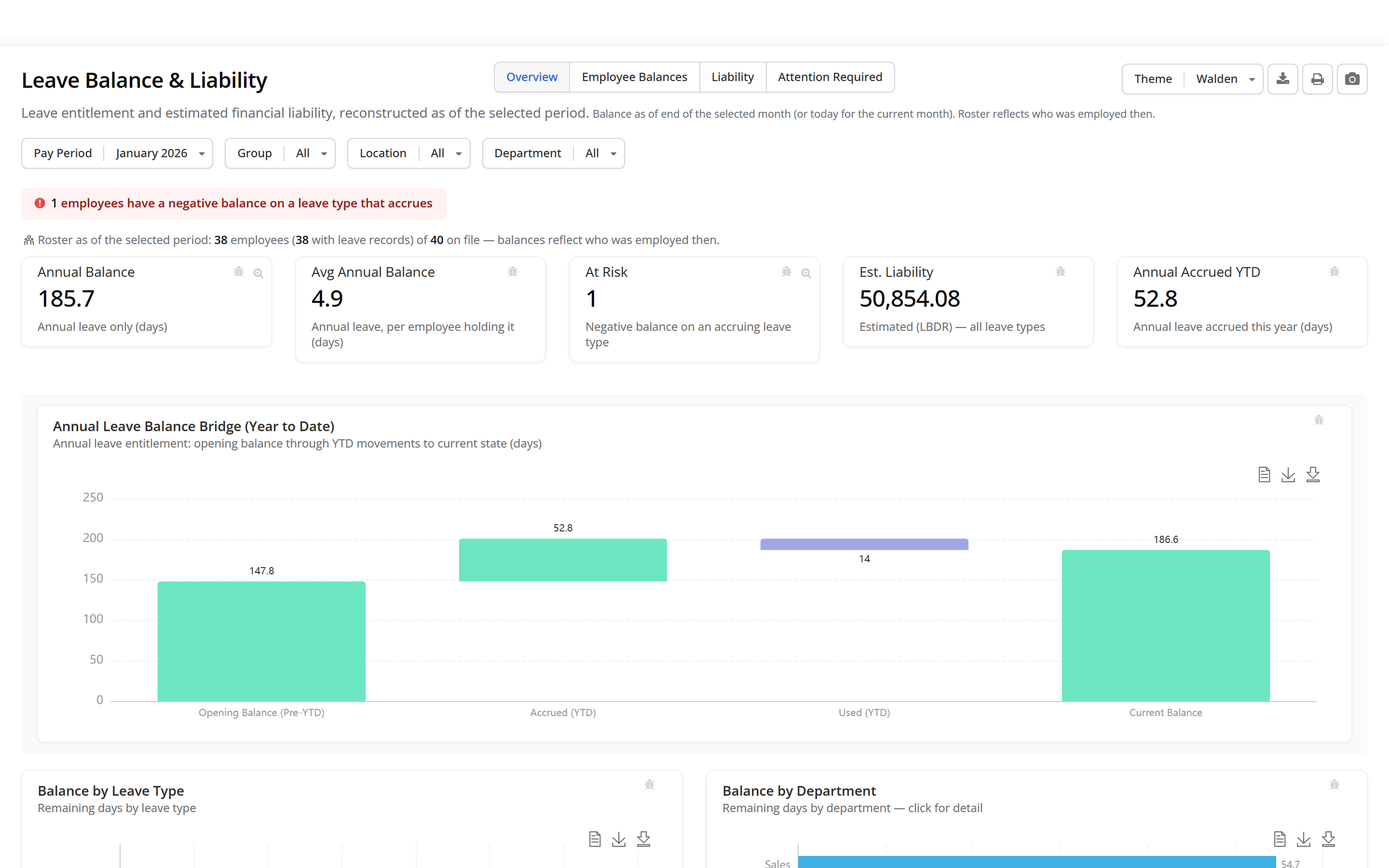
A leave balance is not one number. It is an opening balance carried from last year, the entitlement accrued so far this year, and everything taken against it — and it is worth being able to see those three separately, because that is how a disputed balance gets settled.
Work schedules, per site
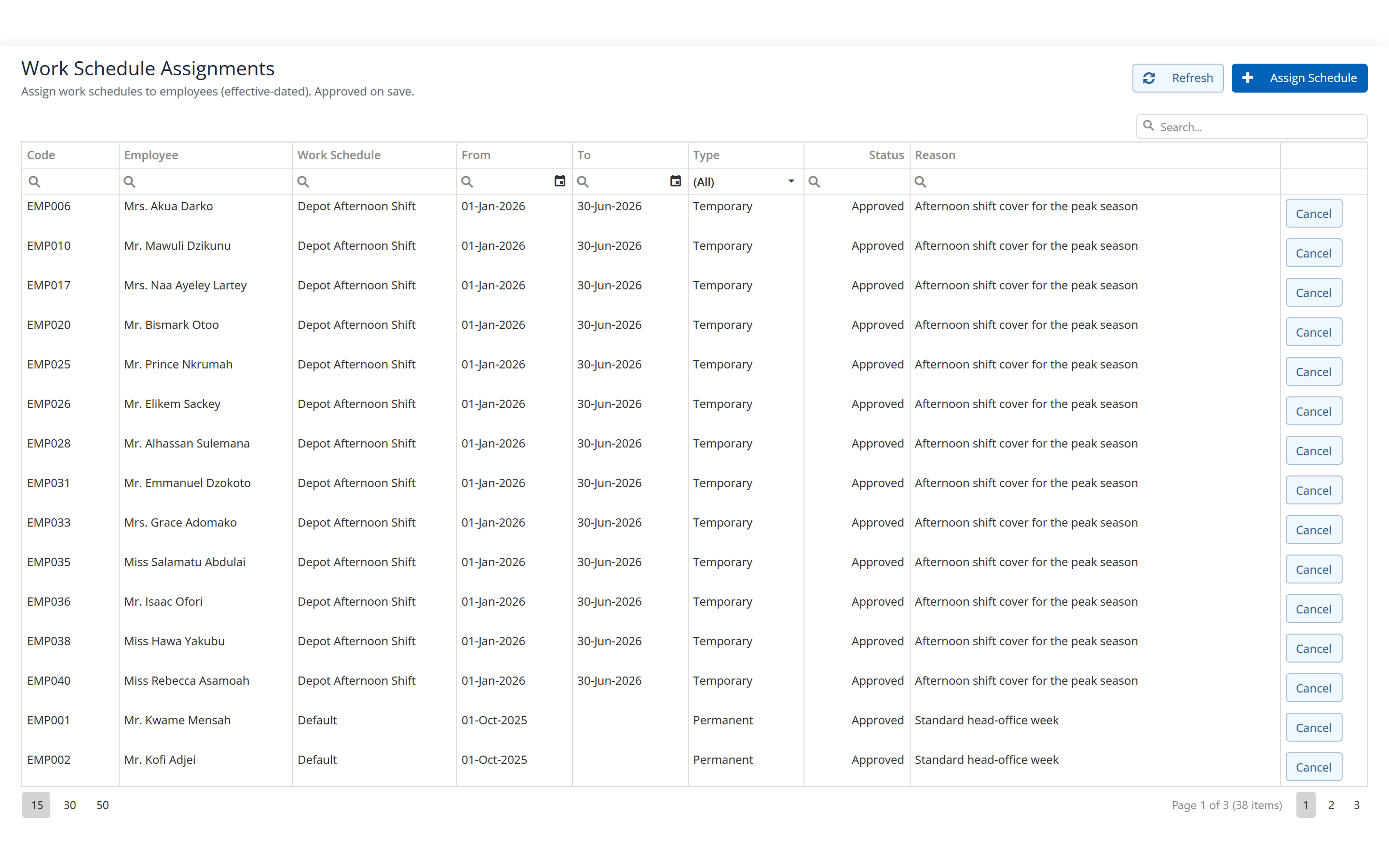
A head office and a plant do not run the same week, and a company with both should not have to pick one. Schedules are defined and then assigned, to a site, to a group, to a person.
- Schedules are defined once and assigned.
- Shifts and working hours as a named schedule, then assigned where people actually work rather than restated per employee.
- Assignment is its own screen.
- Which matters when a site changes its pattern: you reassign the schedule, you do not re-key forty employee records.
- Holiday calendars follow the same idea.
- Named calendars, one per site where sites differ.
Attendance, overtime, and what reaches the pay run
This is the part of an HR system that is most often oversold, so here it is plainly.
- Attendance is captured by import or on a grid.
- A daily attendance grid for entry, and an Excel import for daily attendance and daily overtime where the hours come out of a device or a supervisor’s sheet. Factura HRMS is not a clocking terminal and does not pretend to be one; it is where the day lands once it has been recorded.
- Absence codes carry the unit.
- Presence and absence codes measured in days, with a half day expressible as 0.5, so a half-day absence is a half day rather than a rounding argument.
- Overtime is a pay component with its own tax treatment.
- Qualifying overtime is taxed at 5 per cent, then 10 per cent, outside the graduated bands. PAYE guide →
- Unpaid days do not reduce pay by themselves.
- Posting an unpaid absence records the day; it does not shrink the payslip unless your basic-pay component is written to pro-rate on days worked. That is ordinary payroll arithmetic and it is expressible as a formula — we set it up with you if your policy pro-rates. Mid-period joiners behave the same way. Both are configuration, and neither is assumed.
- An unassessed indicator says so.
- Where no overtime hours were posted for a period, the overtime check reads “not assessed” rather than showing a zero you might mistake for “nothing to see”.
Before you ask us
Will the system stop someone taking leave they have not got?
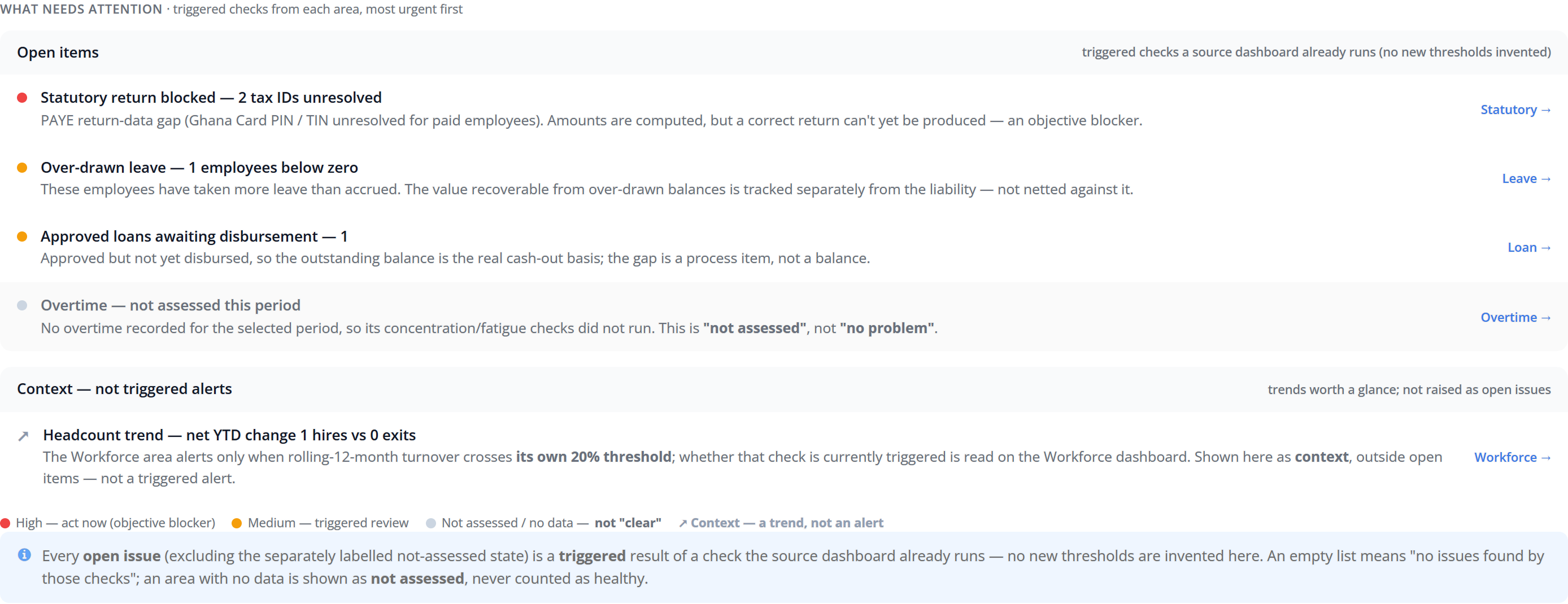
No, and we would rather say so than let you find out in month three. The application is checked for dates, overlap and ownership, not for balance. The over-draw is surfaced on the period’s attention list and in the leave analytics, per employee and per leave type — so the approver decides with the number in front of them. If a hard block matters to your policy, tell us at the demo and we will tell you where that sits.
Do you integrate with our biometric clocking device?
Attendance and overtime come in by Excel import or through the daily grid. If your device exports a file, that is the route. We do not have a driver for a named terminal, and we are not going to claim one at a demo and discover it afterwards.
Can different sites have different working weeks and holidays?
Yes. Work schedules are defined once and assigned per site, group or employee, and holiday calendars are named and assigned the same way. A holiday inside a leave range coming off the balance or not is a setting on the absence code.
How is leave liability worked out?
It is an estimate of the cost of the outstanding entitlement, reconstructed as at the period you select and over the people employed in that period. It reads the same leave records the balances do, so the liability and the balance cannot disagree.
The rest of Factura HRMS
Where these days and balances go next.
- Payroll.
- The monthly cycle, the bank file and the statutory schedules. See Payroll →
- Self-service.
- Where the employee applies and reads their own balance. See Self-service →
- Workflows and audit.
- Approval chains, permissions, two-factor sign-in and what is kept. See Workflows & audit →
- Analytics.
- Executive summary, cost, variance, liability, workforce and statutory. See Analytics →
- People operations.
- Tasks, disciplinary, separation, training, policy and surveys. See People operations →
- Performance.
- New: review cycles, goals and check-ins, peer feedback, probation, calibration and improvement plans. See Performance →
- Recruitment.
- New: jobs, a careers page, a pipeline board, offers accepted online and a handoff to the employee record. See Recruitment →
- All of it together.
- Back to Factura HRMS →
See a real pay run, end to end
Thirty minutes. We walk a full month — prepare, review, close, and produce the statutory files — and you can stop us anywhere.