
See the state of the business every morning.
Factura Financials reads your own ledger and turns it into three daily views, two control towers, two governance checks and a question you can ask in plain language.
Three views of one set of books
Action, Position and Performance are three separate screens, not three panels behind a toggle. Each is a real, linkable route with its own question and its own time stance, switching between them is a full refetch, because each is a different question, not a filter on the same one.
Action — what needs a decision from me today?
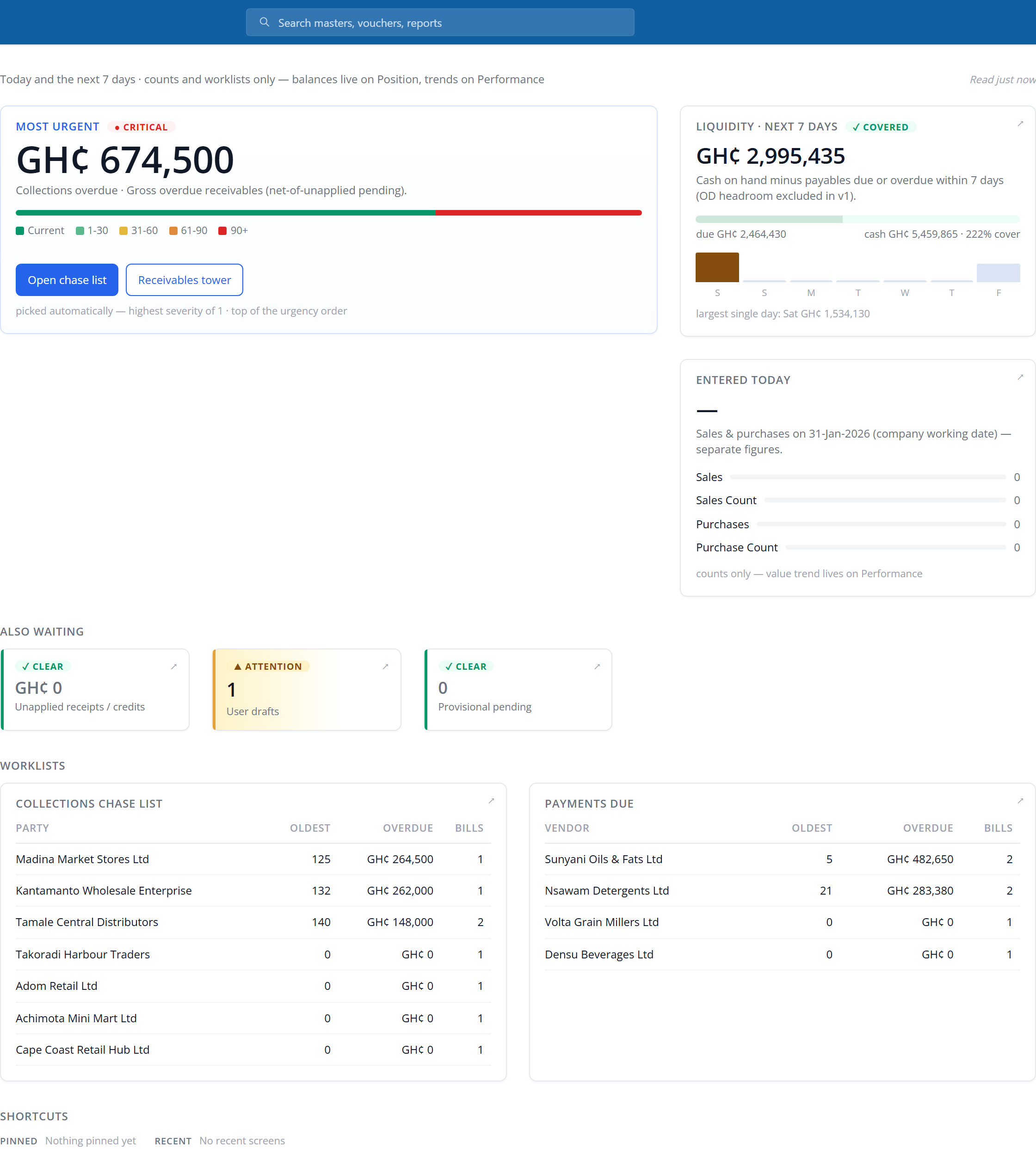
Today and the next seven days: counts and worklists, no balances and no trends. One tile is promoted to the top as the most urgent thing on the book, a liquidity check covers the week ahead, and two chase lists — collections overdue and payments due — list the parties by exposure, each opening into the matching control tower.
Position — where do we stand, as at today?
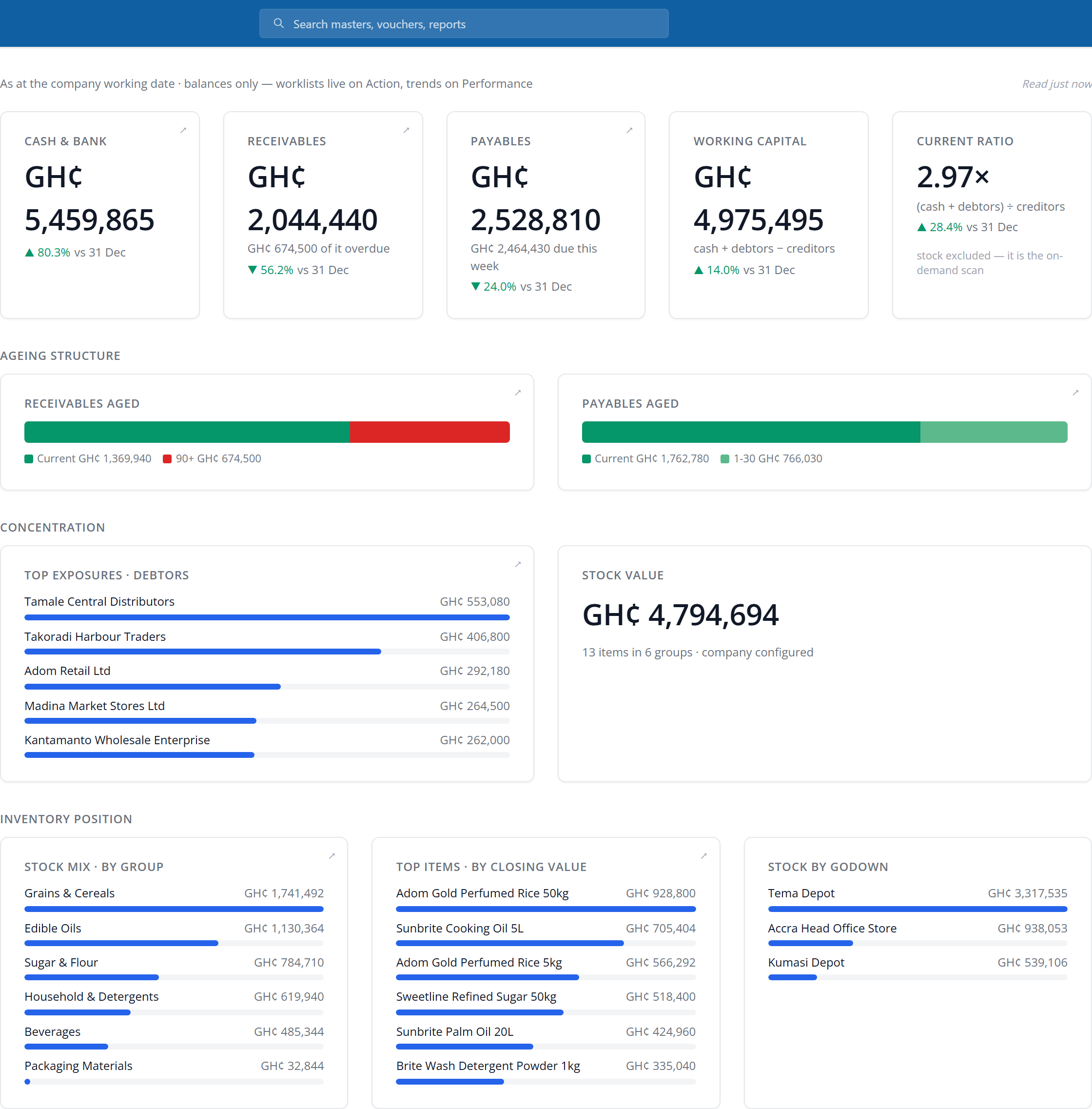
Balances only, no worklists and no movements: cash and bank, receivables and payables, working capital and the current ratio, each compared against a prior reading the server publishes with it. An ageing structure for both receivables and payables sits underneath, and stock value is computed on demand rather than carried on every load. It is the screen at the top of this page.
Performance — how did we do over the period?
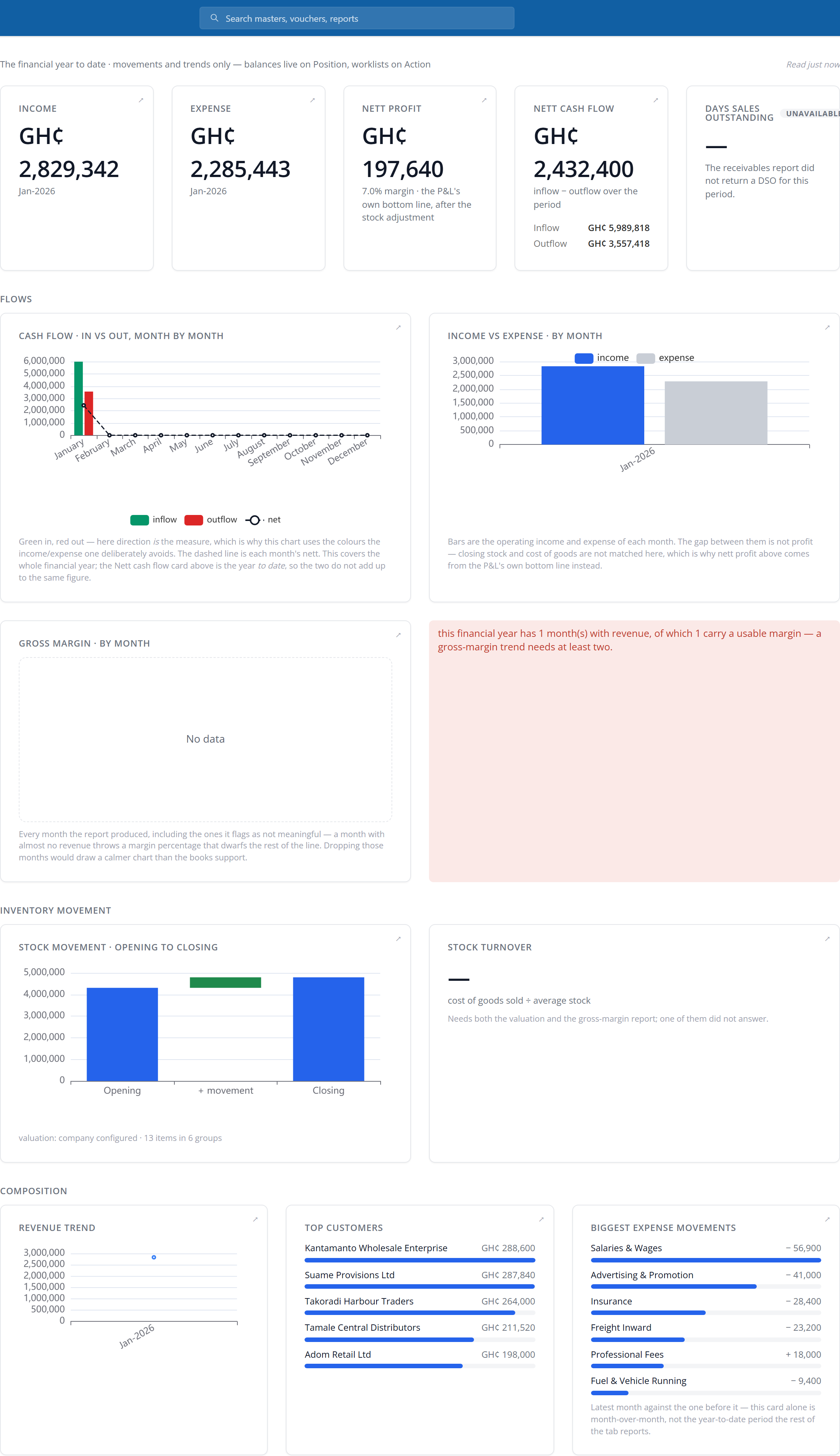
Movements and trends: income, expense, nett profit, nett cash flow and days sales outstanding for the financial year to date, then cash flow, income vs expense and gross margin charted month by month, plus stock movement, top customers and the biggest expense swings. Where a figure cannot be computed for the period, the tile says so and says why: days sales outstanding below reads “Unavailable”, not zero.
Control towers: receivables and payables
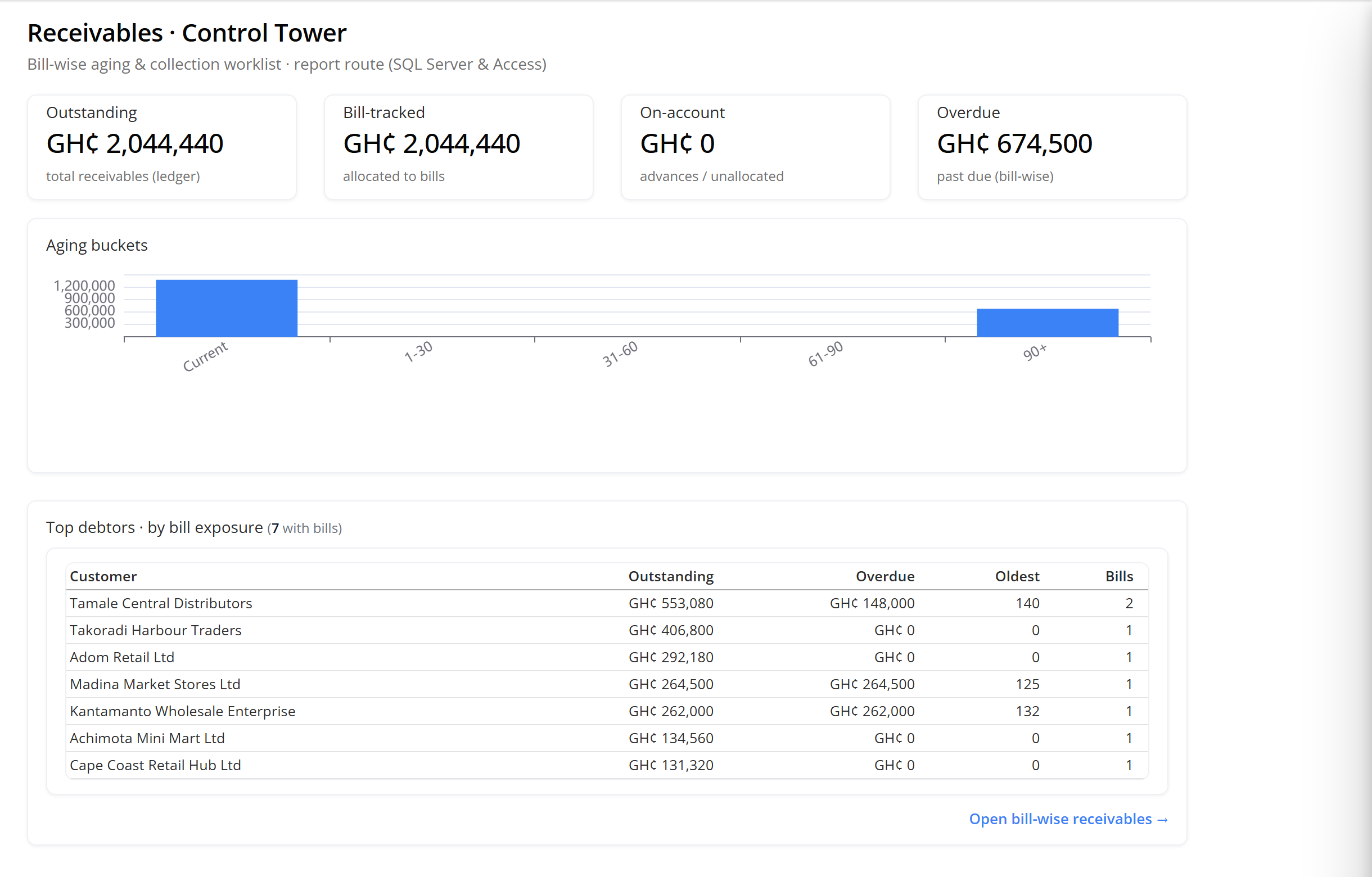
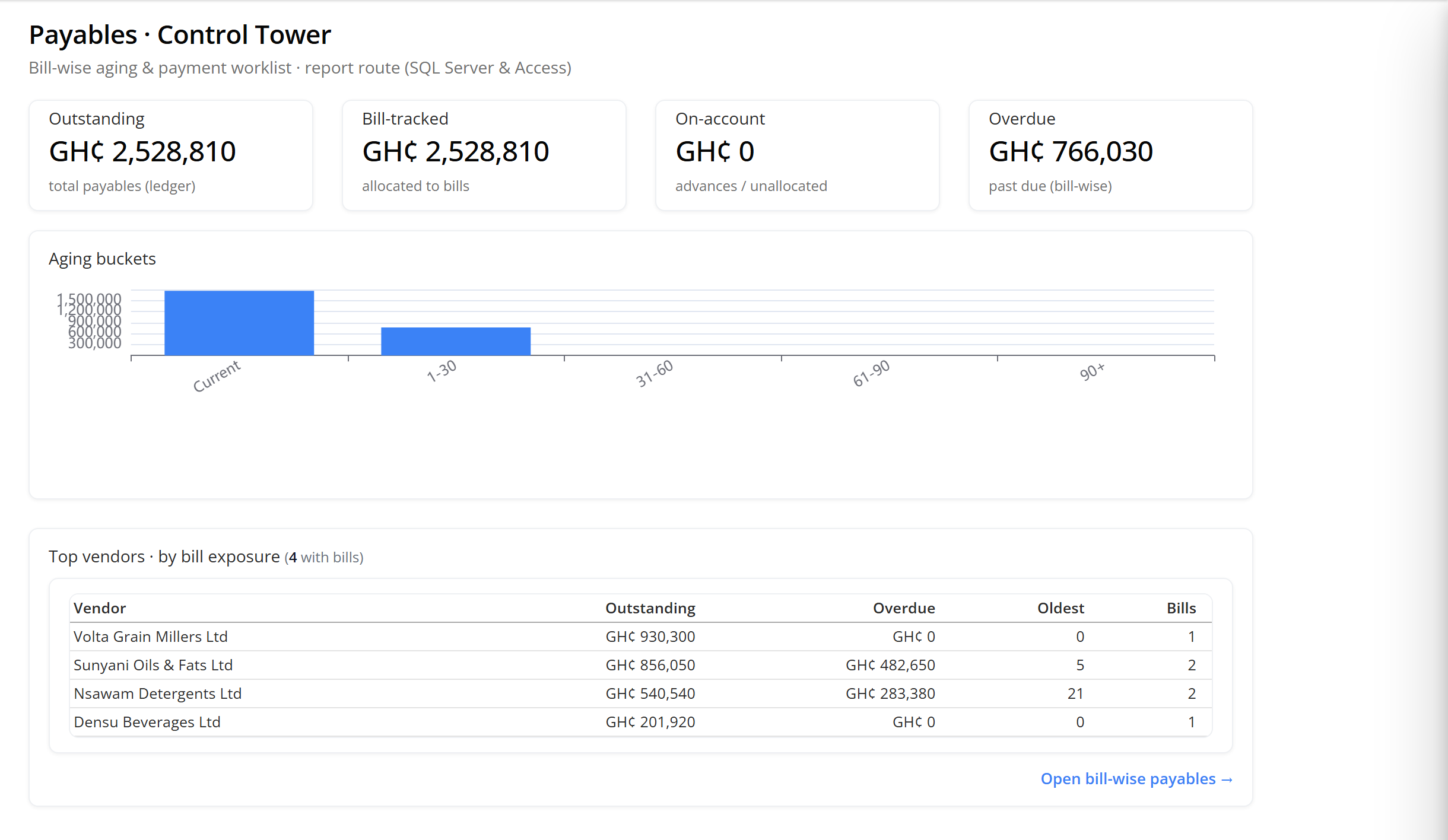
Both towers split the same identity: bill-tracked exposure plus on-account balances equal the ledger’s actual outstanding. Each shows an aging chart and the parties carrying the most exposure, and each links straight through to the canonical bill-wise report behind it.
Controls: bank and GL
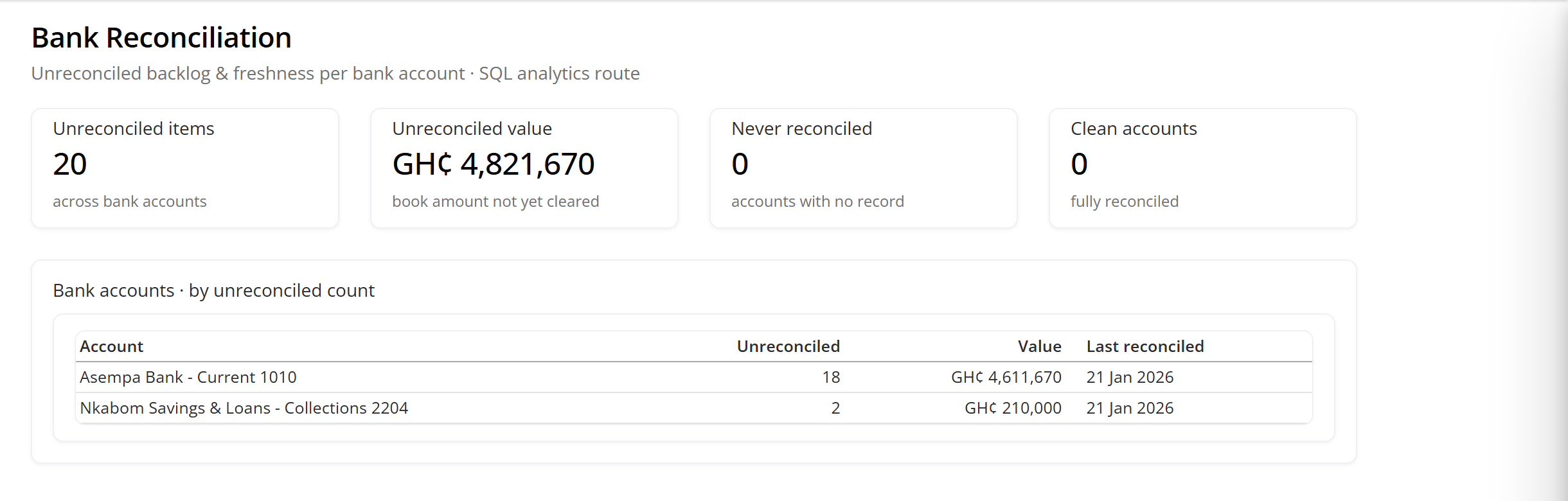
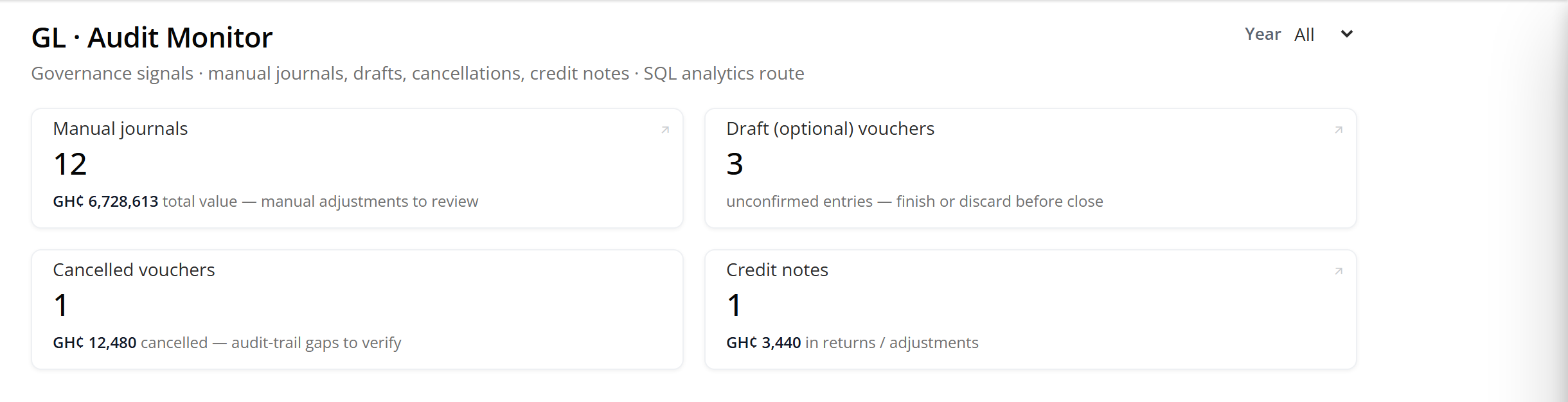
Two governance screens, read straight off the ledger rather than off a checklist someone has to remember to run.
Ask Books
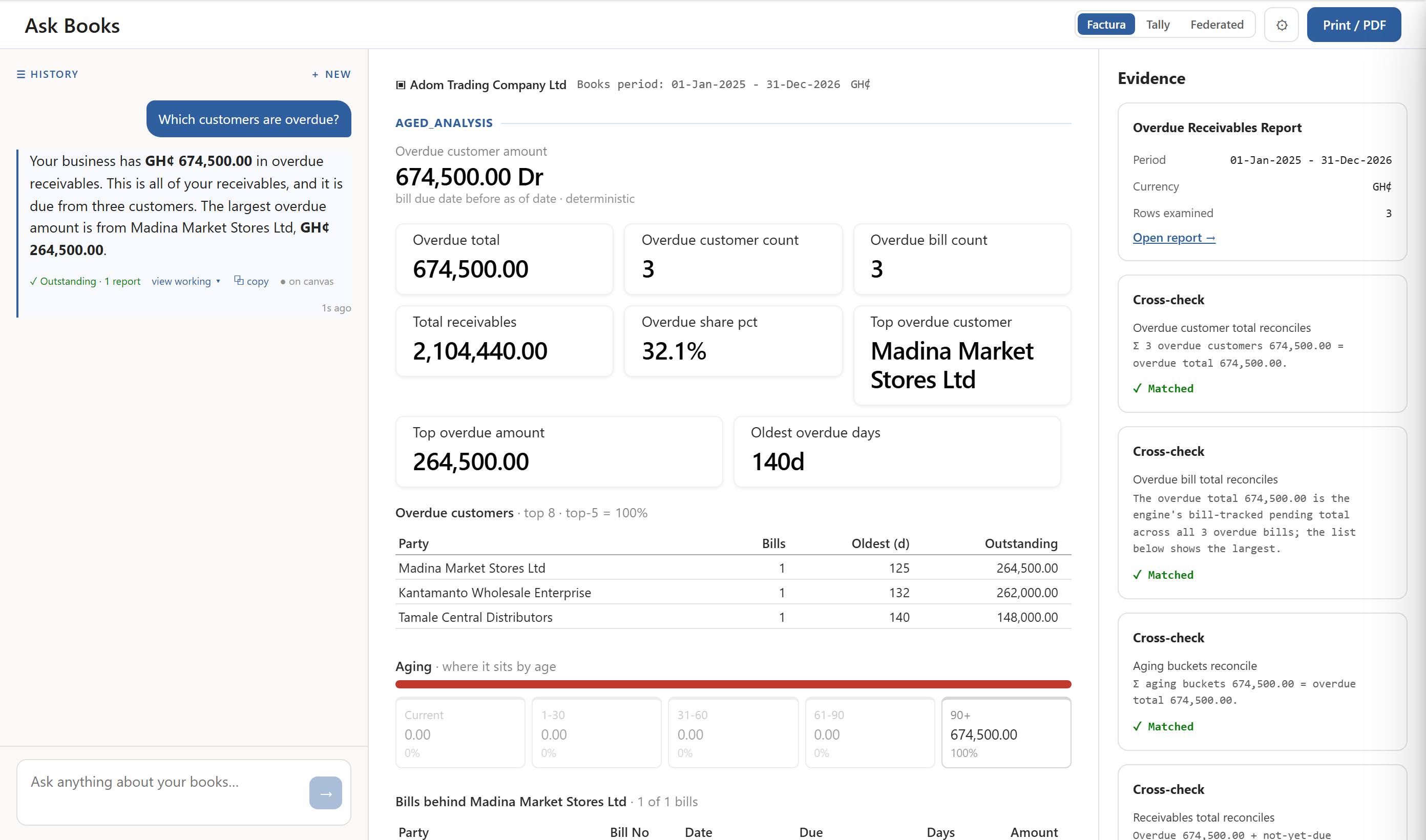
Type a question in plain language; the answer is read off a real report, not guessed. “Which customers are overdue?” below resolves to the same Receivables figures as the control tower — GH¢674,500, the same three customers, the same aging.
A fast, deterministic router tries to place the question first; the model is reached only when keyword matching cannot place it, and if the model or its gateway is unavailable the app falls back to a deterministic answer rather than failing silently. Clicking into a named voucher, ledger or bill from an answer skips the model entirely: the id you clicked is the instruction.
- The numbers come from the engine; the model only narrates.
- Every figure in an answer is computed the same deterministic way a report computes it. The model’s job is to put that figure into a sentence — it does not add, does not estimate, and does not compute anything itself.
- Your ledger figures go with the question.
- Answering “which customers are overdue” means sending the overdue amount, the customer names and the aging, not an aggregate only.
- Every answer carries its evidence.
- A “Grounded” badge, the report it came from, how many source rows were examined, and how many cross-checks passed sit under every answer, with a line-by-line trace behind “view working”.
- It has no ability today to post, approve or pay.
- The actions an answer suggests that would write to the books, drafting a reminder, logging a contact, are marked as not yet built. Nothing in Ask Books moves money or changes a record.
- It runs on an external model provider.
- Questions are sent to a service outside Factura for the narration step described above.
Every figure opens its report
Nothing on these screens is a dead end. A tile, a chart bar or a table row is a link to the report or the control tower behind it, not a picture of one.
- Action’s hero tile
- opens either the report the server names as the chase list, or the matching control tower — “Receivables tower” on a receivables tile.
- Position’s ageing structure and top-five exposures
- drill into the Receivables or Payables control tower directly.
- Each control tower
- ends in an “Open bill-wise receivables/payables” link to the canonical report, by its own report id.
- Each GL Audit Monitor tile
- — manual journals, draft vouchers, credit notes — links straight to that report, again by report id.
See a month close, end to end
Thirty minutes. Post, reconcile, report — and you can stop us anywhere.