
What are the training program statuses?
Training programs follow a defined lifecycle with specific transitions:
Draft (0) --> Scheduled (1) --> In Progress (2) --> Completed (3) --> Closed (4)
                  |                    |
                  v                    v
              Cancelled (5)       Cancelled (5)
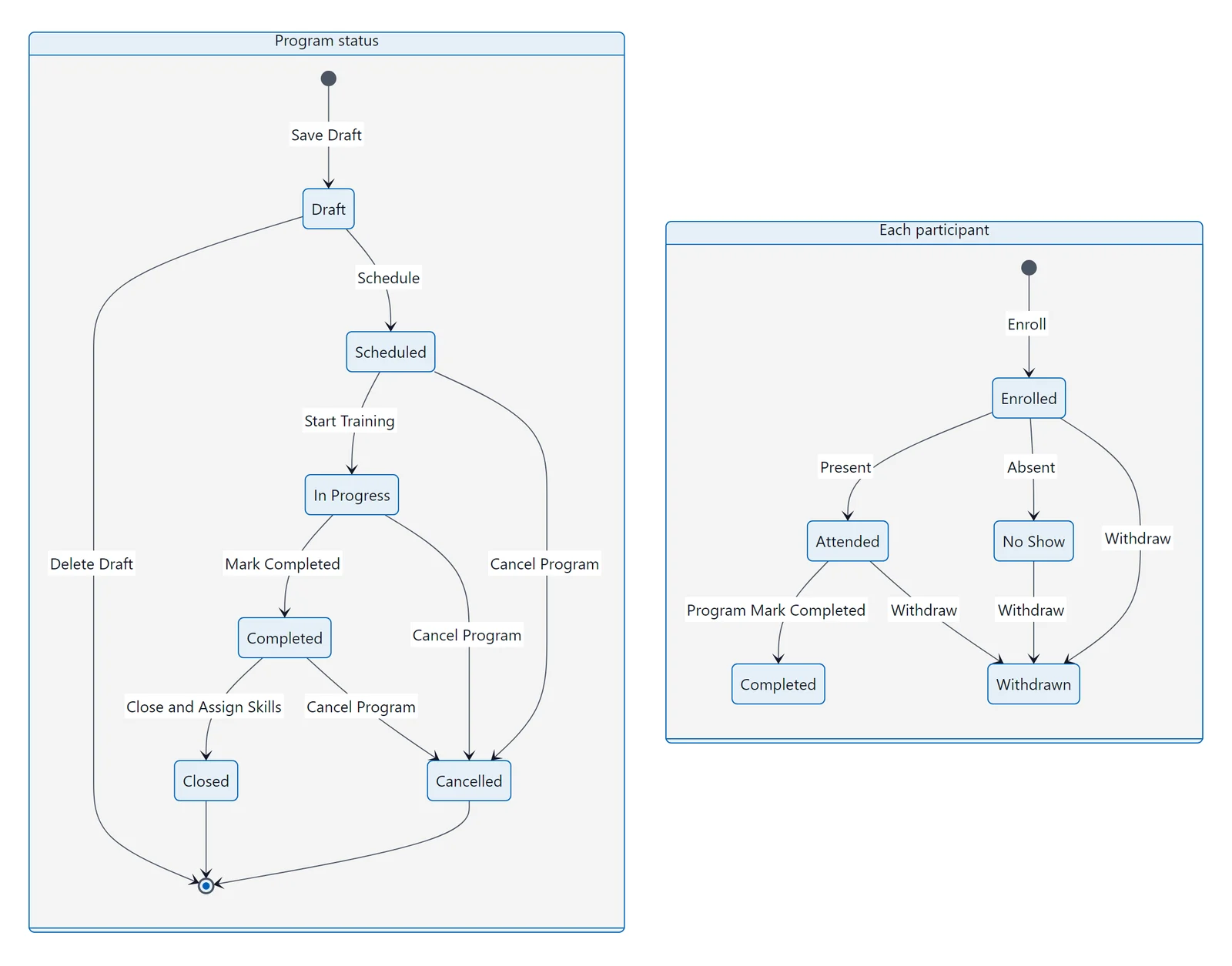
Lifecycle: program statuses from Draft to Closed or Cancelled, and each participant's enrollment states.
Status Transitions
| From | To | Button | Validation |
|---|---|---|---|
| Draft | Scheduled | Schedule Training | Must have at least 1 skill and 1 participant |
| Scheduled | In Progress | Start Training | None |
| In Progress | Completed | Mark Completed | Auto-marks attended participants as Completed |
| Completed | Closed | Close & Assign Skills | Optional: assessment required before close (setting-controlled) |
| Any (except Closed) | Cancelled | Cancel Program | Cannot cancel already-closed programs |
Action Bar
The action bar appears at the bottom of the edit form. It shows only the buttons relevant to the current status:
- Draft: Save, Schedule Training, Back
- Scheduled: Save, Start Training, Cancel Program, Prep Task, Back
- In Progress: Save, Mark Completed, Cancel Program, Prep Task, Back
- Completed: Save, Close & Assign Skills, Cancel Program, Back
- Closed / Cancelled: Back only (terminal states)