
What does the stage stepper show?
The clickable stage tracker sits below the header, showing the case's progression through all 6 stages.
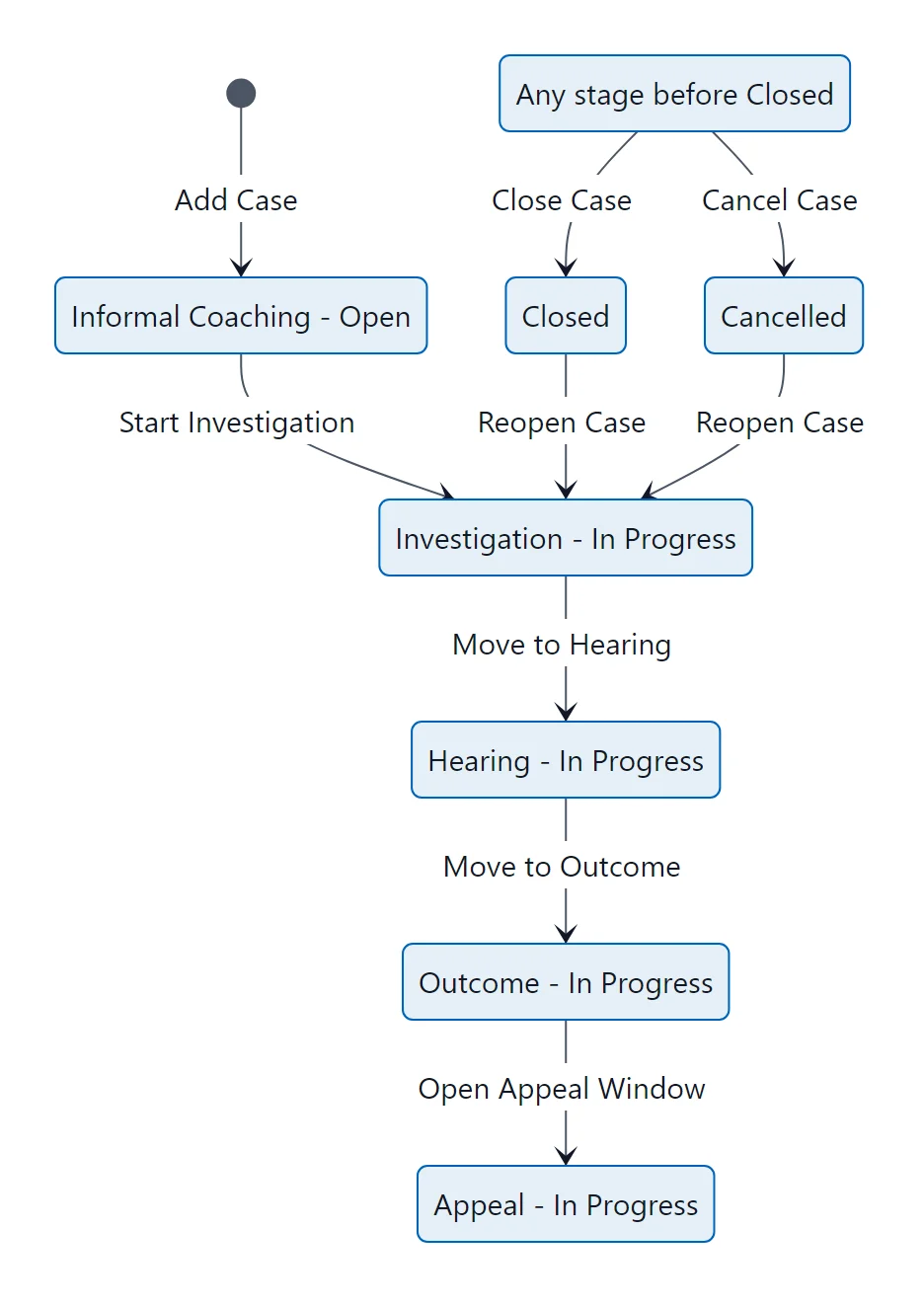
Case lifecycle: each stage, its status, and the button that moves the case forward, closes, cancels or reopens it.
The stepper numbers the stages 1 to 6 on screen; this guide counts them from 0 (Informal Coaching) to 5 (Closed).
Stage Indicators
- Completed stages: Blue checkmark, filled circle
- Current stage: Blue outline, highlighted text
- Upcoming stages: Gray, disabled (cannot be clicked until prior stages are complete)
- Selected stage: Blue shadow ring (you're viewing this stage's content)
Context Line
Below the stepper, a context line shows key metadata:
- Days since incident
- Days in current stage
- Confidential flag (lock icon)
- Precautionary suspension flag (pause icon)
- Active warning count
- Next hearing date
Navigation
Click any completed or current stage to view its content. You can review any past stage at any time without changing the case's actual stage.