
How do I create a survey campaign?
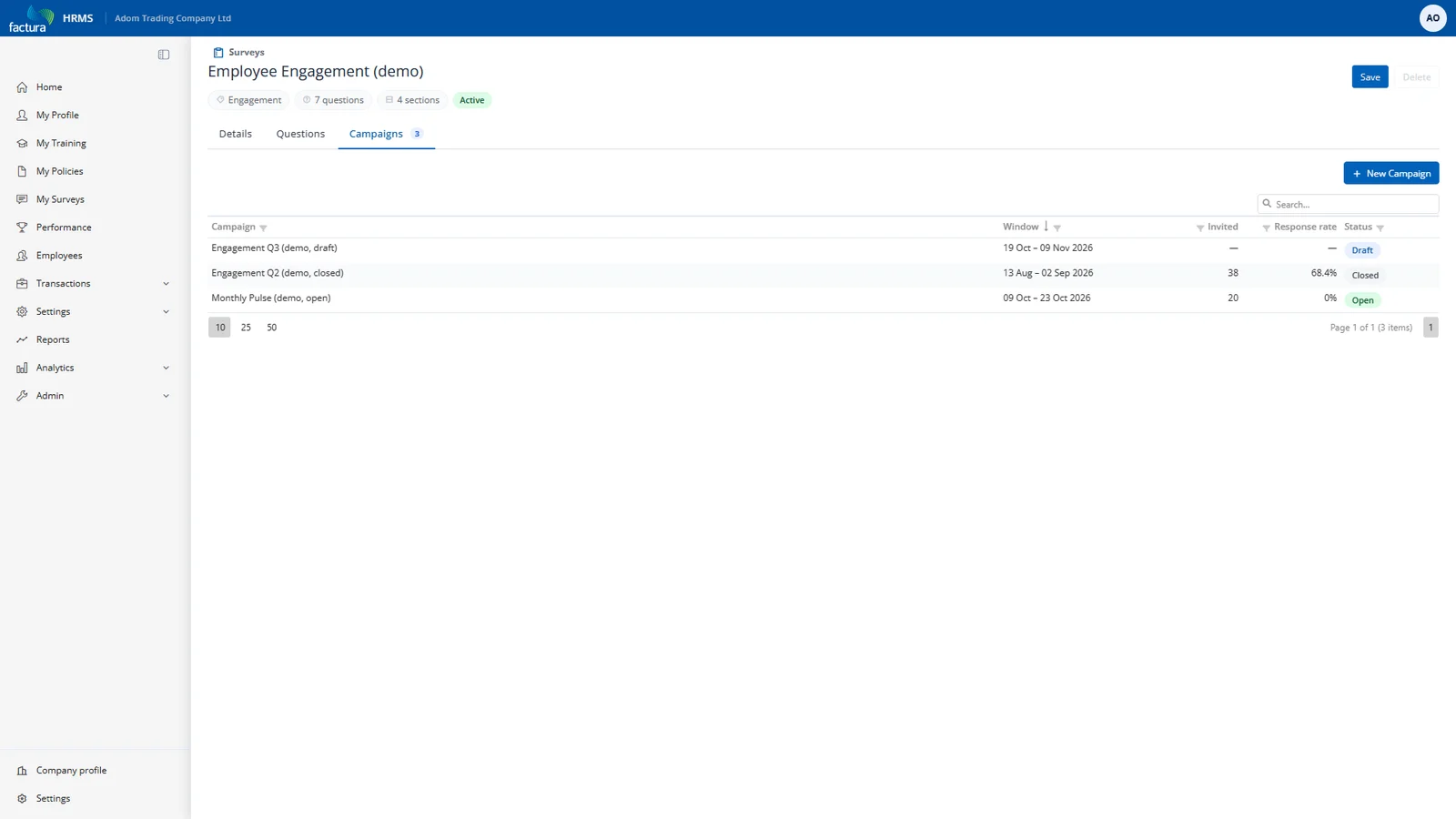
From the survey's Campaigns tab, create a campaign — one run of this survey.
Setup
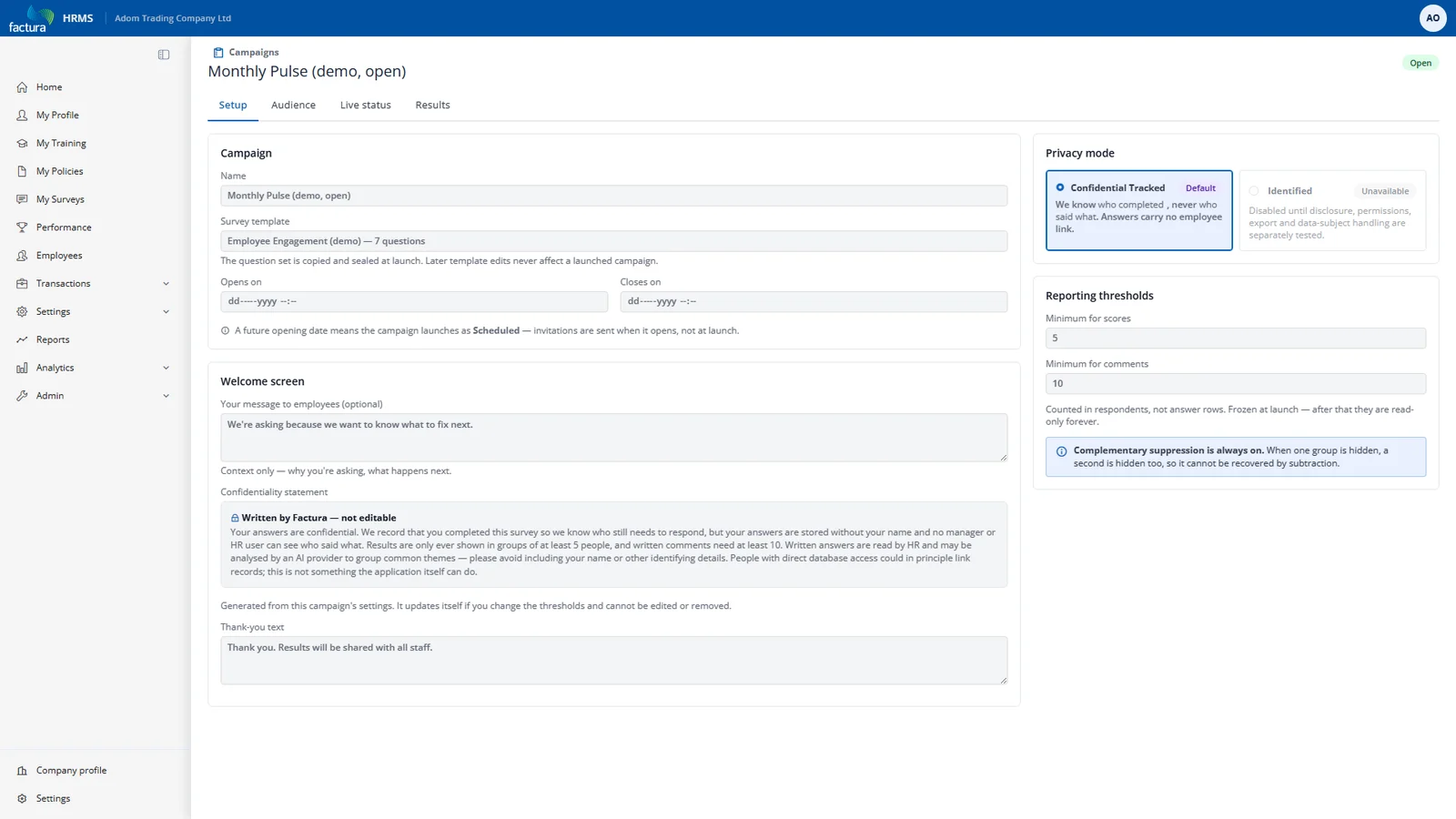
| Field | Notes |
|---|---|
| Name | What employees see on their invitation card. Include the period — "Engagement Q2 2026". |
| Opens on / Closes on | The answering window. A campaign with a future open date sits as Scheduled and opens itself. |
| Privacy mode | Confidential Tracked — the only mode available. (An "Identified" mode exists in the data model for a future release but is deliberately unreachable; there is never a silent fallback from confidential to identified.) |
| Minimum respondents for scores | Default 5. Below this, no score is shown for a group. |
| Minimum respondents for comments | Default 10. Higher than the score threshold on purpose — a sentence is far easier to attribute to a person than a number is. |
| Welcome text | Optional context: why you're asking, when results will be shared. Shown above the system confidentiality panel. |
| Thank-you text | Shown after submission. |
Both thresholds count people, not answers. Three employees answering four text questions produce twelve comments — but that is three respondents, and a threshold of ten is not met. This is deliberate and is the single most important detail in the suppression design.
Thresholds are frozen at launch. Whatever is set when you launch is what governs that campaign's reporting for its whole life. You cannot lower a threshold afterwards to reveal a group you already promised to protect.
The campaign lifecycle
| Status | Meaning |
|---|---|
| Draft | Editable. No questions sealed, no recipients, nobody can answer. |
| Scheduled | Launched with a future open date. Questions and audience are locked; invitations go out when it opens. |
| Open | Employees can answer. |
| Closed | Answering is over. Response rate and totals are frozen onto the campaign. |
| Cancelled | Stopped without completing. |
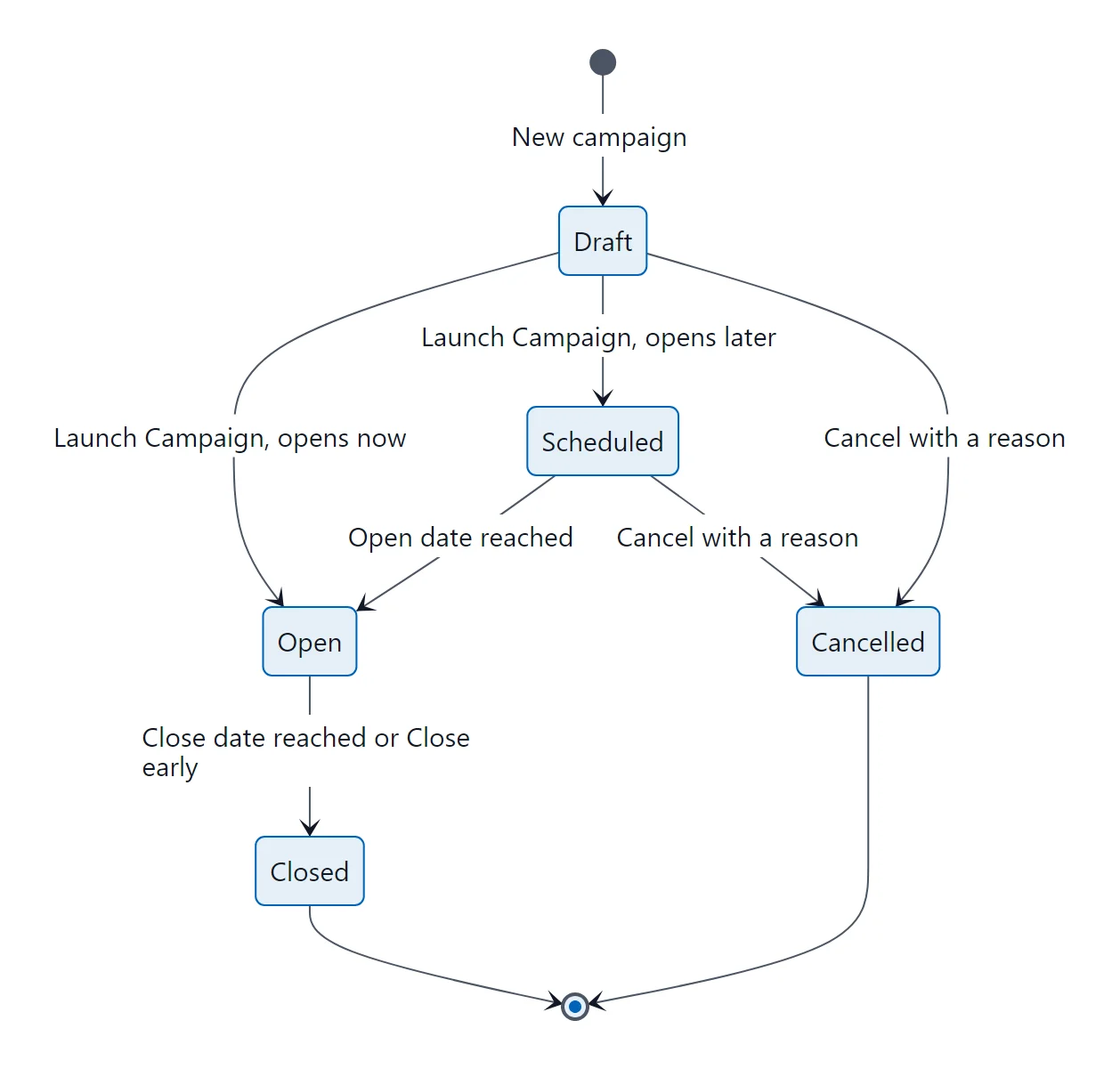
Content and audience lock the moment the campaign leaves Draft. That is what makes the results trustworthy: nobody can add a question or a department halfway through and quietly change what the numbers mean.