
How do I create a loan request?
Step 1: Navigate to Loan Requests
- Click Transactions in the left sidebar.
- Select Loan Request from the submenu.
- You are taken to the Loan Requests list page.
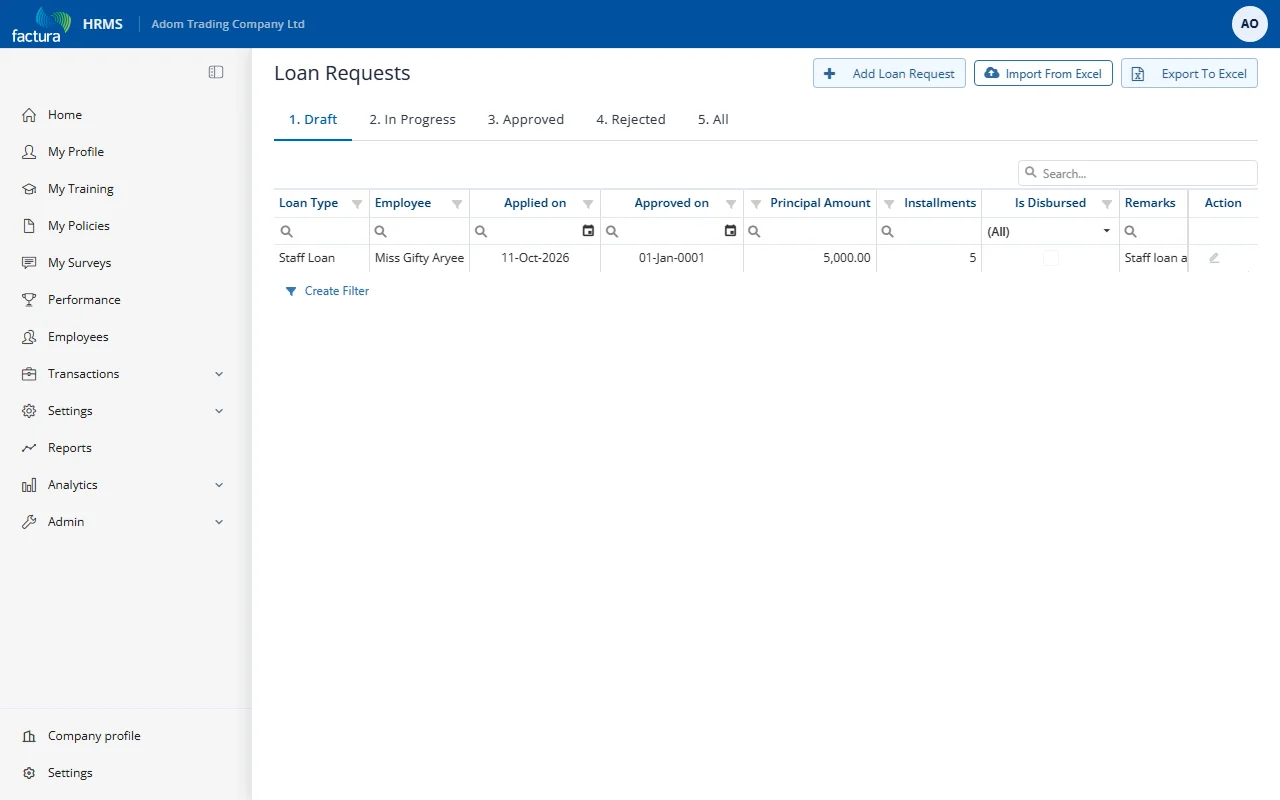
The list page has tabs to filter requests by status:
- 1. Draft -- Requests saved but not yet submitted
- 2. In Progress -- Requests submitted and awaiting approval
- 3. Approved -- Requests that have been fully approved
- 4. Rejected -- Requests that were rejected or cancelled
- 5. All -- All requests regardless of status
Each row shows the loan type, employee, applied on date, approved on date, principal amount, installments, disbursement status, remarks and repayment start date. Click the pencil icon in the Action column to open a request. The page header also offers Import From Excel (to load loan requests from a spreadsheet) and Export To Excel.
Step 2: Create a New Loan Request
- Click + Add Loan Request at the top right of the page.
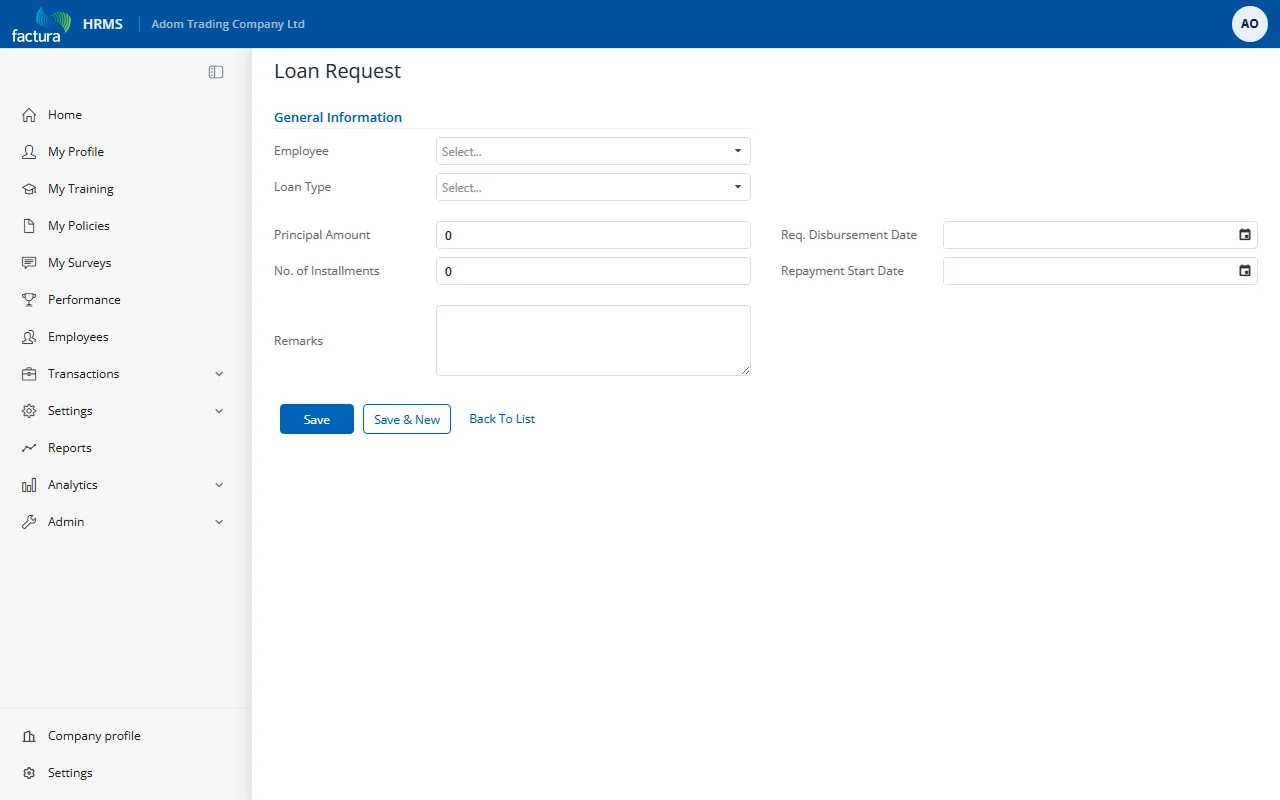
- Fill in the form fields:
| Field | Required | Description |
|---|---|---|
| Employee | Yes | Select the employee requesting the loan |
| Loan Type | Yes | Select the type of loan from the dropdown |
| Principal Amount | Yes | The total loan amount requested |
| No. of Installments | Yes | Number of monthly repayment installments |
| Req. Disbursement Date | No | The date the employee would like to receive the loan funds |
| Repayment Start Date | No | The date the first repayment deduction should begin |
| Remarks | No | Additional notes or reason for the loan request |
Selecting a Loan Type
Click the Loan Type dropdown to see available loan types:
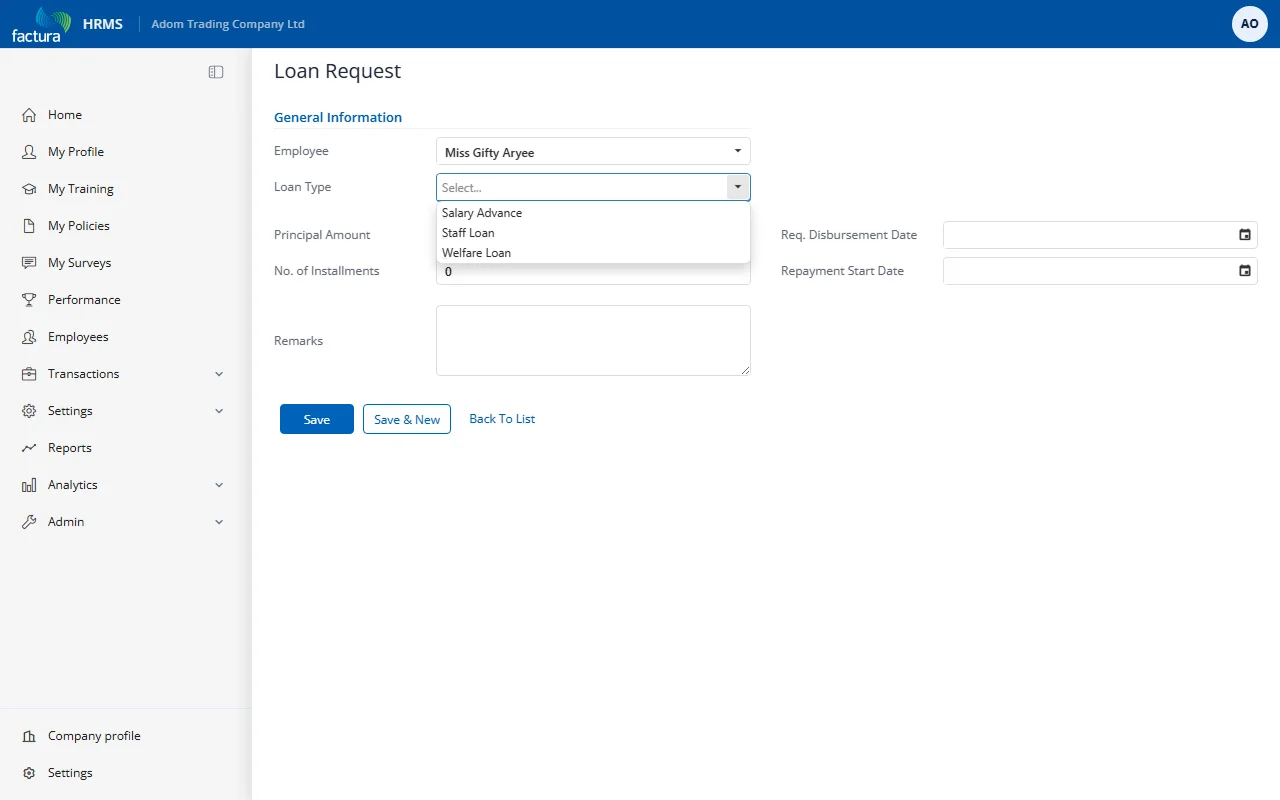
The dropdown shows only the loan types configured by the administrator (e.g., Salary Advance, Staff Loan, Welfare Loan).
Filled Form Example
After selecting the employee, loan type, and entering the amount and installments:
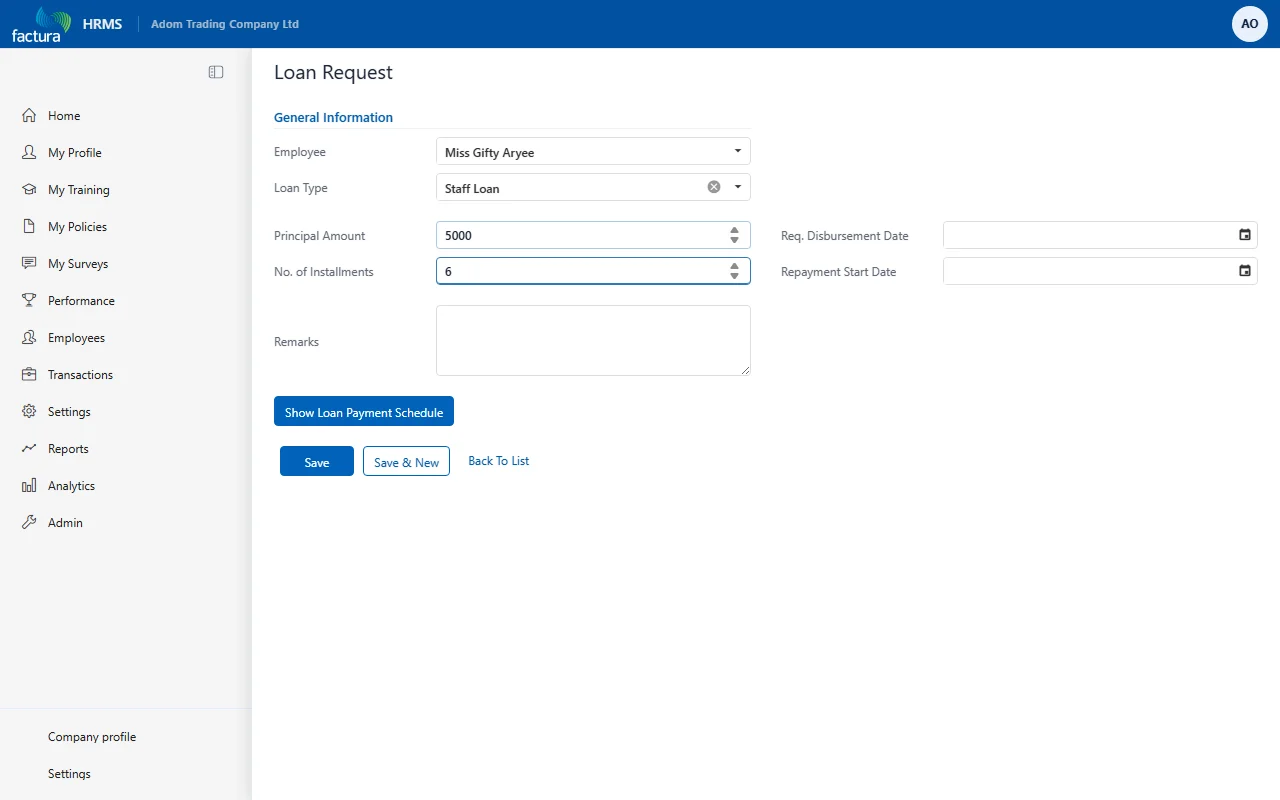
Tip: The system will validate your request against the loan type's rules (minimum/maximum amount, maximum installments). If your request exceeds the limits, you will see a validation error when you try to save.
- Click Save to save the request as a Draft.