
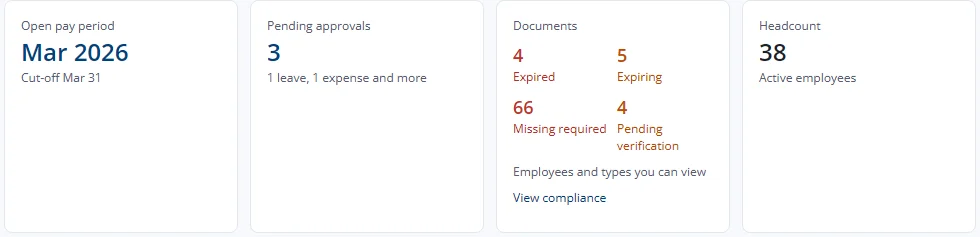
What does the home Documents tile show?
- Home tile. The Documents tile on the home page shows four counts: Expired, Expiring, Missing required and Pending verification, for the employees and types you can view. Each count opens the matching list, and View compliance opens the matrix. The tile appears only if you have access to the module.
Expired and Expiring count every document you can see, the same as the Expiring documents list. Missing required and Pending verification count required documents only, the same as the compliance matrix. So the matrix can show fewer expired documents than the tile when an expired document is not required for that employee.
- Employee badge. The header of the employee record shows a red badge such as "2 expired documents" when that employee has expired documents.
- Missing documents panel. The Documents tab lists required documents the employee does not yet have, with Upload and Waiver on each line (section 3).