
How do I archive or restore a document?
Archive and restore
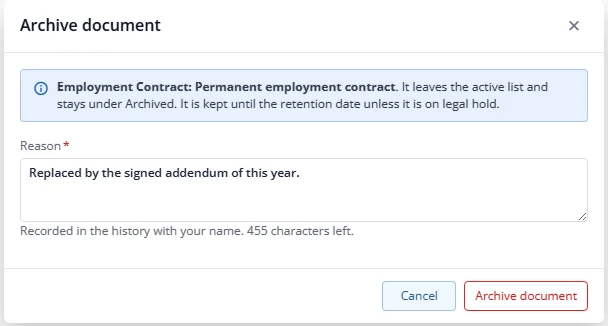
To hide a document you no longer need, open More, choose Archive and give a reason. You need archive rights for the type. Archived documents leave the normal list and the compliance counts; tick Archived on the Documents tab to see them. Restore brings them back. Files are kept.
Legal hold
An administrator can place a legal hold (with a reason) on a document from the More menu. A document under hold cannot be archived, deleted, erased or purged until the hold is lifted. Both hold actions are recorded.
Erase a misfiled document (administrator only)
Use Erase misfiled document only when a document was filed on the wrong employee, for example a medical scan on the wrong record. It needs administrator rights, delete rights on the module, a reason, a tick to confirm, and no legal hold.
Erase removes the versions and files (a file also used by another record is kept). A short record stays in the history that says who erased what and why, without any content. This cannot be undone.